64 57 498 D3543
D3543.201.01.05.02 08.2016
181
Sirona Dental Systems GmbH 4Operation
Operating Instructions INTEGO 4.12SIVISIONdigital video system
båÖäáëÜ
4.12.2.4.3 Using the camera with SI Video
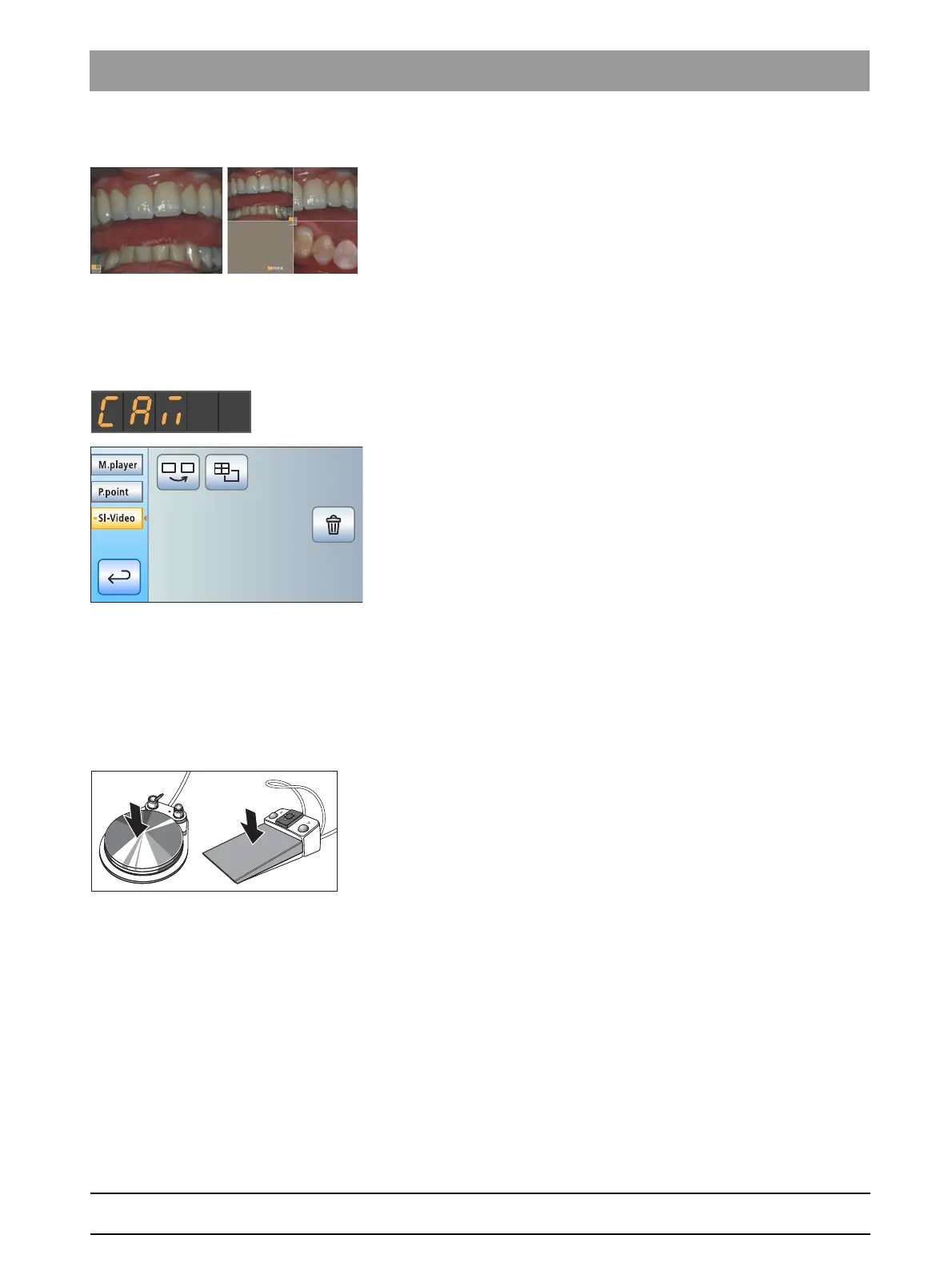
Using SI Video, up to four still images can be generated with the SiroCam
F / AF / AF
+
intraoral camera. These can be displayed on the SIVISION
monitor either as a sequence of single images or simultaneously as a
quad image. The active quadrant is marked with an orange square. The
quadrants are run through in a clockwise direction.
The generated still images remain until the treatment center or the PC is
disconnected from the power supply.
➢ Pull out the intraoral camera.
The live image is displayed on the SIVISION monitor as a single
image.
The text "CAM" is displayed on the EasyPad display.
The
SIVISION dialog
is displayed on the EasyTouch
touchscreen.
When the intraoral camera is put in the holder, the live image disappears
from the monitor. The generated still images remain displayed.
Operation of SI Video with the camera removed
When the camera is removed, the SI video is controlled via the C
+
electronic foot control, the keys of the EasyPad, or the virtual keys of the
EasyTouch in the
SIVISION dialog
.
Switching between live and still image
✔ The intraoral camera is removed from its holder.
1. Step on the foot pedal.
The display switches from live to still image.
2. Press the foot pedal again.
The live image is displayed again.
If the treatment center is equipped with an autofocus camera and the C
+
electronic foot switch, it can be configured in the setup that the camera
image can be focused with the foot switch, see "Switching on/off focusing
of the intraoral camera with the C
+
electronic footswitch" for Easy Pad
[ → 195], for EasyTouch [ → 200]. If this function is switched on, the foot
pedal must be pressed down fully to switch between live and still images.
Selecting the next quadrant
In order to produce another still image, another quadrant must be
selected. If a still image is already contained in the desired quadrant, it
can be replaced by a new image.



 To Next Page