139
Detailed Repair Procedures
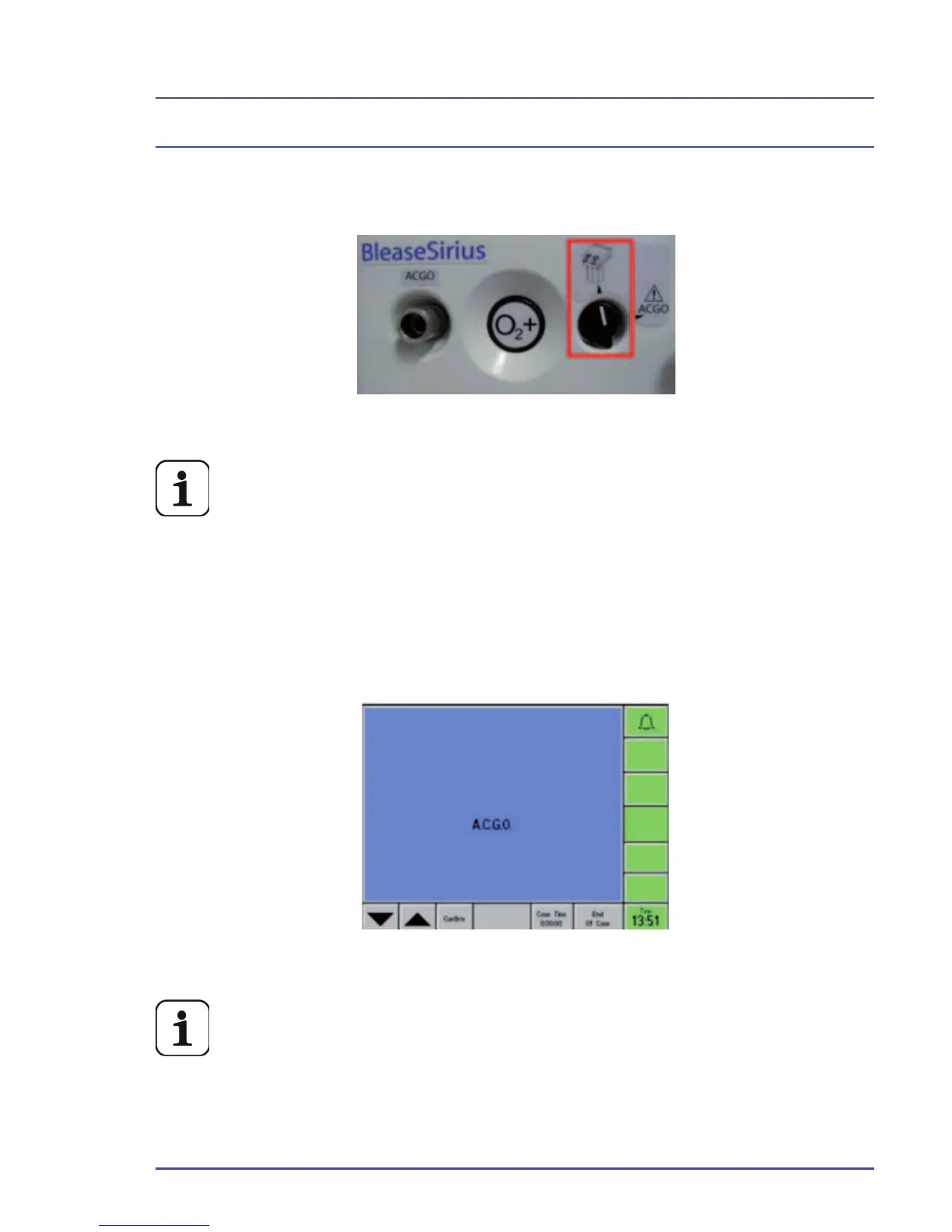
10. After the ACGO assembly is installed, turn the ACGO switch to “Absorber”
and turn the BleaseSirius on/off switch to the “On” position. Bypass the
pre-use test.
Figure 99 - ACGO Switch Set to Absorber
When the ACGO switch is set to “Absorber,” fresh gas is routed to
the absorber internally and will not fl ow through the CGO taper. If
the switch is “ACGO,” gas is routed through the taper.
11. Set the Bag/Vent Switch on the absorber to “Vent” and ensure the
ventilator is functioning correctly.
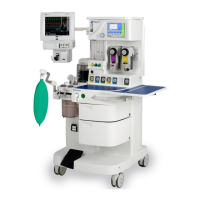
12. Turn the ACGO switch to “ACGO” and ensure ACGO is displayed on the
ventilator screen.
Figure 100 - A.C.G.O Ventilator Screen Display
If the ACGO switch is activated during ventilation, the ventilator
will continue for about 10 seconds before switching over. If the
ventilator is in Standby, the switchover is immediate. To reacti-
vate the ventilator, turn off the ACGO, switch to Bag mode, then
back to Vent mode. Also, 100% oxygen calibration is NOT availa-
ble when the machine is in ACGO mode.


 To Next Page