222
6.4.2 Confi gure the Flow Tubes
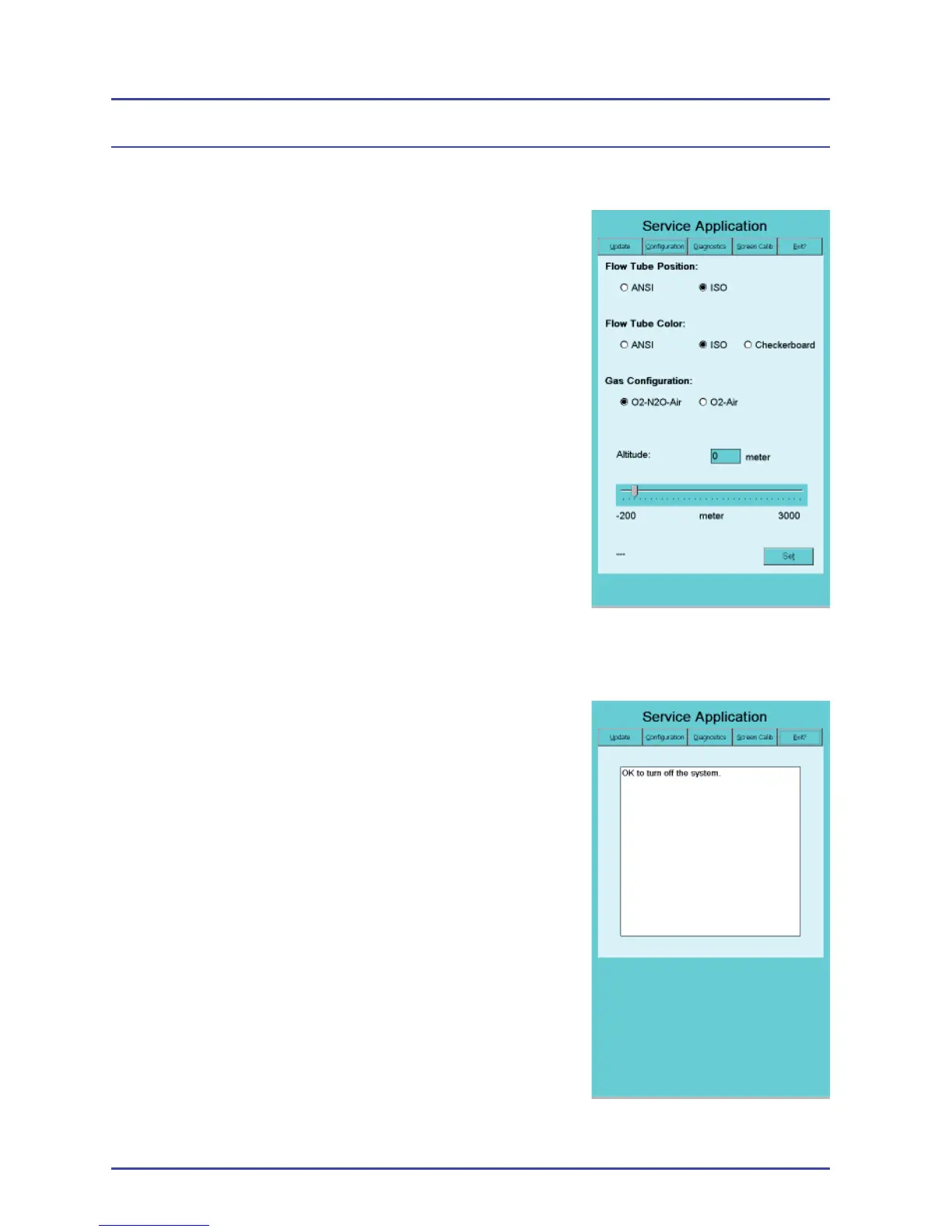
1. Select the Confi guration tab at the top of the
panel.
2. Select the settings for the Flow Tube Position
and Flow Tube Color that are appropriate for
your country (Figure 163).
3. Select the Gas Confi guration for the installed
EFM model.
4. If the facility is at an altitude over 1000 meters
(3000 feet), use the slide bar to enter the
altitude in meters. Tapping the slider bar to
the right or left of the slider moves the slider in
100m increments. Reminder: For non-metric
countries, be sure to enter the altitude in
meters.
5. Verify the settings, then select Set to save the
confi guration.
6. Select the Exit tab at the top of the panel.
7. When you see the message, “OK to turn off
the system,” power off the system to exit the
service application (Figure 164).
8. Remove the SD card from the reader and
store it in a secure place. Place a new label
over the EFM SD Card Reader.
EFM Option
Figure 164 - Exit Panel
Figure 163 - Confi guration
Panel



 To Next Page