224
6.4.4 Detect Sensors
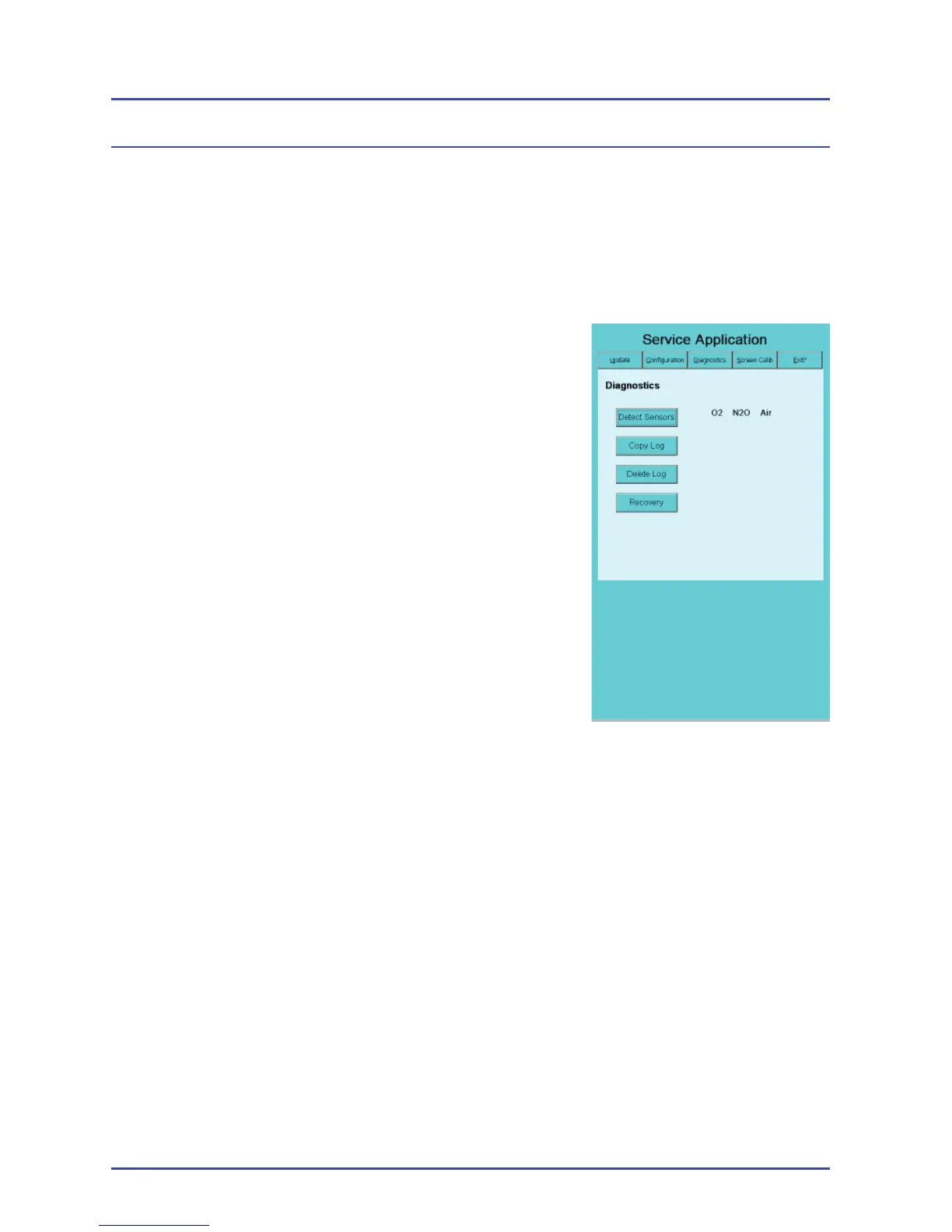
Note: The gas sensors are displayed in the order of their position on the
EFM. Figure 166 shows a 3-gas ISO system listing “O2 N2O Air.” This
display indicates that the O2 sensor is connected in the far left position,
N2O in the center and Air in the far right position.
1. If you suspect a faulty sensor, select Detect
Sensors. The application displays the name
of the sensor if it is working properly
(Figure 164). You will see a dashed line, if it
is faulty or missing. For a 2-gas system, the
sensor for the N
2
O will be a dashed line.
2. Select the Exit tab, when you are fi nished.
When you see the message, “OK to turn off
the system,” power off the system.
EFM Option
Figure 166 - Detect Sensors
Display


 To Next Page