90
System Checks
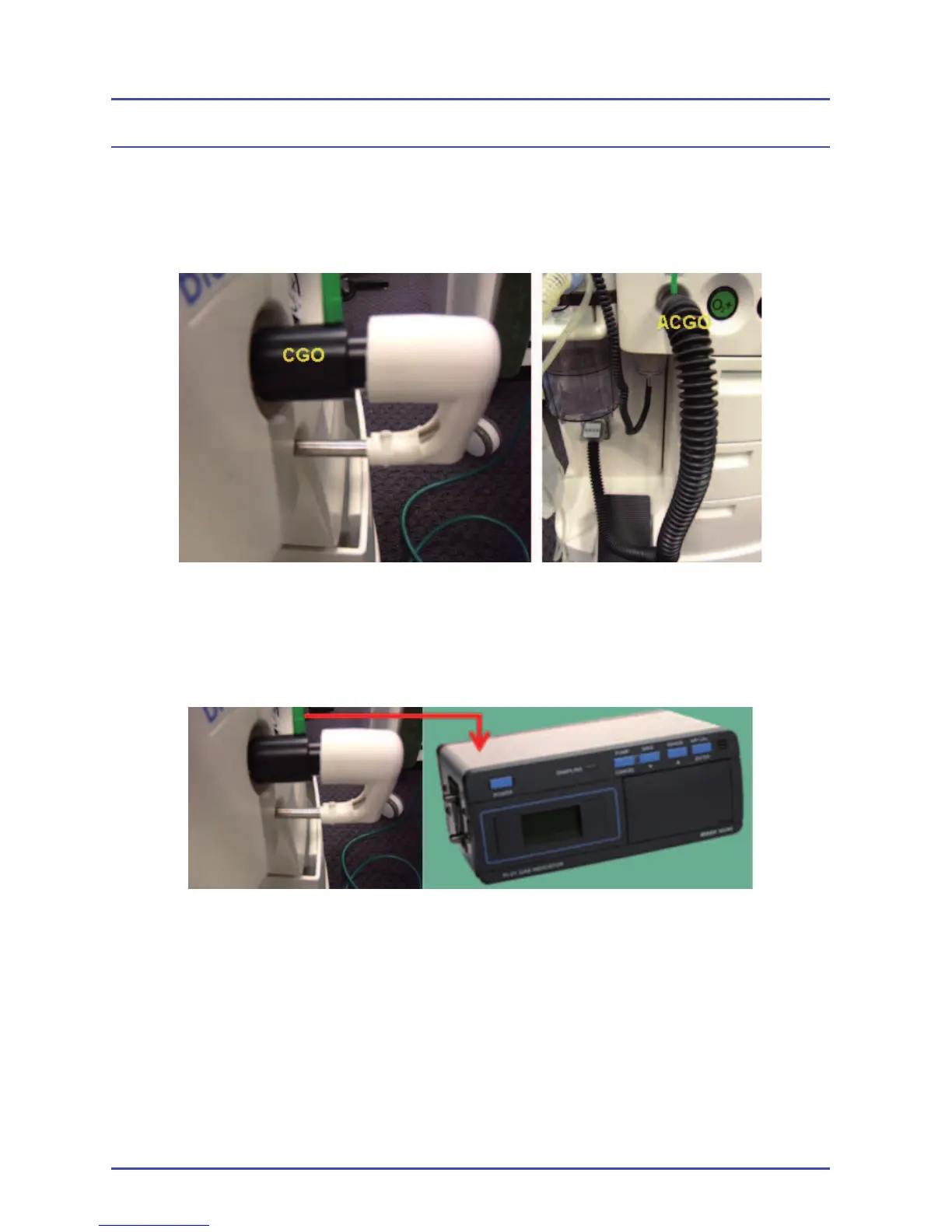
6. Connect a pressure sample tee to the CGO taper and the CGO boot to
the other end of the pressure sample tee. (Note: For ACGO units, connect
a 22 mm reusable hose from the other end of the pressure sampling tee
to the AGSS auxiliary port and set the switch to ACGO.)
Figure 43 - Connect a Pressure Sample Tee
7. Ensure that the pressure sampling tee is connected to a gas analyzer and
ensure that the gas analyzer is also connected to an active scavenger.
Figure 44 - Gas Analyzer Connection
8. Ensure that the bag-to-vent switch on the absorber is set to Bag. Open
the APL valve by turning it fully counter-clockwise.
9. Turn the power switch to the “ON” position.
10. Set a fl ow of 10 L/min on the O
2
fl ow control valve to fl ush the system of
any residual gas. Reduce the fl ow to 4 L/min after one minute.
11. Set the vaporizer dial to 1.0% and wait a few minutes for the vaporizer
concentration to stabilize.



 To Next Page