153
5.12.6 Setting Ball Catch
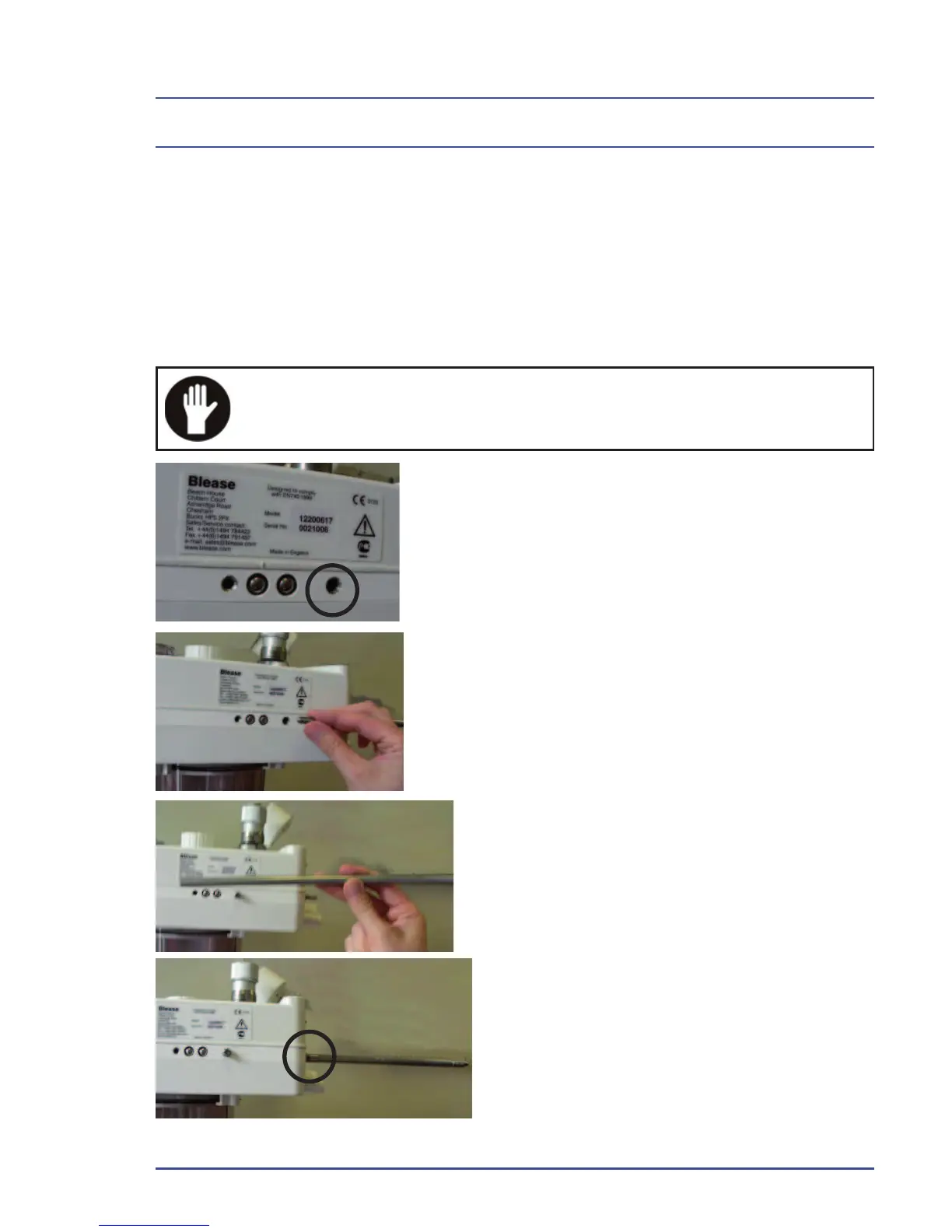
1. Fit an Absorber Rod into the Main Plate RF.
2. Fit the Spring Plunger (54600073) and tighten until it “bottoms” solidly.
Slacken half a turn.
3. Remove the Rod.
4. Lock the Spring Plunger in place by fi tting Grub Screw (SM0870) against
it.
Ensure correct setting - the Rod must “click” in and out of the
Main Plate.
5. Ball catch and lock screw.
6. Ball end in fi rst, turn a few times,
but not all the way in.
7. Insert rod fl at end fi rst.
8. The rod is in place.
Figure 112 - Setting Ball Catch
Detailed Repair Procedures



 To Next Page