151
5.12.3 Absorber Alignment
It is essential that the absorber and its switching are aligned correctly for the
ventilator to work. There are two separate switch functions:
1. Standby/run signal generated from the bag/vent switch
2. Absorber docking signal
5.12.4 Standby / Run
The Ventilator Standby / Run signal is generated by a magnet attached to the
absorber Bag / Vent switch and operates a reed switch within the mounting rod.
The adjustment range is approximately 5mm. There is no adjustment to the
magnet, but the reed switch is adjustable.
1. To adjust the reed switch, remove the rear cover of the machine.
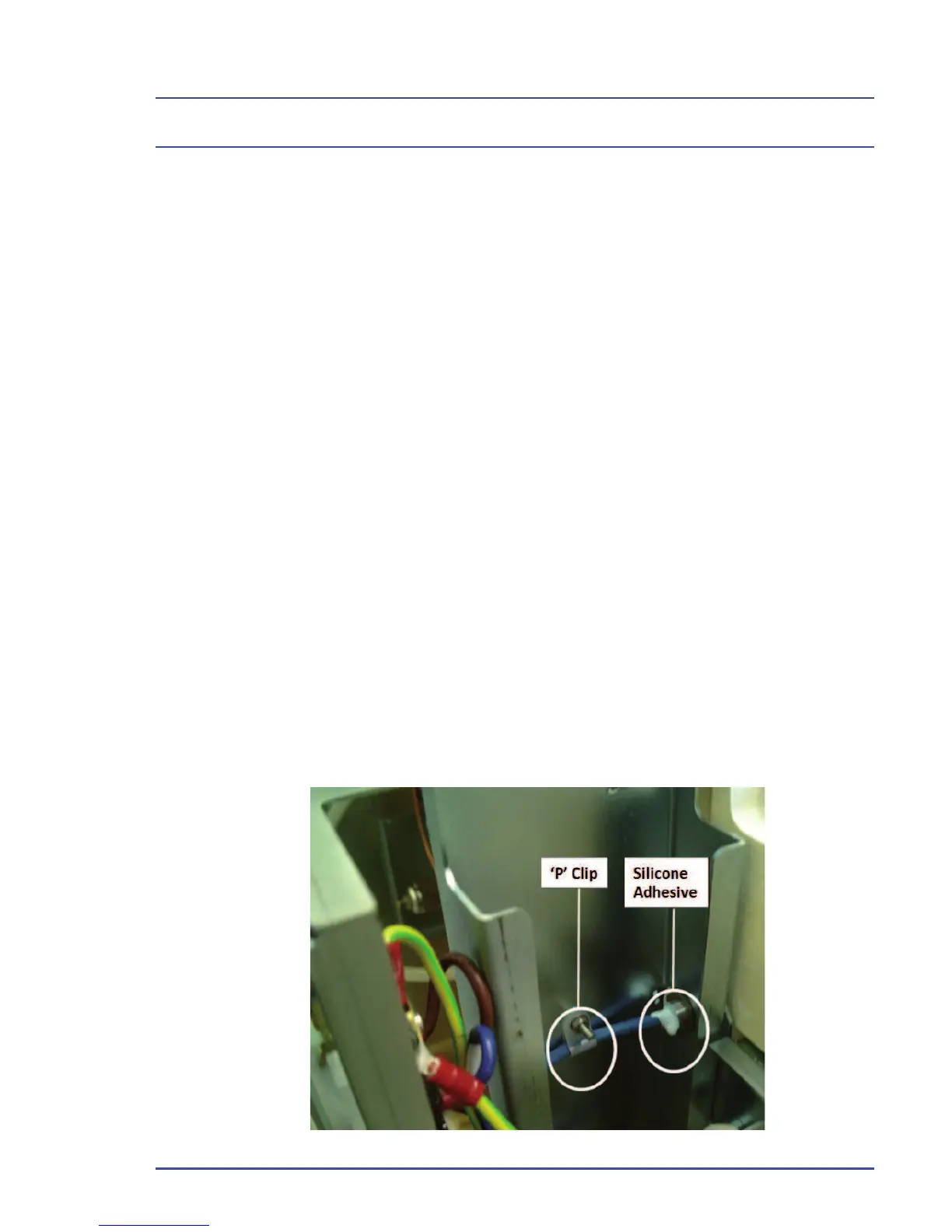
2. The cable attached to the reed switch can be seen coming out of the back
of the absorber support rod nearest the outside. The cable is secured by
a ‘P’ clip on the main upright and silicone adhesive at the mounting rod
base.
3. Make sure the absorber is correctly positioned. Ensure that there are
no foreign objects between the absorber and the main Sirius molding,
preventing the absorber from pushing back correctly.
4. Loosen the ‘P’ clip and remove the silicone adhesive to slide the reed
switch in and out, until reliable switching is achieved. Tighten the ‘P’
clip and check again. If functional, reseal the mounting rod with silicone
adhesve.
Figure 109 - ‘P’ Clip
Detailed Repair Procedures



 To Next Page