77
System Checks
4.12 Common Gas Outlet (CGO) Test
4.12.1 Oxygen Flush Test
1. Ensure that the power switch is in the “OFF” position.
2. Ensure that all fl ow control valves are closed.
3. Connect an O
2
supply to the O
2
pipeline inlet.
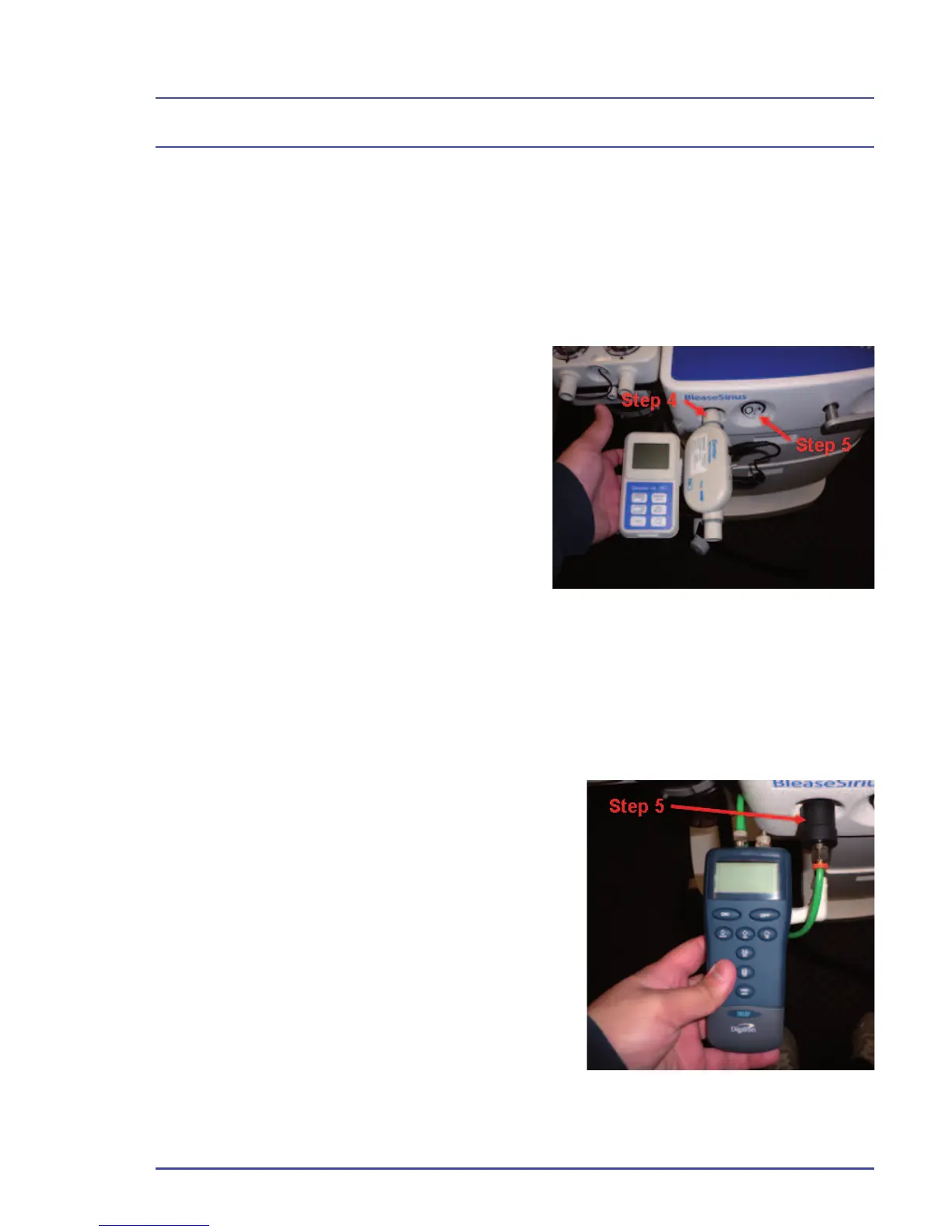
4. Connect a fl ow measuring device
to the CGO taper. If the machine is
fi tted with an ACGO, ensure that the
switch is set to ACGO.
5. Push the fl ush button and verify
the fl ow measuring device reads
between 35-55 L/min.
4.12.2 Pressure Relief Valve Test
1. Ensure that the power switch is in the “OFF” position.
2. Ensure all fl ow control valves are closed.
3. Connect an O
2
supply to the O
2
pipeline
inlet.
4. Connect a pressure measuring device to
the CGO taper. If the machine is fi tted with
an ACGO, ensure that the switch is set to
ACGO.
5. Turn the switch to the “ON” position.
6. Set a fl ow of 1 L/min on the O
2
fl ow
control valve and verify that the pressure
measuring device reads between 3.25-
3.95 psi.
Figure 28 - O
2
Flush Test
Figure 29 - Connect Pressure
Measuring Device



 To Next Page