81
System Checks
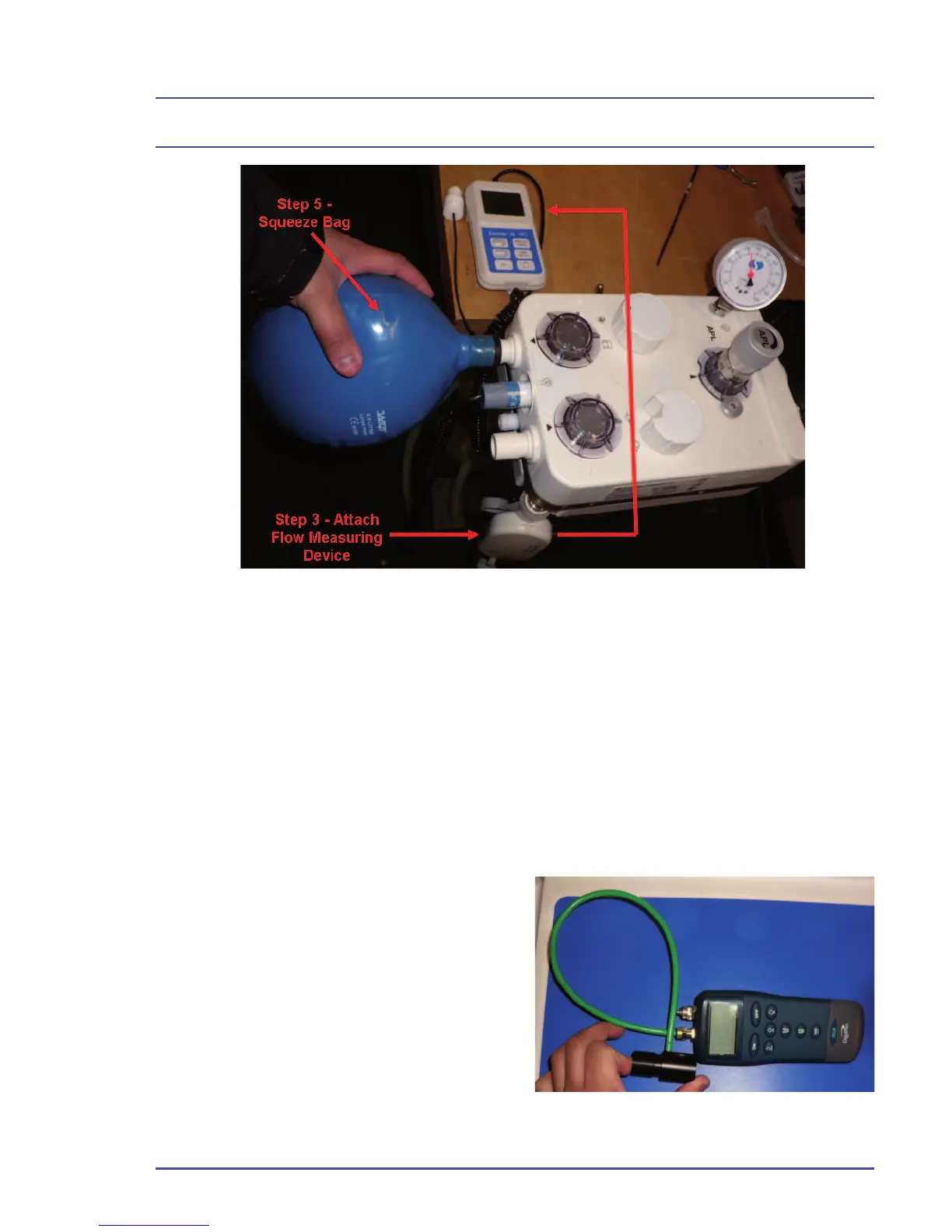
4. Turn the power switch to the “OFF” position.
5. Gently squeeze the bag on the inspiratory port.
6. Check the fl ow measuring device for any fl ow. Less than 60 ml/min is
acceptable.
7. If you fi nd a leak, replace the valve seat or valve disc. See Chapter 5 in
this service manual for replacement procedures.
4.14.3 APL Valve Check
1. Ensure that an O
2
supply is
connected to the machine.
2. Ensure that all fl ow control valves
are closed.
3. Connect a pressure measuring
device to a pressure sampling tee.
Figure 33 - Steps 3 & 4 of the Inspiratory Valve Test
Figure 34 - Connect a Pressure
Measuring Device



 To Next Page