31
2.1 Description of the Ventilator
2.1.1 Overview
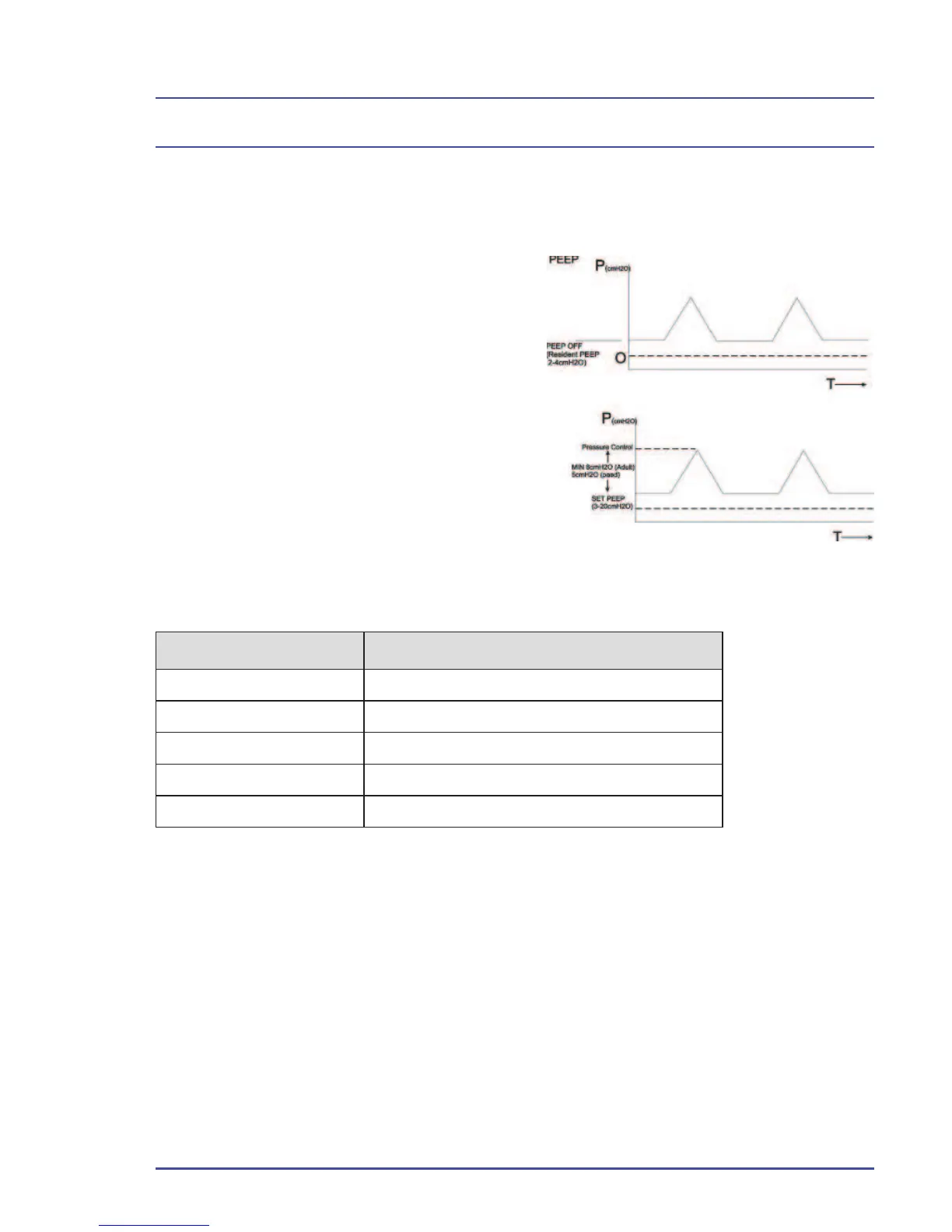
2.1.1.1 PEEP
The Blease700/900 series ventilator
continuously monitors and displays
the Positive End Expiratory Pressure
(PEEP). By default, a PEEP of
2 - 4 cmH
2
O is introduced to the circuit,
caused by the bellows assembly,
which is shown as OFF. A PEEP value
between 3 and 20 cmH
2
O can be set
from the panel, with an automatic alarm
of more than 25% above the set value.
A minimum difference of 8 cmH
2
O
in adult and 5 cmH
2
O in pediatric is
enforced between the set PEEP level
and the pressure controls shown below.
Mode Pressure Control
Volume Control Pressure Limit
Pressure Control Set Pressure
Pressure Support Support Pressure
SIMV-VC + PSV Support Pressure + Set Volume
SIMV-PC + PSV Support Pressure + Set Pressure
When the user changes a value such that it does not comply with the required
difference, the box surrounding the feature being adjusted and the value of
the feature causing limiting to be enforced is highlighted red. The value being
adjusted could either be the PEEP level or the relevant pressure control.
The user can then:
• Accept the value being adjusted, in which case, it will be set to the
nearest acceptable value.
• Adjust the value to a non-confl icting value.
If the user does not make the change before end of time allowed for adjustment,
the value will set to the nearest acceptable value.
Figure 3 - PEEP Diagram
Overview



 To Next Page