69
System Checks
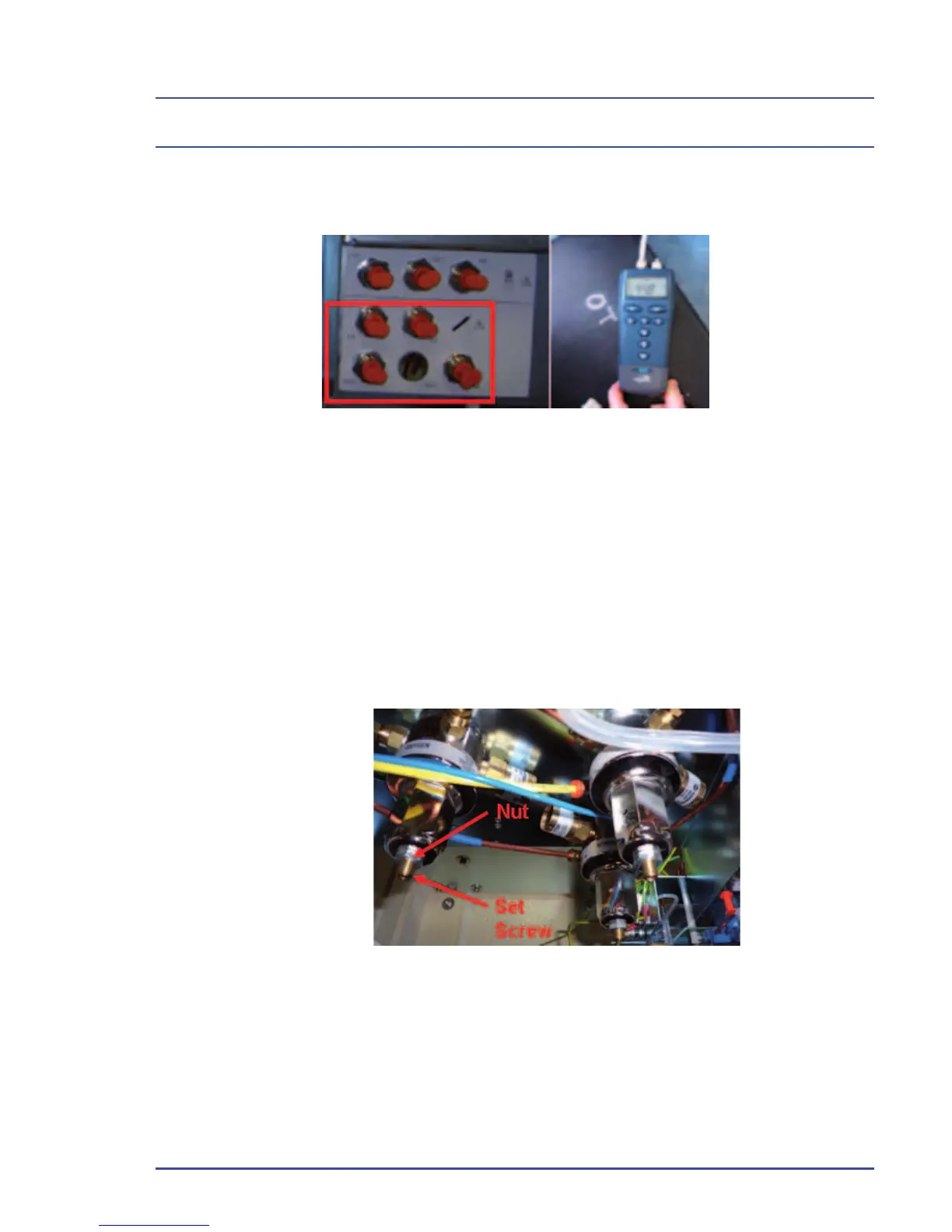
4. Disconnect the 6 mm plug from the regulator test point, then connect a
pressure measuring device to the test point.
5. Turn the cylinder on.
6. Turn the switch to the “ON” position and set a fl ow of 1 L/min on the fl ow
control valve for the appropriate gas being tested.
7. Verify that the pressure measuring device reads between 45 ± 2 psi.
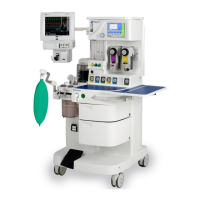
8. If the reading is out of spec, loosen the nut on the regulator being tested
using a 13 mm wrench. Adjust the set screw using a 1/8 inch Allen key to
set the regulator to 45 ± 0.5 psi. Once achieved, secure the nut.
9. Repeat steps 3-8 for all regulators. (Note: When testing outputs or making
adjustments on N
2
O regulators, ensure that an O
2
supply is connected to
the O
2
pipeline inlet.)
Figure 18 - Connect Pressure
Measuring Device
Figure 19 - Regulator Nut and Set Crew Locations


 To Next Page