85
System Checks
17. Set the bag/vent switch on the absorber to Vent.
18. Run the ventilator in volume control mode with the following settings:
• Volume = 250 ml
• BPM = 8
• I:E = 1:2
• PEEP = OFF
19. Wait for the ventilator to stabilize.
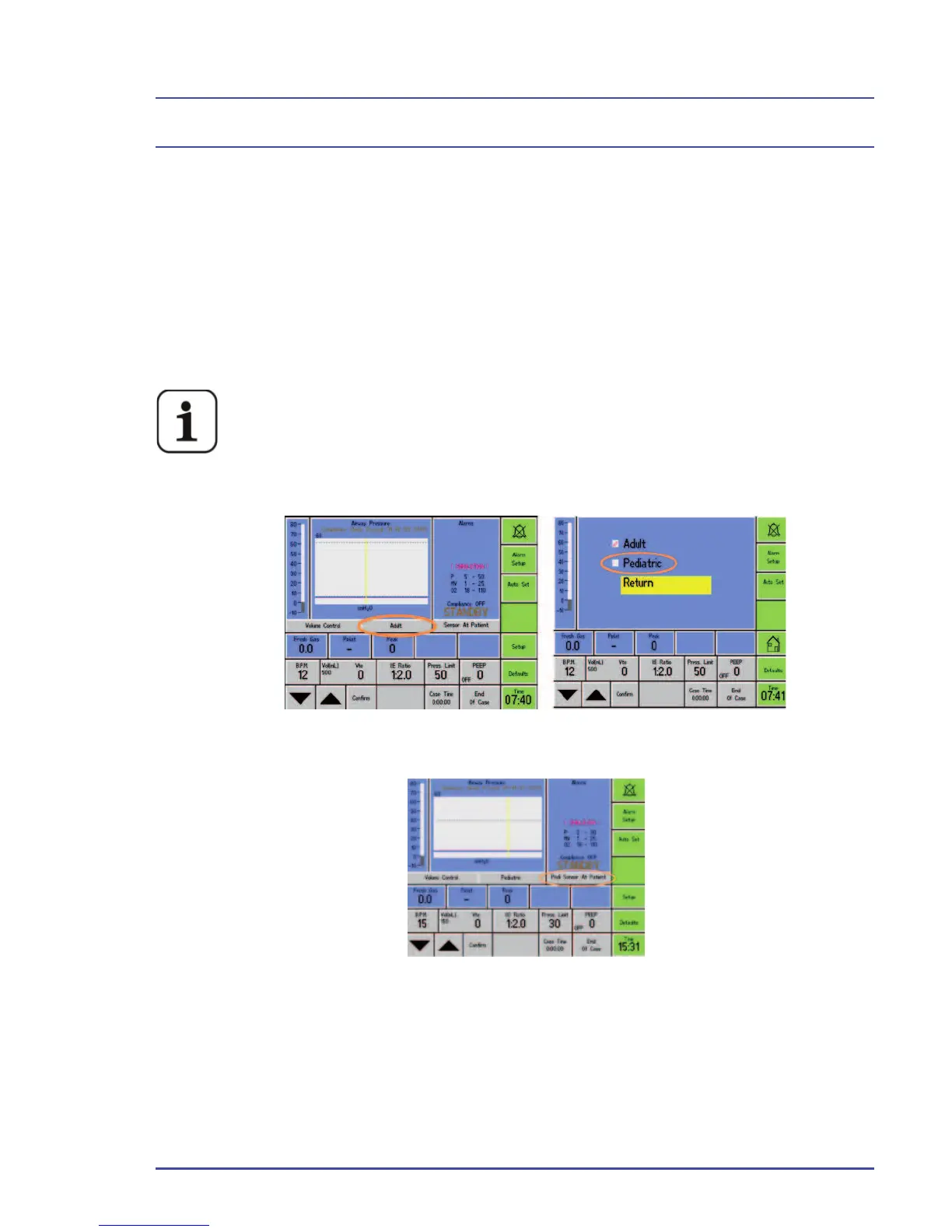
For ventilators with front panel software 10.XX installed, use a
pediatric fl ow sensor when performing this step. Place the ventila-
tor in Standby. On the ventilator display, change the sensor set-
ting from adult sensor to pediatric sensor (Figure 40A) and the
sensor placement setting to Pedi Sensor at Patient (Figure 40B).
Figure 40A - Change the Flow Sensor Settings
Figure 40B - Pedi Sensor Placement setting
20. Check that the inspired volume (VTI) on the fl ow measuring device is
250 ± 25 ml. Once complete, switch the ventilator back to adult mode and
use the adult fl ow sensor for the remaining checks.
21. Increase the tidal volume to 500 ml. Wait for the ventilator to stabilize.



 To Next Page