83
System Checks
4.15 Ventilator Test
If the machine is fi tted with an ACGO, ensure that the switch is set to
Absorber.
1. Ensure that the power switch is in the “OFF” position.
2. Ensure that all fl ow control valves are closed.
3. Ensure that a gas supply is connected to the pipeline inlets.
4. Turn the power switch to the “ON” position.
5. Perform the compliance test and systems check. Continue using
the same circuit used on the compliance and systems check for the
remainder of this check-out procedure.
6. Set the ventilator to “Stand by.”
7. Perform a CALBK calibration by pressing Setup > Confi guration > Service
Mode. Enter the password, CALBK. (Note: Do not perform “Front Panel
Zero”, as this will reset the VTI and VTE gain values back to defaults.)
8. Perform the “Flow Valve Calibration” by selecting this option on the
touchscreen.
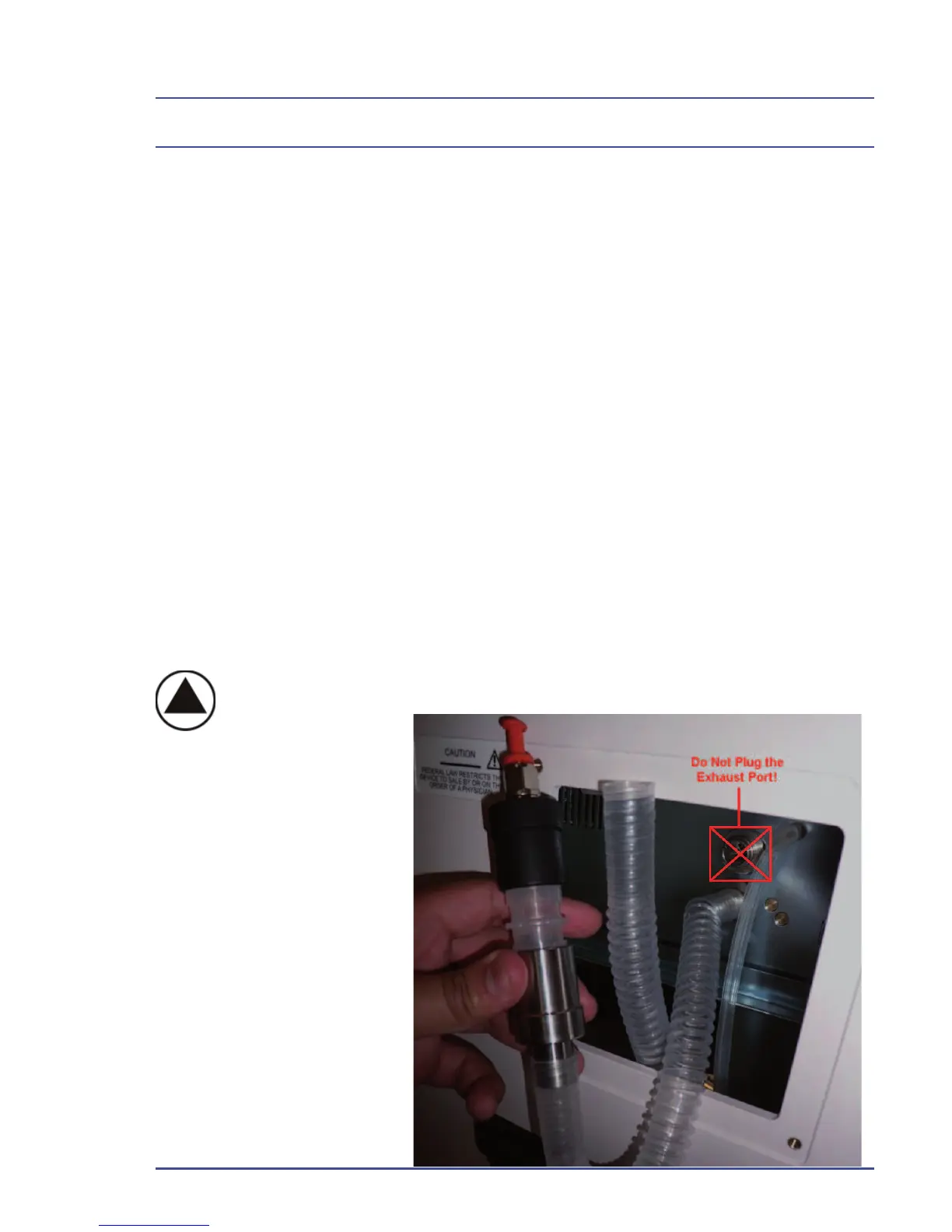
9. Remove the drive gas hose from the rear of the machine and plug the
ventilator drive port.
!IMPORTANT! DO NOT PLUG THE EXHAUST PORT!
Figure 37 - Exhaust
Port Location



 To Next Page