Sysmex XP-300 11-7
Instrument Setup
Revised February 2013
Printer
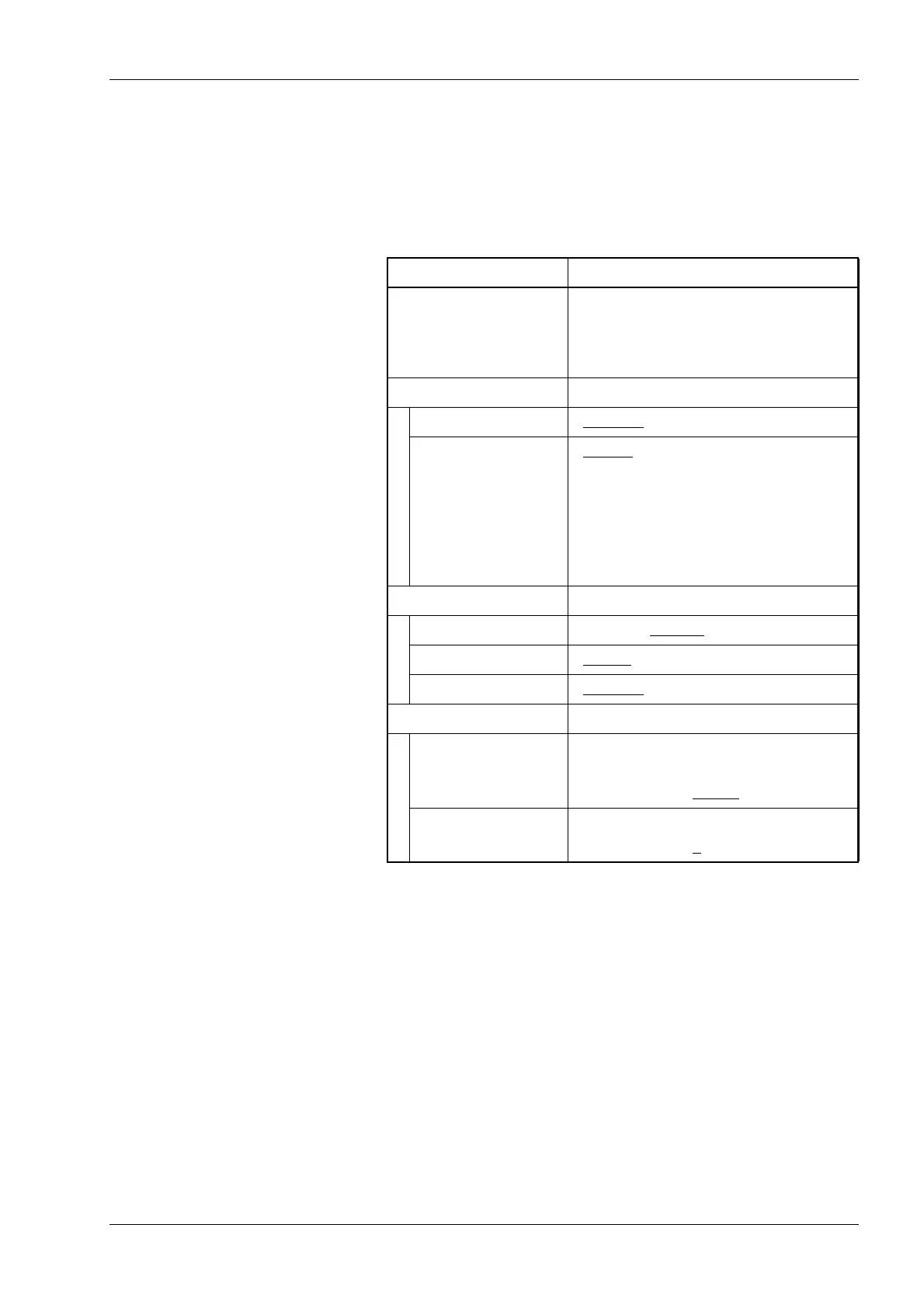
The method of printing out analysis results can be set here. The print
header can be set as desired, using information such as the laboratory
name or instrument name. See “14.3 Print formats”.
For entering numerals, see “Numerical keys dialog” in “6.1 Screen
display”.
*1: Common parameters to the internal/external printer
*2: Parameters for the internal printer
*3: Parameters for the external printer
*4: Only available when [Bitmap (for PC)] is selected in [Type].
Parameter Setting
[Header]
*1
First to third lines
Alphanumeric input: Up to 16 digits of
alphanumeric
characters for
each line
[Int.Print]
*2
[IP Auto Pri.] [All Data]/[Error Data]/[Disable]
[Format] [Type 1
]/[Type 2]/[Type 3]
[Type 1]: Prints 20 analysis results and
the histograms.
[Type 2]: Prints 20 analysis results.
[Type 3]: Prints only CBC8 analysis
results.
[Ext.Print]
*3
[Connect] [Enable]/[Disable]
[Type] [ESC/P
]/[PCL5]/[Bitmap (for PC)]
[GP AutoPri.] [All Data
]/[Error Data]/[Disable]
[Bitmap (for PC)]
*4
[IP Address] Numeric input:
0 - 255 (common to all columns)
Default: “0.0.0.0
”
[Port Number] Numeric input: 0 - 9999
Default: “0
”



 To Next Page