Programming the Gauge
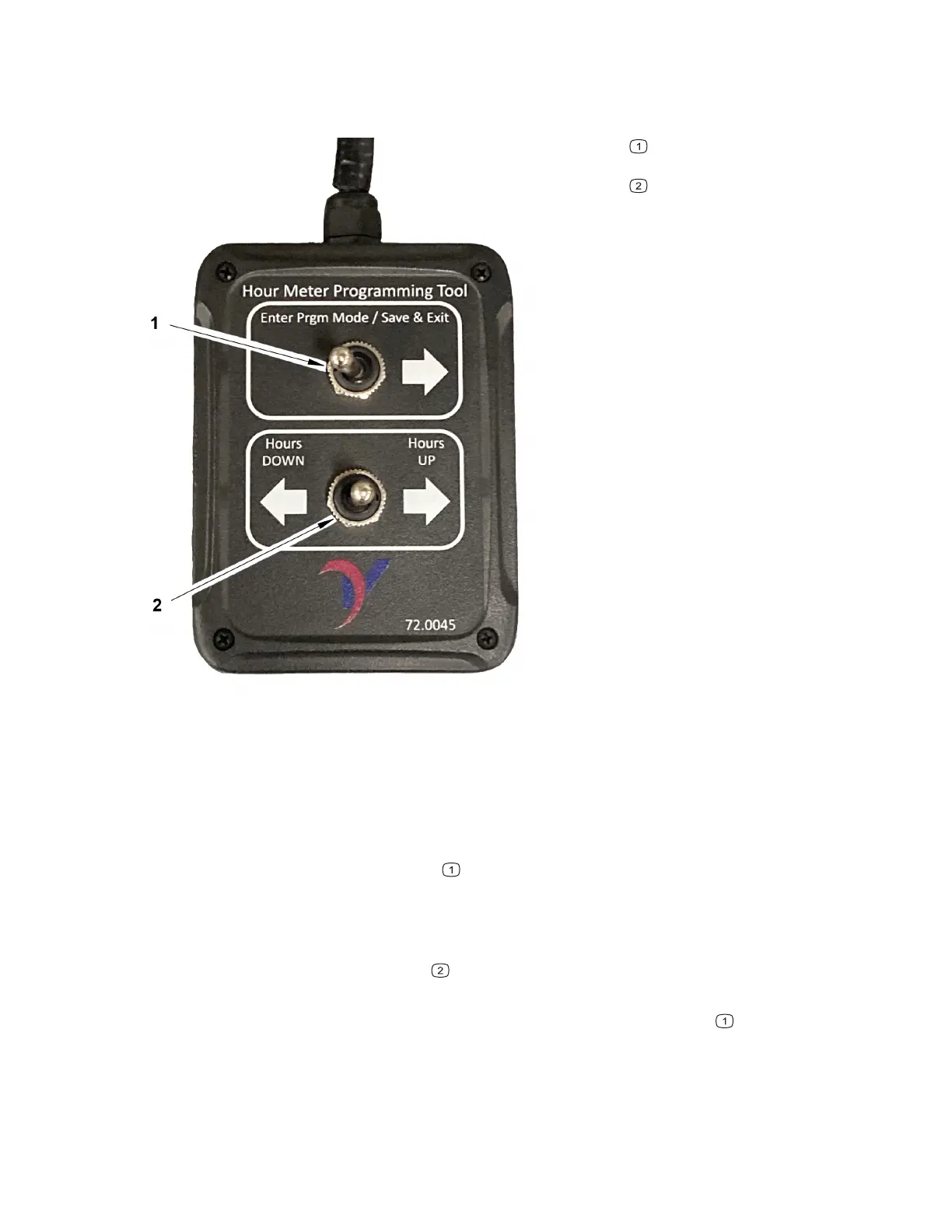
Figure 50
G442484
Program mode toggle
switch
Hours toggle switch
1. Install the gauge and ensure that the gauge harness is connected to the machine
wiring harness.
2. Ensure that the ignition key is in the O
FF position. Remove the cover from the
three-position connector of the gauge cluster and connect the gauge
programming tool.
3. Push and hold the toggle switch
toward the arrow and turn the ignition key to
the R
UN position.
4. Once the gauge turns on, release the toggle switch. The gauge screen should
display an hour reprogram mode message.
5. Push the second toggle switch
to adjust the hours on the gauge. The longer
the switch is held the faster the time increments will cycle.
6. Once the correct hour reading is displayed push the toggle switch
to Save &
Exit. A timer on the gauge display will count down from 10 to 0. After the
countdown is complete release the toggle switch. If the switch is released during
the countdown, the save operation will be aborted.
Electrical System: Information Gauge Cluster Page 6–24 4520P
09.40003Rev 00



 To Next Page