Performance 9960 Self-Propelled Peanut Combine
124 06/03/05 MAN091
Elevator Fan
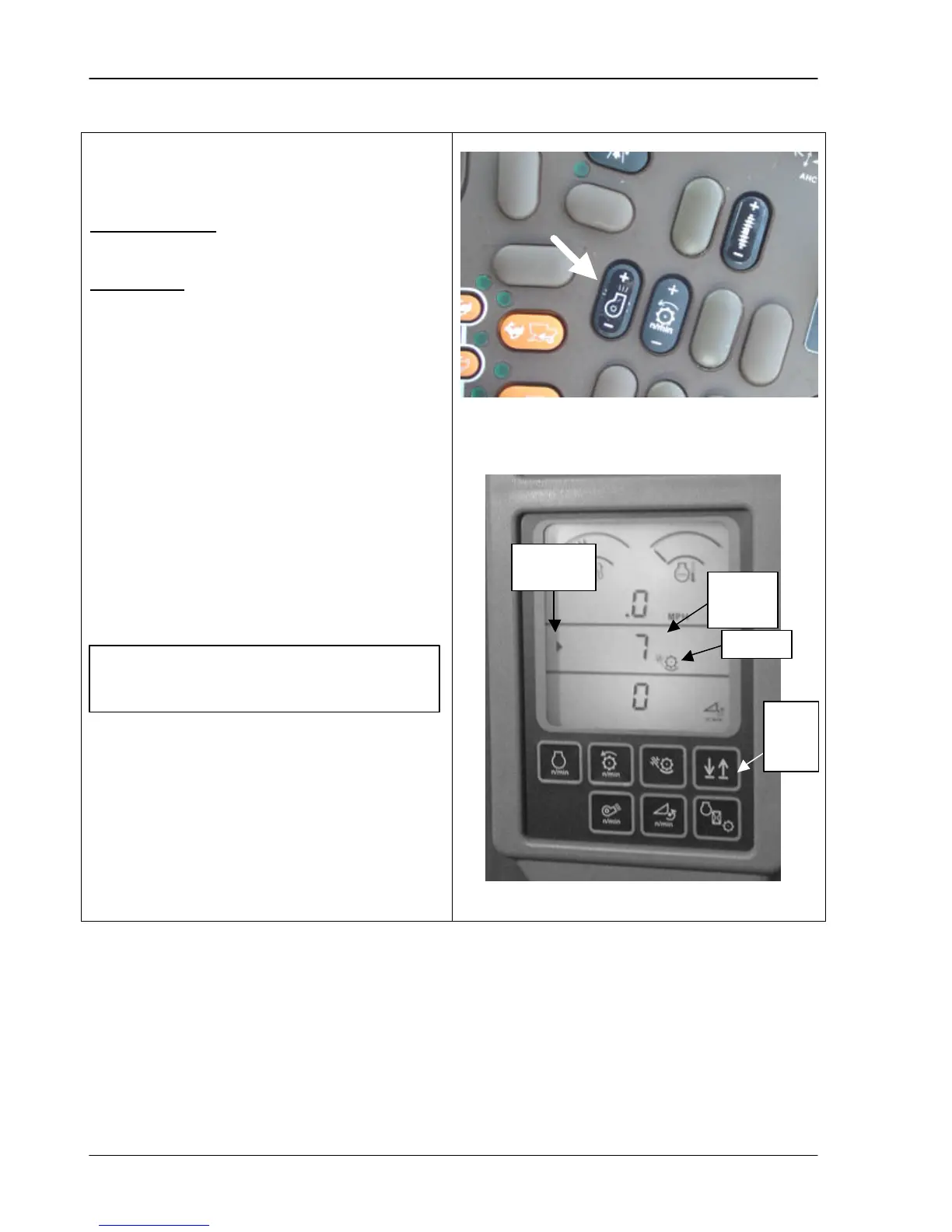
The elevator fan is controlled by a switch on
the operator’s armrest control panel.
Starting Position: The elevator fan should be
set approximately ½ to 2/3 open initially.
Adjustments: Adjust the fan so that the
peanuts flow into the bin smoothly, piling in the
far side. Only reduce the air volume if
excessive shelling is apparent. It may be
necessary to operate the pneumatic conveyor
at maximum air volume in very high yield
peanuts.
Press and hold the top of the switch to
increase air. Press and hold the bottom of the
switch to decrease air. When the button is
pressed, the elevator fan icon displays on the
bottom unit of the corner post, on the line with
the indicator arrow. The fan speed displays
beside the icon. The arrow on the display unit
indicates which line has the current display;
press the up/down arrows to toggle between
the bottom two lines.
The separator must be engaged
before you can adjust the air volume.
speed
down
arrow
arrow



 To Next Page