9960 Self-Propelled Peanut Combine Engine Service
MAN091 06/03/05 145
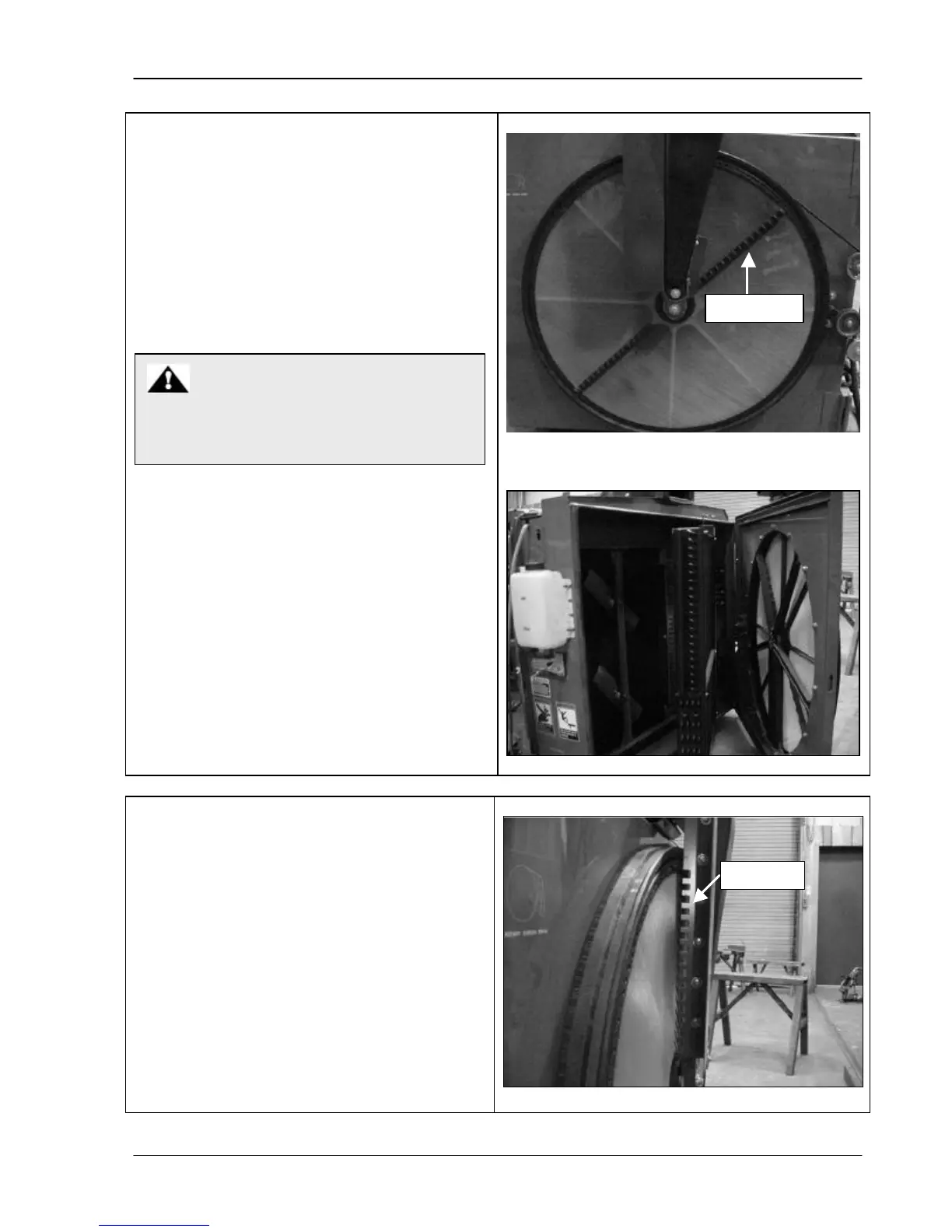
Rotary Screen Knife Comb
Make sure the knife comb is positioned so that
the rake bar passes through it without
interference. To adjust the comb:
1. Open the rotary screen door.
2. Loosen the cap screws and reposition the
comb.
3. Retighten the screws and close the door.
Rotary Screen Rake Bar
Replace the rotary screen rake bar as
needed. To remove the bar:
1. Pull the latch on the rotary screen door
and open it.
2. Remove the screws from the rake bar
support.
3. Remove the rake bar.
4. Insert the new rake bar.
5. Retighten the screws and shut the rotary
screen door.
ALWAYS shut off engine and remove key
when performing maintenance.



 To Next Page