9960 Self-Propelled Peanut Combine Operator’s Station
MAN091 06/03/05 29
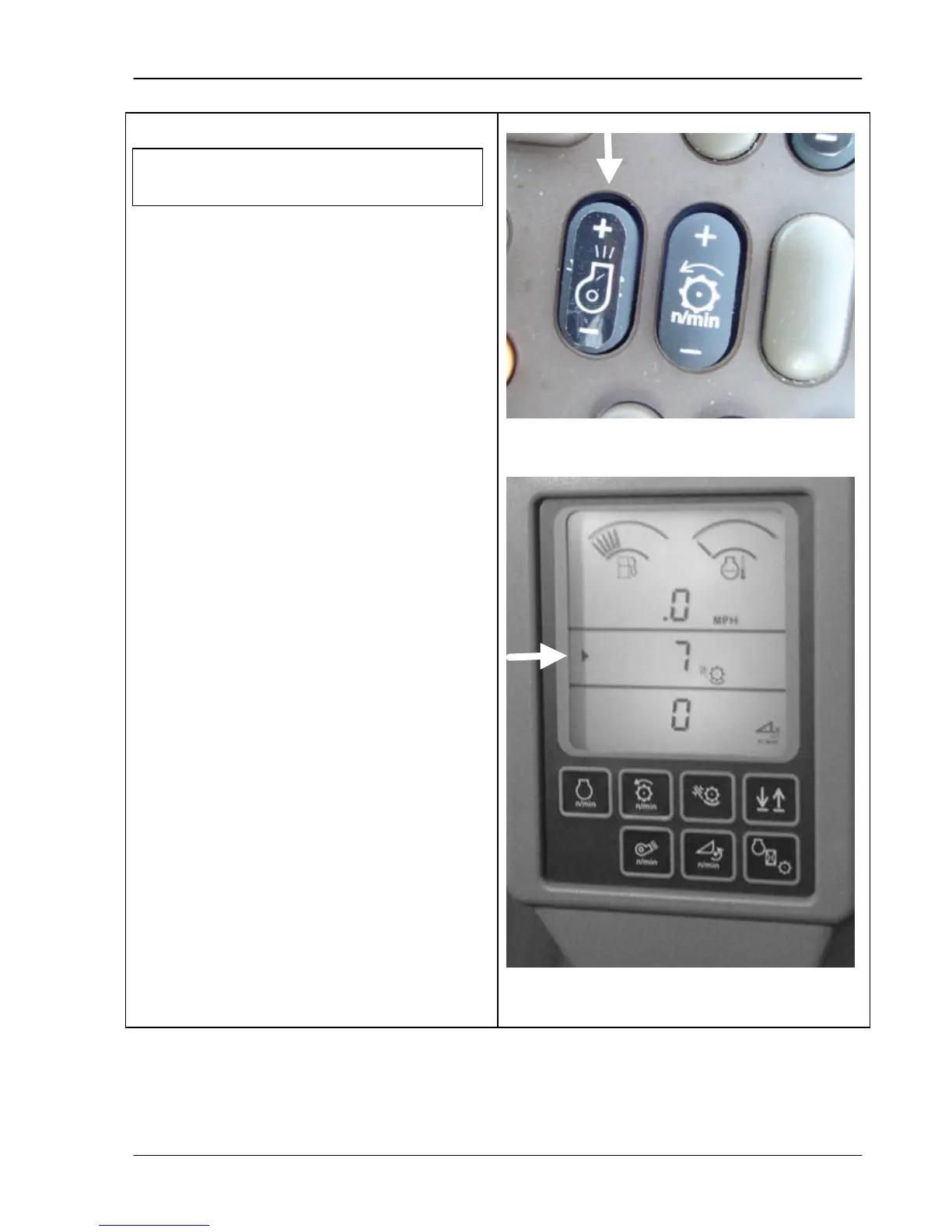
Elevator Fan
The elevator fan switch controls elevator fan
air volume. Press and hold the top of the
switch (+) to increase air. Press and hold the
bottom of the switch (-) to decrease air.
When you press this switch, a fan icon
appears on the tachometer readout (bottom
display of corner post) along with a number
(bottom photo). This number is a relative
number and will increase or decrease as you
press on the switch. The small arrow pointed
to in the bottom photo indicates that the middle
line is in use. If the information was being
displayed on the bottom line, the arrow would
be on that line with the number and icon.
The separator must be engaged
before you can adjust the air volume.



 To Next Page