9960 Self-Propelled Peanut Combine Electrical System
MAN091 06/03/05 157
COMMANDTOUCH™ Corner Post
Monitor
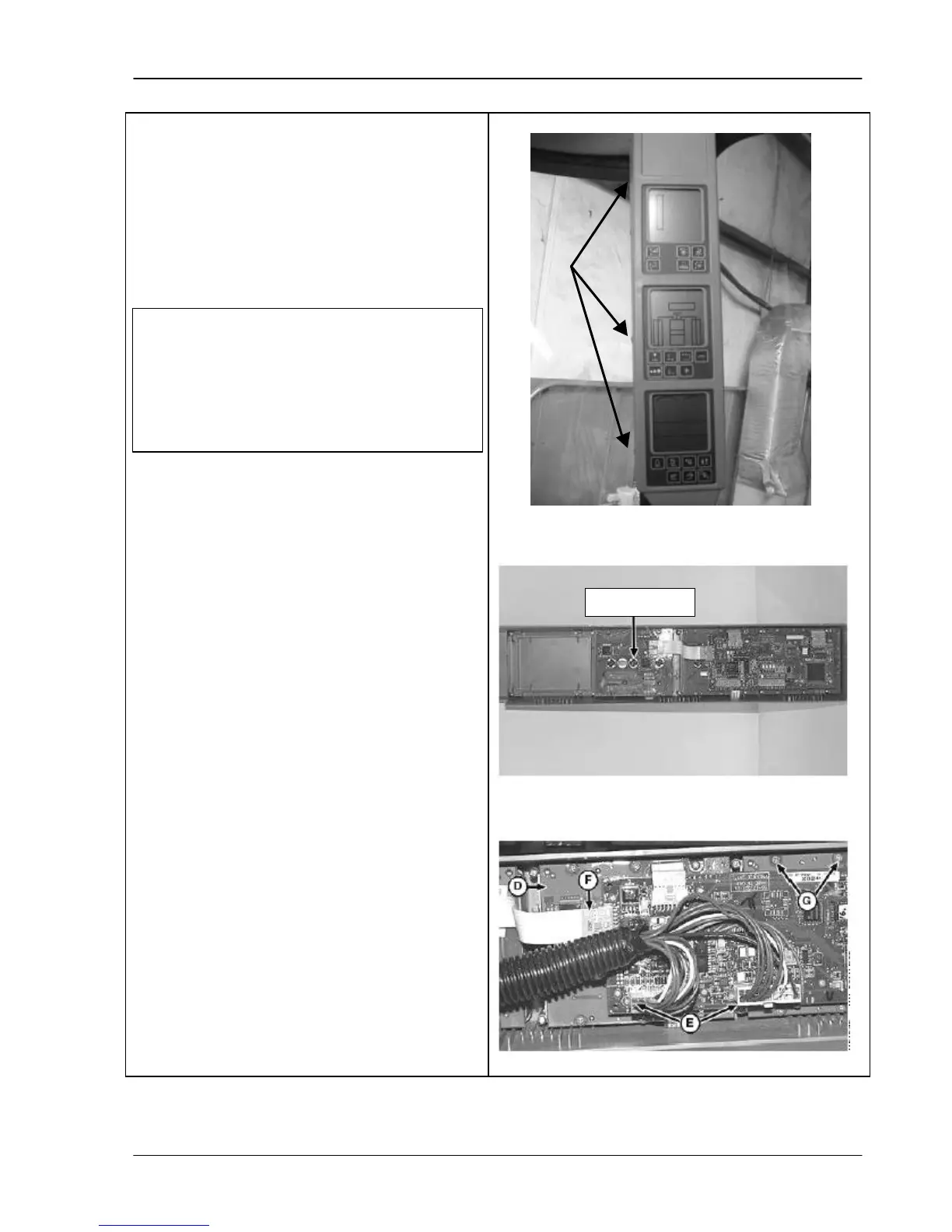
1. Determine which bulb is defective.
2. Remove mounting screws (top photo),
bracket and corner post monitor.
3. Remove defective bulb (middle photo) by
turning counterclockwise.
4. Install new bulb.
5. Install corner post monitor.
6. Install wiring harness.
C
If defective bulb is located under
circuit board (D), disconnect the two
connectors (E), carefully remove three
ribbon connectors (F) and eight sc
(G). Move circuit board for access to
additional light bulbs.



 To Next Page