9960 Self-Propelled Peanut Combine Operator’s Station
MAN091 06/03/05 33
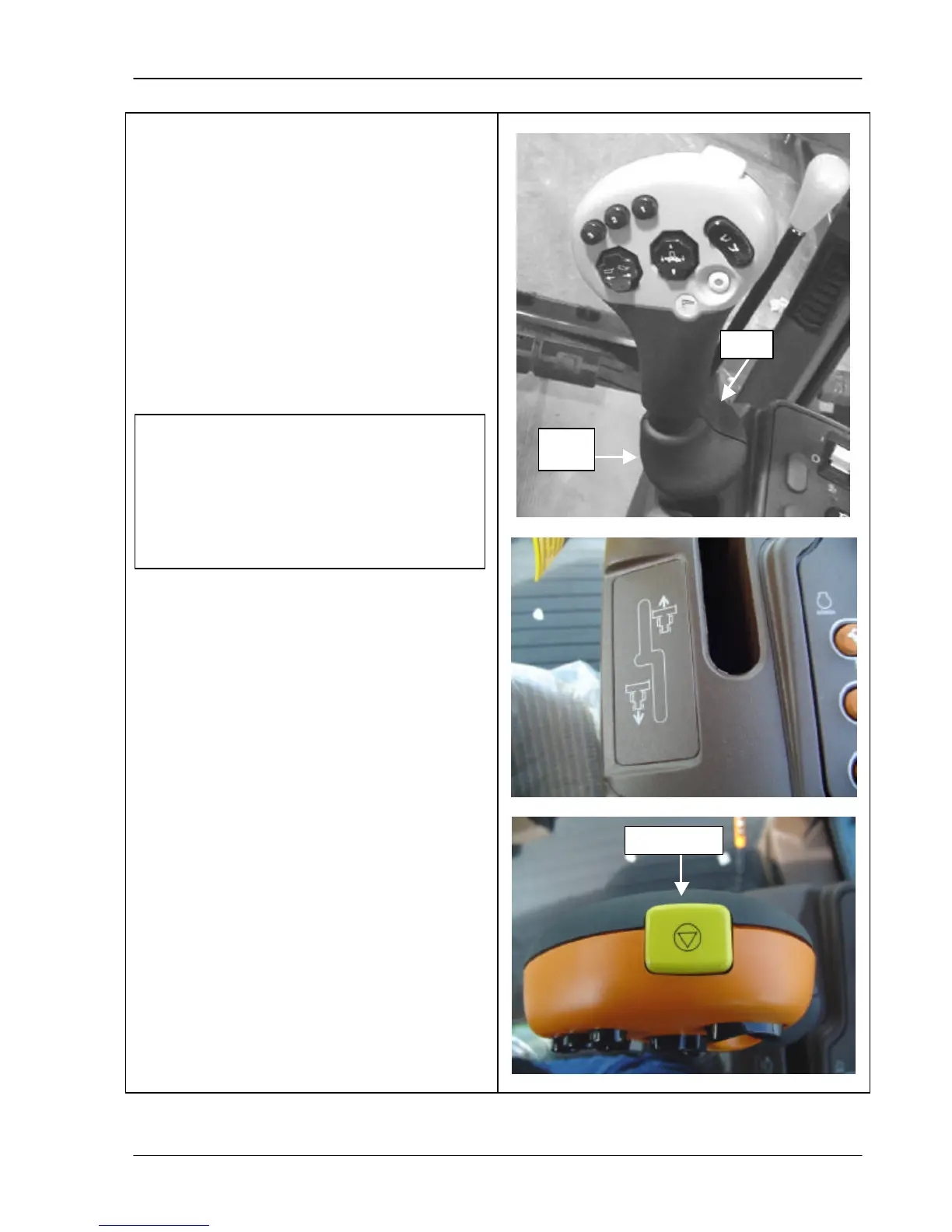
Multi-Function Handle Use
The multi-function handle controls the
combine’s forward and backward motion.
The handle’s palm rest is adjustable up and
down in three positions. To move the palm
rest up or down, release the lever (top photo)
and move the palm rest until it catches into
position.
Move the lever forward for the combine to go
forward. Move the lever to the right and
rearward to go backward. (See symbol in
middle photo).
All buttons are explained on the following
pages, including the quick stop switch shown
in the bottom photo.
If the hydro charge pressure light
comes on in the warning display panel
when the lever is moved, check the
hydrostatic/hydraulic oil level or replace
the filter. If this does not correct the
problem, see your AMADAS/John Deere
dealer.



 To Next Page