Monitors 9960 Self-Propelled Peanut Combine
86 06/03/05 MAN091
Elevator Fan D Zero Calibration
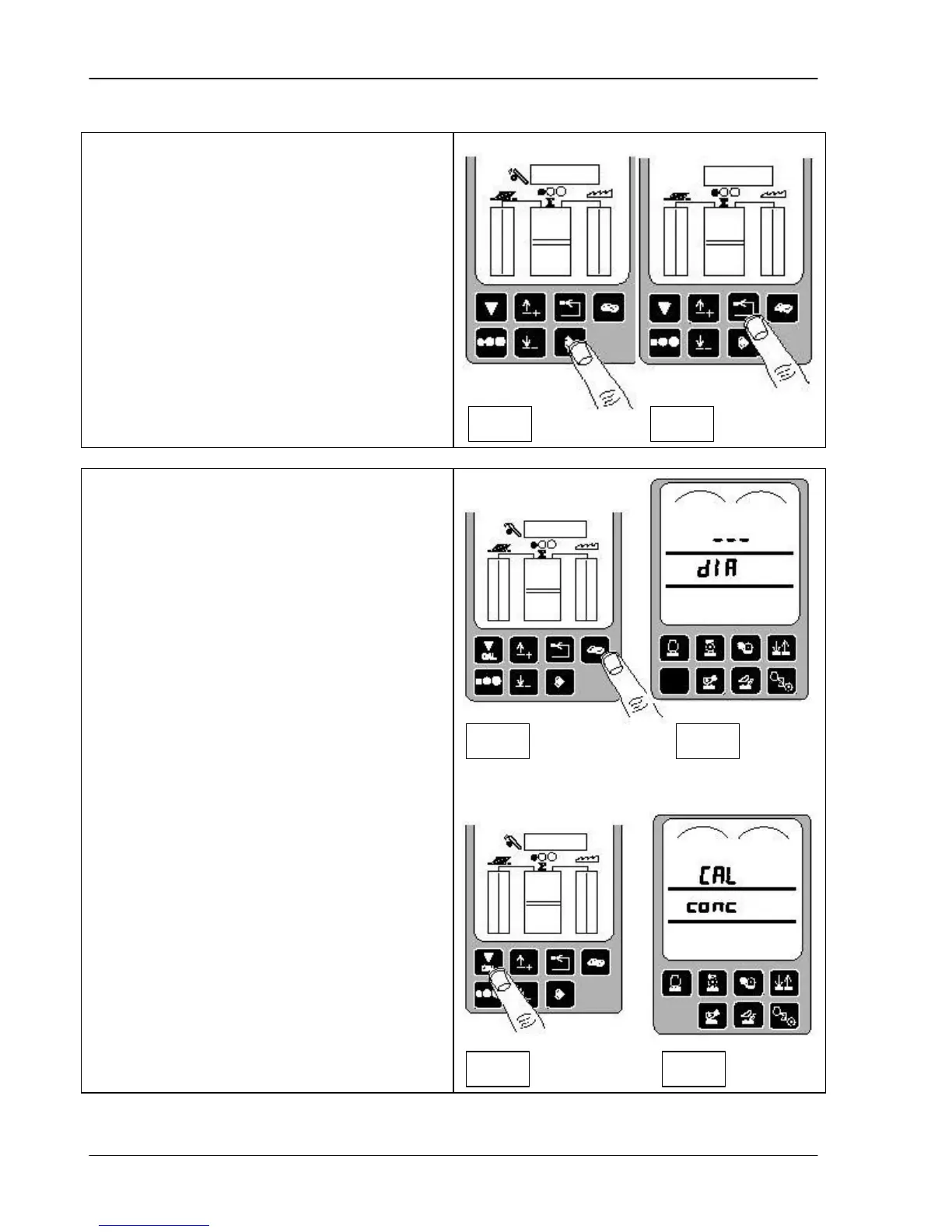
7. Press the ENTER switch to store the
calibration value (fig. 1). Or, press the
back arrow switch to abort calibration and
not save the values.
8. Press the back arrow switch to return to
normal operation.
Header Calibration
The header calibration must be performed
when a header is first used with a combine or
when any of the sensors are replaced. The
Height Resume sensor must be operating.
First, prepare the header for calibration:
1. Attach the header to the combine and
connect the header harness to the
combine harness.
2. Make sure the header pressure sensor is
operating. The sensor is located on the
lower port of the left hand header lift.
3. Start combine and drive onto a level firm
surface.
4. Set the header gauge wheels to the
desired height.
To calibrate the header:
1. Press the diagnostic switch (fig. 1). DIA
displays on the triple display tachometer
(fig. 2).
2. Press the calibration switch (fig. 3). CAL
and conc display on the tachometer (fig.
4).
Fig 1
Fig 2
Fig 1
Fig 2
Fig 3
Fig 4



 To Next Page