9960 Self-Propelled Peanut Combine Operator’s Station
MAN091 06/03/05 75
Deere-Delco AM/FM Stereo Radio
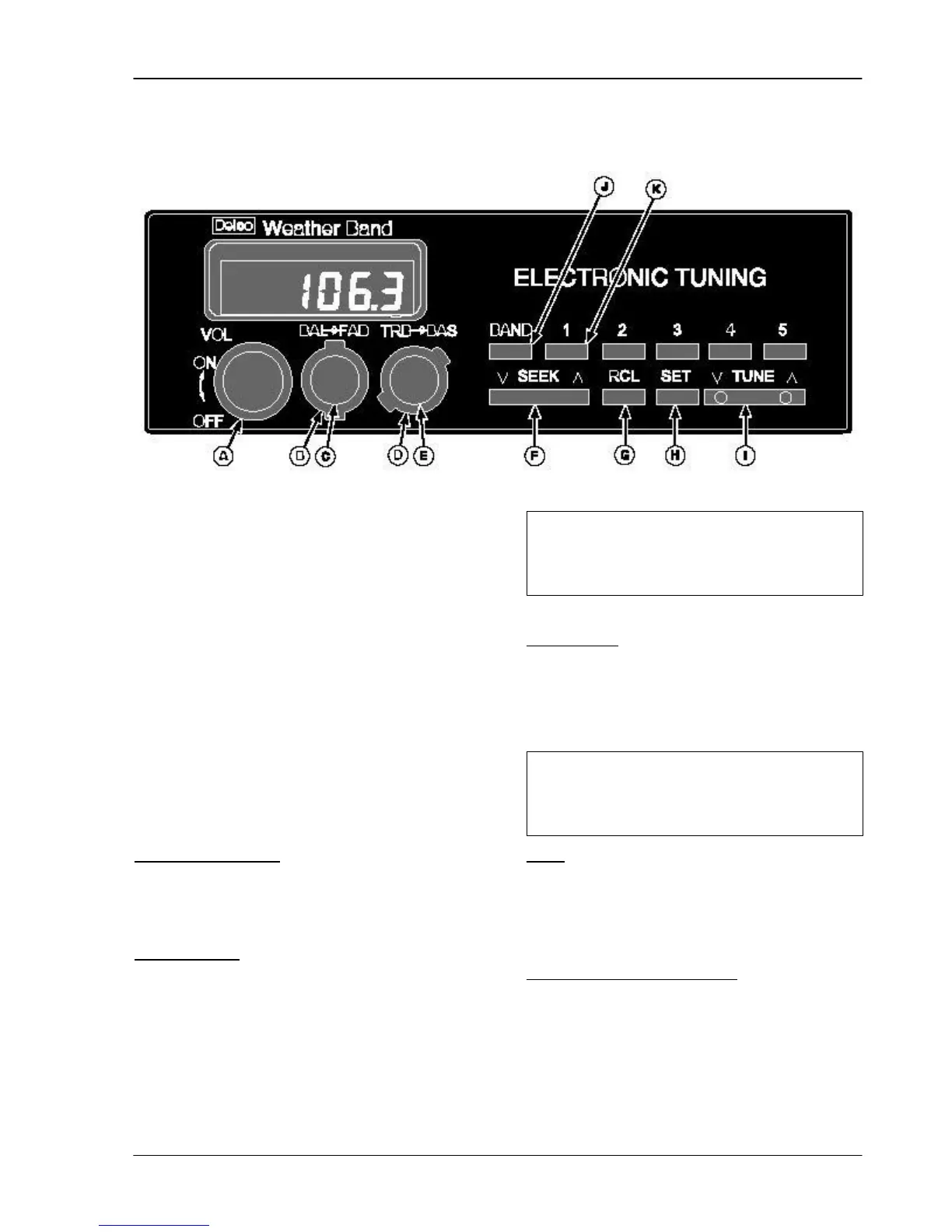
The Deere-Delco AM/FM Stereo Radio
features a digital display, clock, seek, tune,
recall, and five presets.
A – Power On/Off and Volume
B – Balance Left/Right
C – Fade Front/Rear
D – Treble Control
E – Bass Control
F – Seek
G – Recall (Time/Frequency)
H – Set
I – Tune
J – Band AM/FM and Weather Band (if
equipped)
K – Preset Push Buttons AM/FM
Off/On and Volume
To turn the radio on and increase volume,
turn the knob to the right. Turn knob to left
to turn radio off.
Balance/Fade
Left-right stereo balance is adjusted by
turning the balance control knob in the
corresponding direction.
Back and forward speaker fade is adjusted
by turning the tab behind the BAL control.
Turn right to fade to the back speakers; turn
left to fade toward the front speakers.
Treble/Bass
Turn the TRE control right to increase
treble; turn left to decrease treble. Turn the
BAS control tab right to increase bass; turn
left to decrease bass.
Seek
Press SEEK to locate automatically the next
higher or lower clear station. Each time you
press the button, the radio will locate the
next clear station.
RCL - Clock and Frequency
If the time of day is not displayed, press
RCL. To set the clock:
• To change the hours: press and hold
the SET button and at the same time
press and hold the TUNE bottom on the
The fade and balance controls
have detent positions in the center to
balance front-rear and left-right.
have detent positions in the center to
evenly balance treble and bass.



 To Next Page