NOTE
To be able to assign the AMAPAD functions, they
must be
enabled; see page 70.
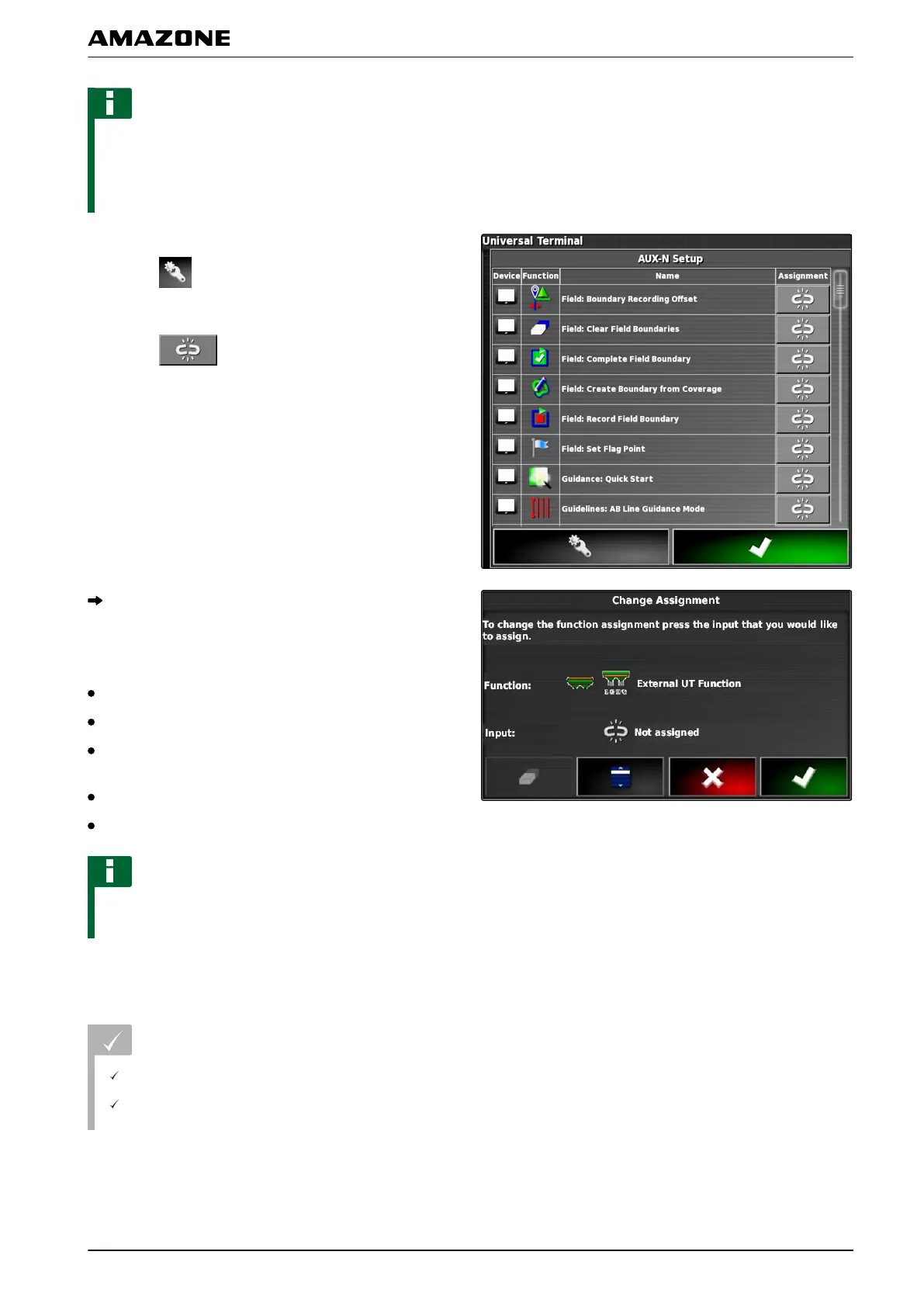
For a list of the AMAPAD functions:
2. T
o filter the functions according to the implements,
Select .
3. T
o assign a function,
Select
.
The "Change assignment" menu will be opened.
The following
options are available for the
assignment:
Assignment for external input device; see page 179
Assignment for miniature view; see page 180
Assignment for button on the dashboard; see
page
180
Assignment through selection list; see page 181
Delete assignment; see page 182
NOTE
For information on the AMAPAD functions, see
page
19.
Assignment for external input device
REQUIREMENTS
External input device is connected
External input device is loaded on the Universal
T
erminal
007339
N | Using the Universal Terminal| Managing AUX-N functions
MG5574-EN-II | B.1 | 25.10.2016
179



 To Next Page