10. Terminate the calibration with "Close".
The AMAPAD will be rebooted.
Touchscreen sensitivity
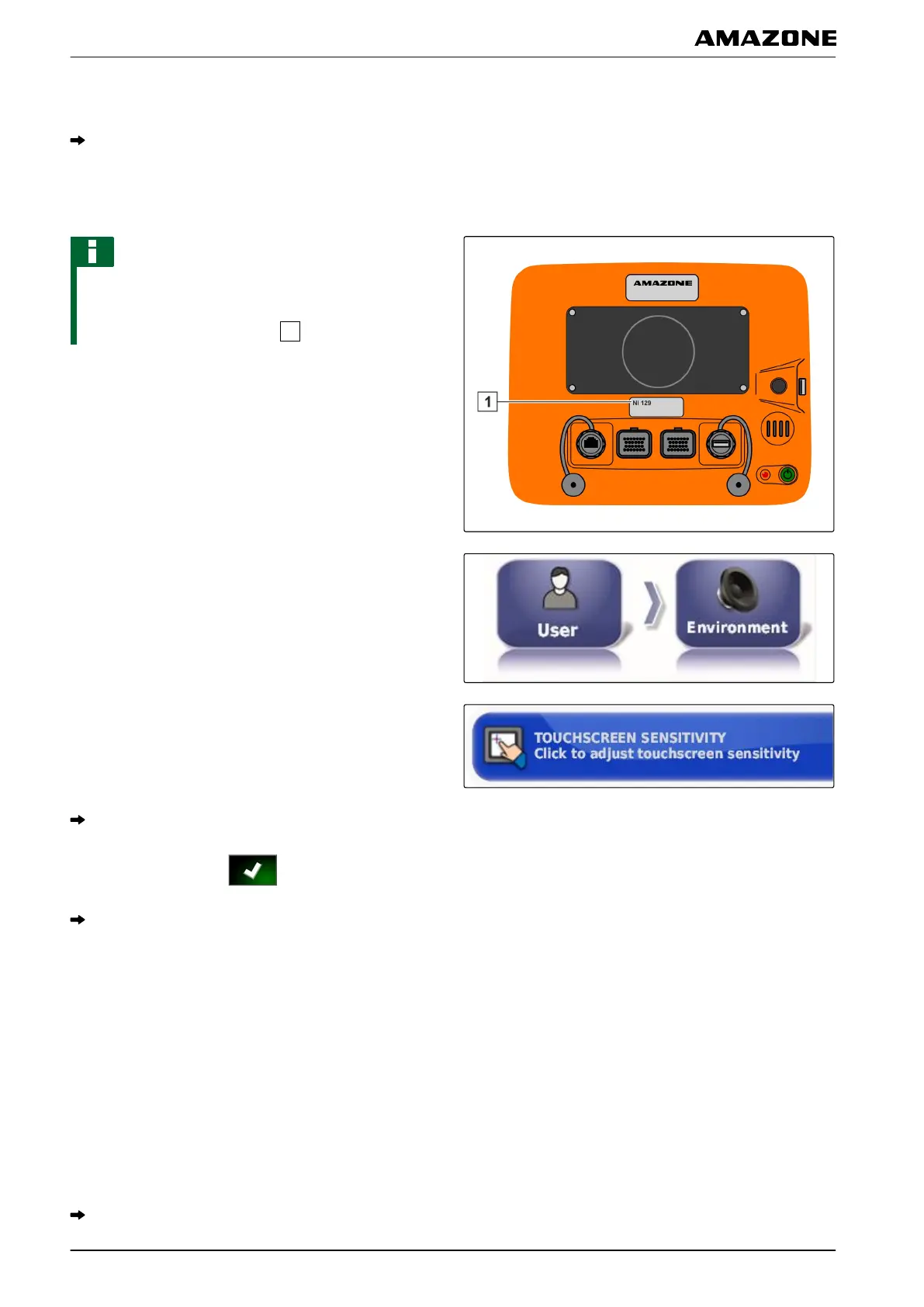
NOTE
This function is only available for AMAPADs with the
model
number NI129. The model number is written on
the rear side of the AMAPAD
.
The touchscreen sensitivity can be changed. The lower
the set sensitivity
, the harder you have to tap on the
touchscreen to operate the AMAPAD.
1. In the setup menu, tap on "User" > "Environment".
2. Tap on " T
ouchscreen sensitivity ".
The AMAPAD has to be restarted.
3. Confirm restart with .
The AMAPAD switches to calibration mode.
4. Select high sensitivity for the touchscreen: "HIGH".
5. Check the sensitivity with "TEST".
6. Adjust the sensitivity
or
Confirm the settings with "APPL
Y".
7. Terminate the calibration with "Close".
The AMAPAD will be rebooted.
001452
F | Configuring the AMAPAD | Entering the user settings
MG5574-EN-II | B.1 | 25.10.2016
34



 To Next Page