6.2 Explanation of Windows
6-31
6
How to Operate Sampling Scope
Table 6.2.3-4 Sampling Mode Setting and Graph
Sampling Mode Eye Advanced Jitter
Graph to
display
Bathtub (CHA)
TJ Histogram (CHA)
Bathtub (CHB)
TJ Histogram (CHB)
Bathtub (CHC)
TJ Histogram (CHC)
Bathtub (CHD)
TJ Histogram (CHD)
Bathtub
DDJ Histogram
Composite Histogram
DDJ vs Bit
PJ vs Frequency
RJ/PJ Histogram
TJ Histogram
Data to be captured by Pattern Capture
The following explains a file to be generated by executing Pattern
Capture in the setting below.
Test Pattern: PRBS 2^9–1
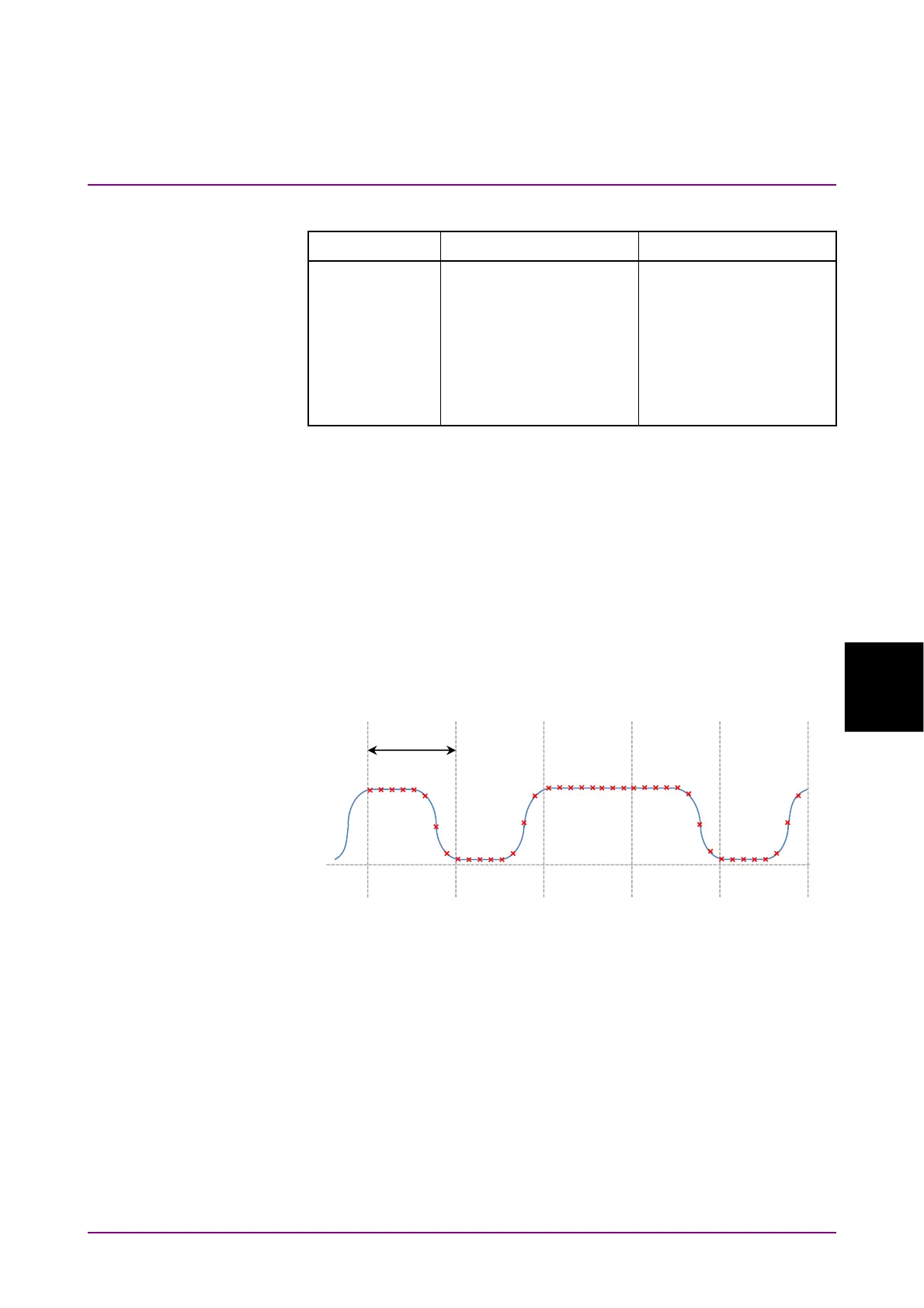
Samples / UI: 8
Because PRBS2^9-1 bit length is 2
9
–1 = 511 and the sample number per
UI is 8, the amplitude is measured at the position of 4088 (= 511 × 8).
The amplitude is measured at the positions indicated by × and saved in a
text file. The unit is mV or µW.
Figure 6.2.3-3 Samples per UI
1 UI














 To Next Page