Uni-Probe LB 490
BERTHOLD TECHNOLOGIES GmbH & Co. KG
5 – 429
Volume 5 3 Getting Started with SIMATIC PDM
5
This completes the authorization procedure during installa-
tion.
Adding authorization at a later
stage
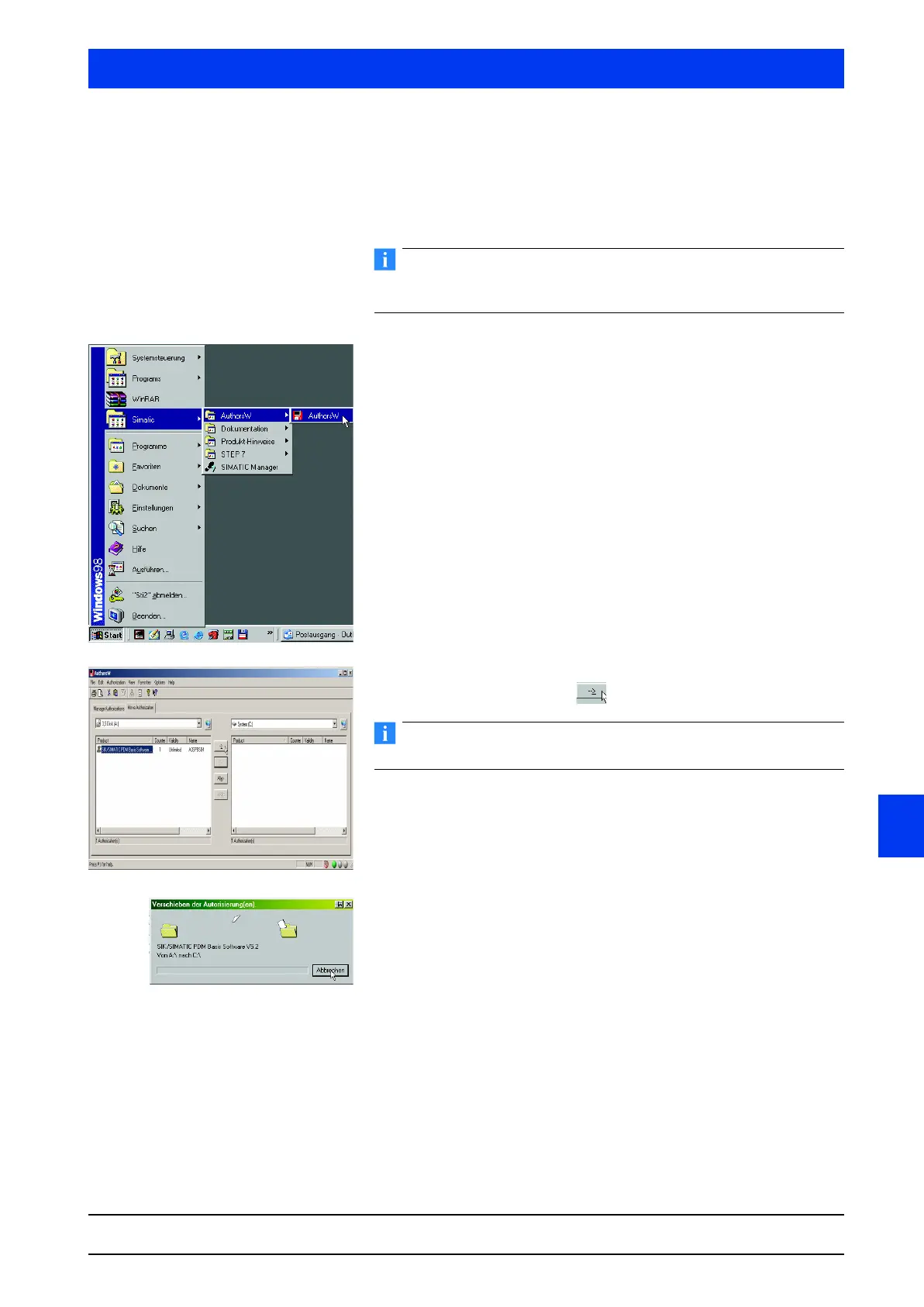
Insert the authorization disk in the disk drive of your PC.
Make sure the disk is not write-protected as otherwise the authori-
zation cannot be carried out.
Start the authorization software AUTHORSW.
Click on
START SIMATIC AUTHORSW.
With the software
AUTHORSW you can view, install and uninstall
authorizations.
Select the
SIMATIC PDM license and click on the TRANSFER
AUTHORIZATION
button .
The local hard drive C: has been selected as destination path.
The license is transferred from the disk to the local hard drive.
You can now work with the SIMATIC PDM software without any
restrictions.
Close the
AUTHORSW software.
This completes the later authorization.



 To Next Page