38477BA2B
5 – 464 25.5.09
4 Menu Overview Volume 5
Enter the parameters in the text boxes of the CURRENT OUTPUT
dialog box.
Click TRANSFER to upload the settings to the Uni-Probe.
Parameter changes in this online dialog become effective immedi-
ately (no upload to the device required).
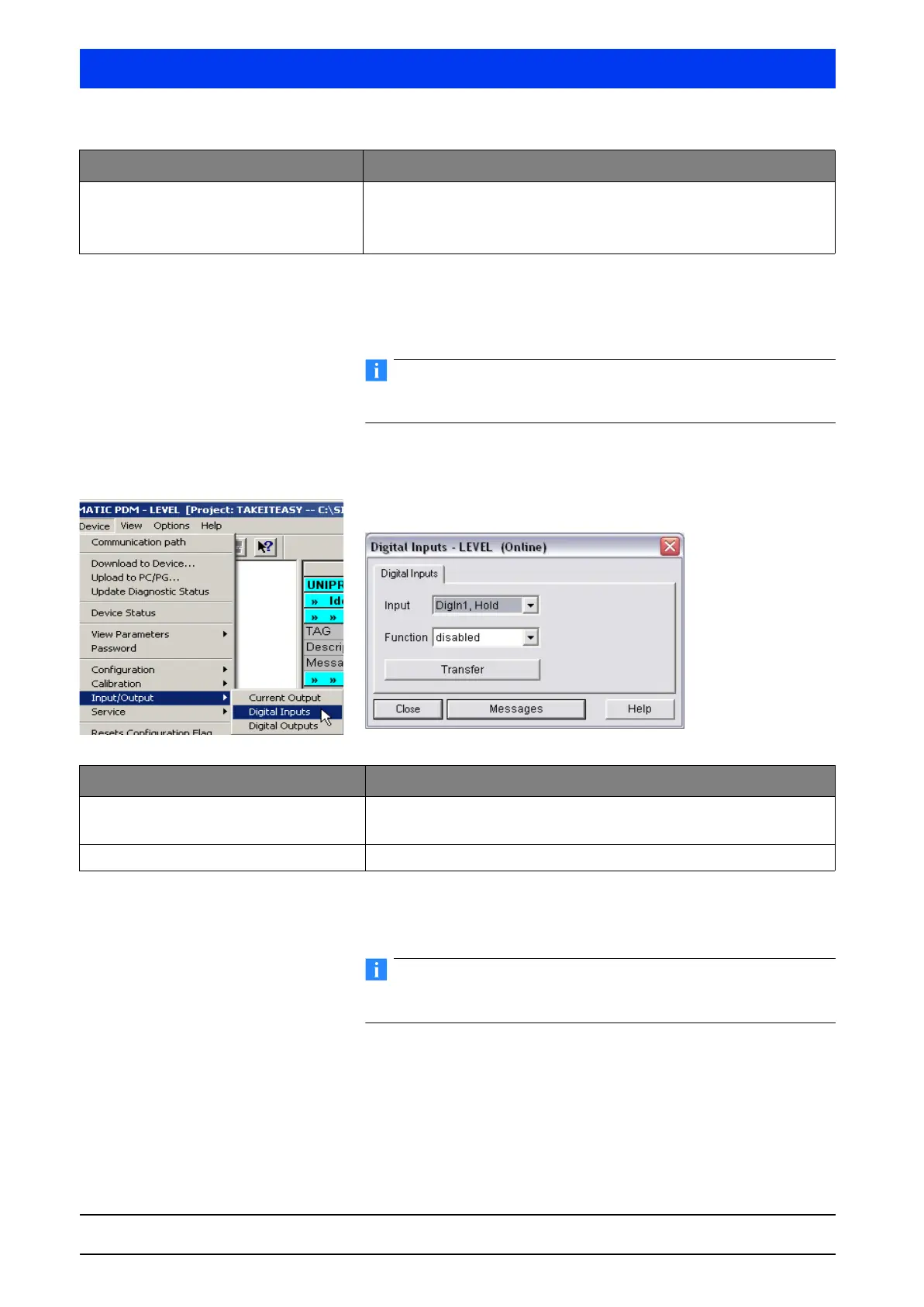
4.2.19 INPUT/OUTPUT DIGITAL INPUTS
Define the digital inputs.
Set the digital inputs on the
DIGITAL INPUTS dialog box.
Click
TRANSFER to upload the settings to the Uni-Probe.
Parameter changes in this online dialog become effective immedi-
ately (no upload to the device required).
Error Value If you have selected VALUE or VALUE, MIN/MAX FOLLOWING in the
ALARM CODE drop-down box, then enter here the desired current
between 3 and 24mA. In case of error the current output will continue
with the selected value.
Parameters Description
Parameters Description
Input Select the digital input you would like to set up.
Two inputs (DigIn1, Halt / DigIn2, empty adjustment) can be set up.
Function The inputs can be disabled or enabled.



 To Next Page