38477BA2B
5 – 466 25.5.09
4 Menu Overview Volume 5
Set the relays on the DIGITAL OUTPUTS menu.
Click
TRANSFER to upload the settings to the Uni-Probe.
Parameter changes in this online dialog become effective immedi-
ately (no upload to the device required).
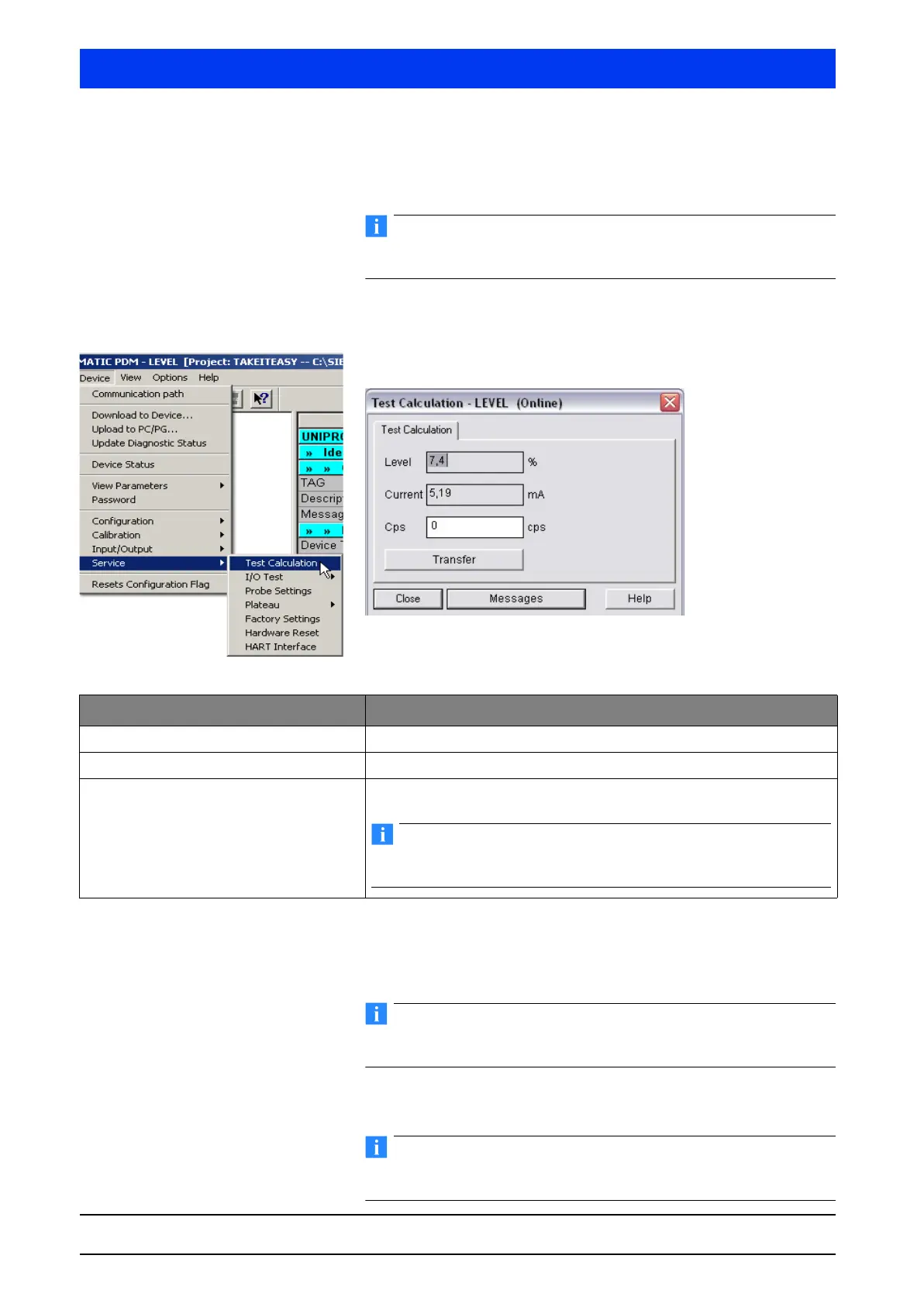
4.2.21 SERVICE TEST CALCULATION
Perform test calculation.
Enter a pulse rate > 0 in the
CPS box and check if the LEVEL
reading indicates the expected value.
Check if the current output matches your test level reading.
Reset the test count rate to “0” as soon as the test is over to con-
tinue in the normal measurement mode.
Click TRANSFER to upload the settings to the Uni-Probe.
Parameter changes in this online dialog become effective immedi-
ately (no upload to the device required).
Parameters Description
Level Level reading depending on the calibration and the defined test pulse rate.
Current Current output, proportional to level reading
cps Enter the count rate.
The test mode is enabled if you enter a count rate >0.
During test mode the error relay indicates an alarm.



 To Next Page