38477BA2B
6 – 564 25.5.09
3 Device-specific Menus Volume 6
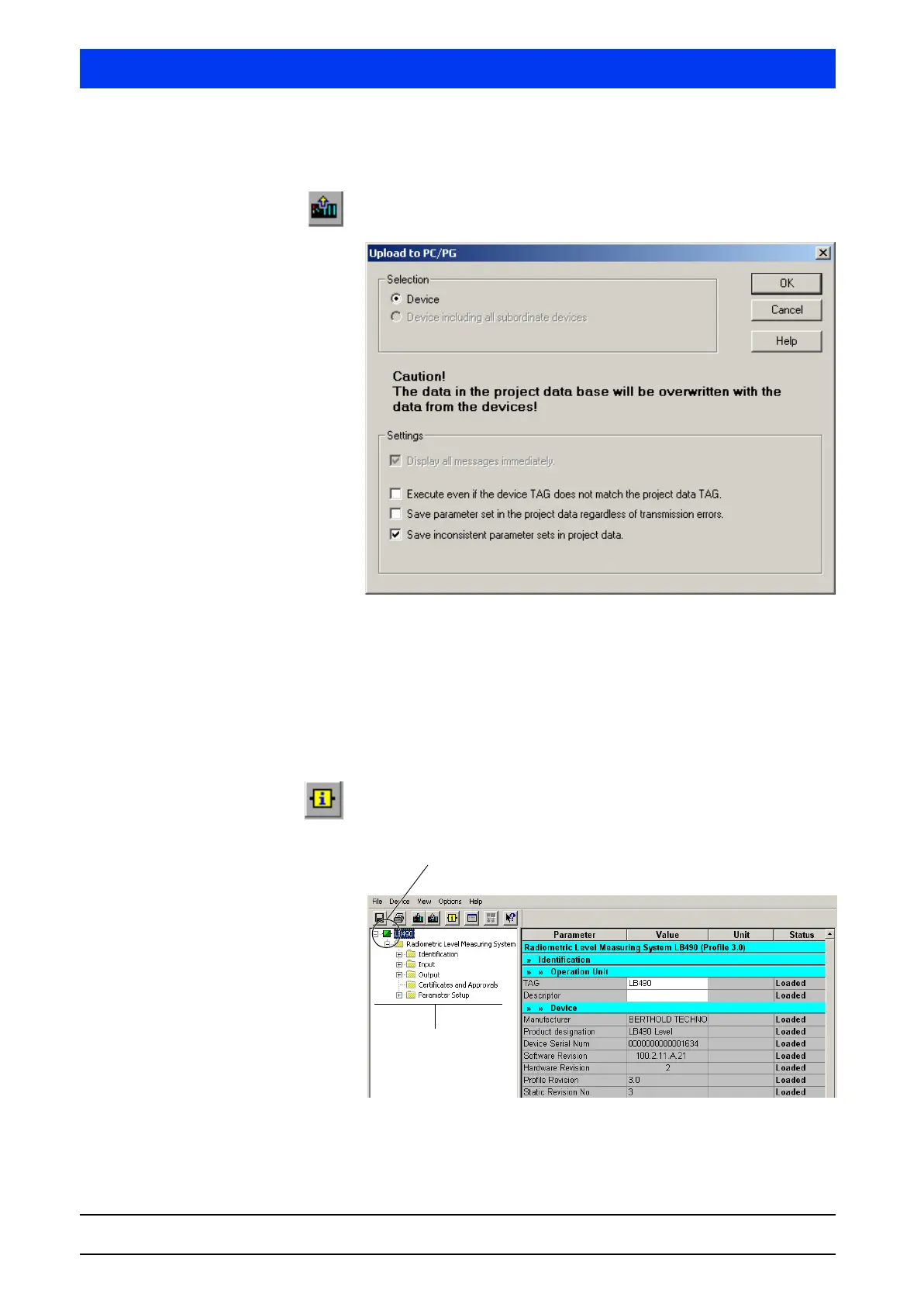
3.1.3 UPLOAD TO PC/PG…
Reads the parameters of the device and saves them on the param-
eter list of the SIMATIC Manager on the PC.
Select if the parameters are to be uploaded to the individual
device or to all devices (multi-detector mode) by clicking on the
respective option button in the Selection group box.
Select the settings for the parameter upload by ticking the
checkboxes in the Settings group box.
3.1.4 UPDATE DIAGNOSTIC STATUS
Select this menu item to check the connection with the Uni-Probe.
Click on the icon in the parameter groups overview to query and
display the diagnostic status.
Parameter group over-
view
Icon



 To Next Page