Uni-Probe LB 490
BERTHOLD TECHNOLOGIES GmbH & Co. KG
6 – 569
Volume 6 3 Device-specific Menus
6
Stop the simulation and upload the changes to the device by
clicking the
TRANSFER button.
Prerequisite for simulation is that the respective function block has
been switched to the manual mode (MAN) (see page 6–566).
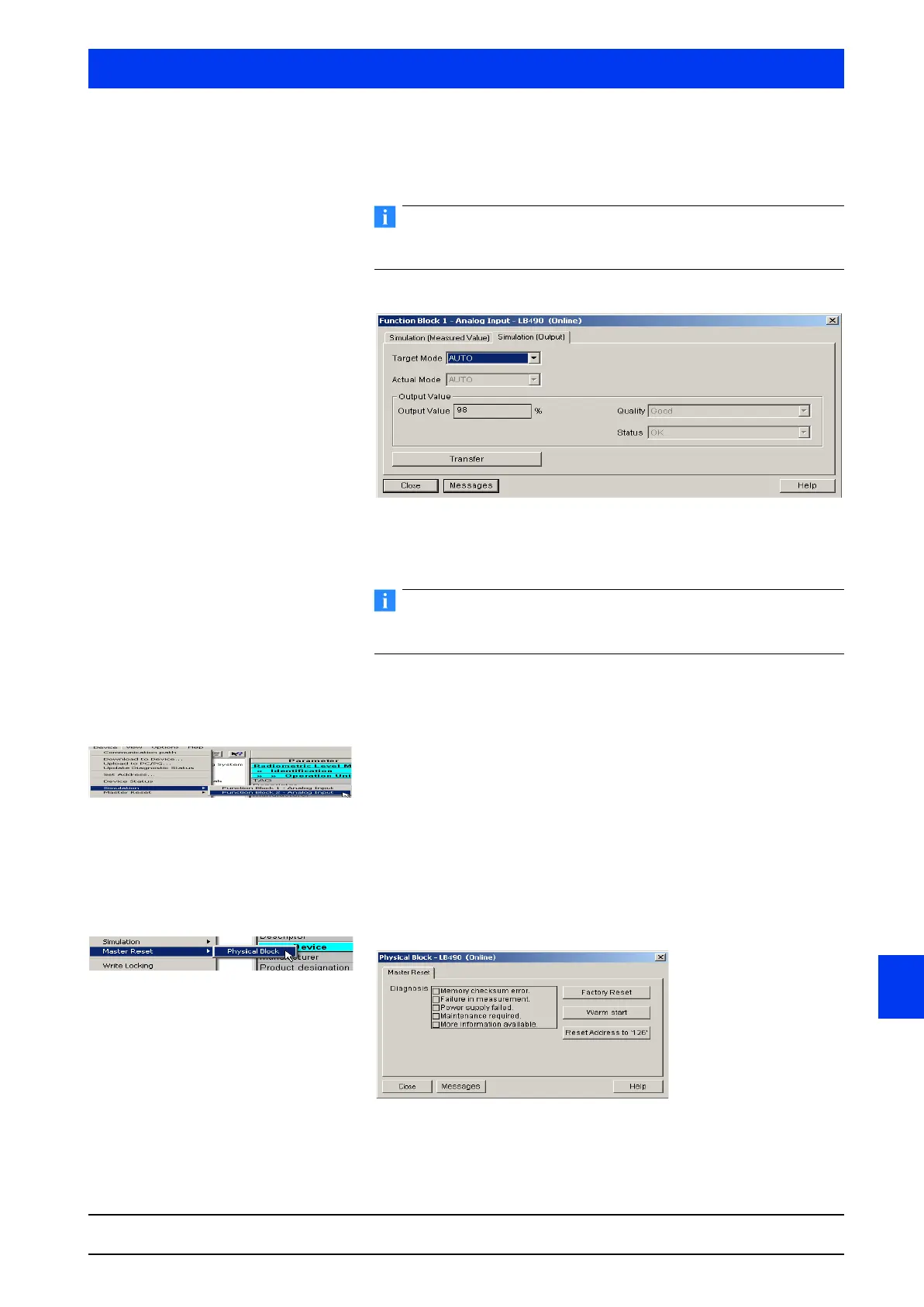
SIMULATION (OUTPUT) Ta b
Set the Target Mode to MAN, AUTO or OUT OF SERVICE.
Click the
TRANSFER button to upload the changes to the device.
To change the function block parameter, you have to set the mode
to MANUAL.
3.1.8 SIMULATION FUNCTION BLOCK 2 - ANALOG
INPUT
This menu is used for the function block control.
Two submenus can be selected:
• Simulation (Measured Value) (page 6–568)
• Simulation (Output) (page 6–569).
The functionality is identical with the one described on page 6–568.
3.1.9 MASTER RESET PHYSICAL BLOCK
The first four messages are standard diagnosis error messages by
Profibus PA devices.



 To Next Page