Uni-Probe LB 490
BERTHOLD TECHNOLOGIES GmbH & Co. KG
6 – 577
Volume 6 3 Device-specific Menus
6
Enter the parameters in the text boxes of the MEASURE PARAM-
ETER - PULSE RATE LIMITS
dialog box.
Click
TRANSFER to upload the setting to the Uni-Probe.
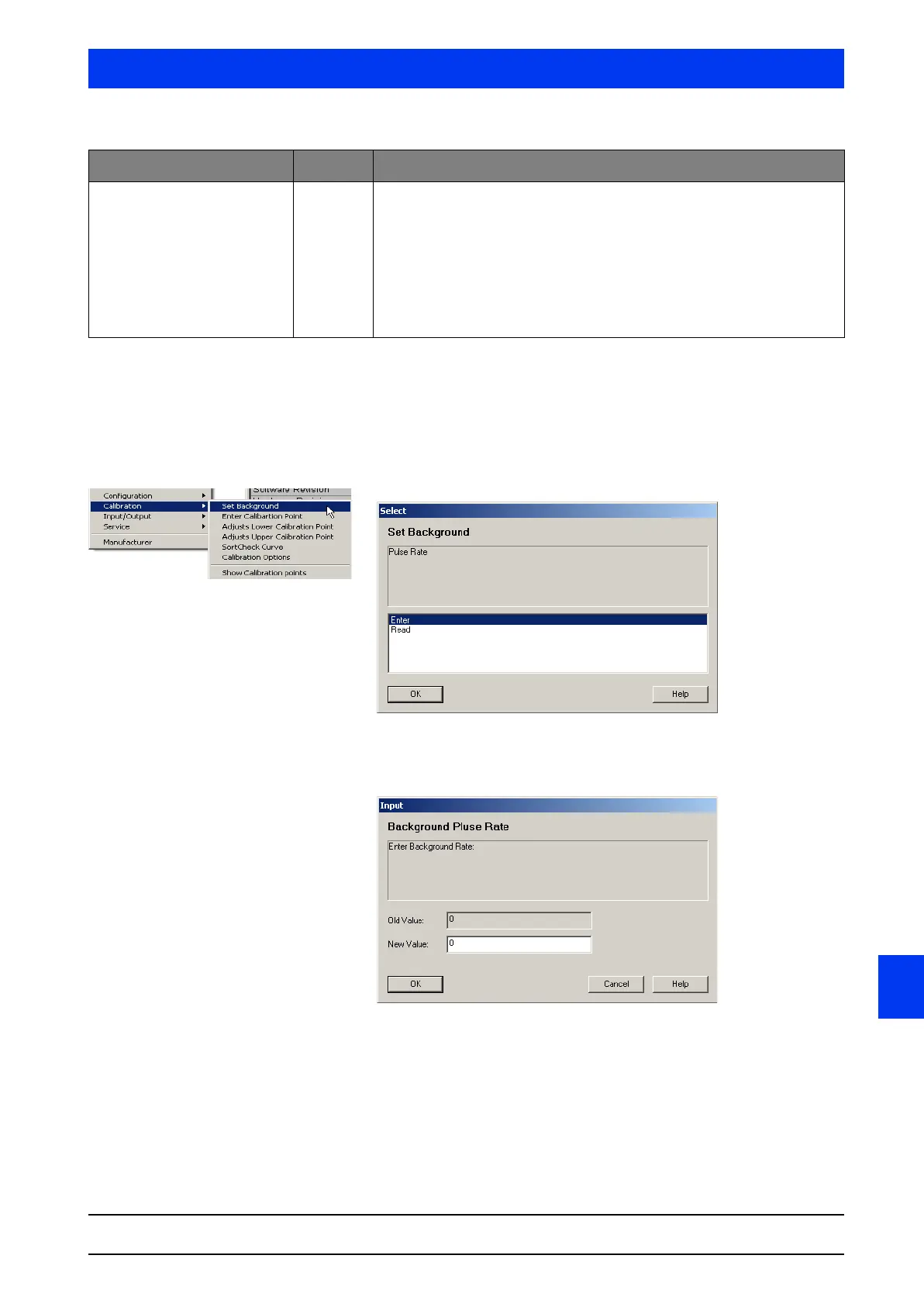
3.1.15 CALIBRATION SET BACKGROUND
Select if you want to enter or read the pulse rate and click OK
to confirm your selection (see section 6.6).
Sensor value min a Lower pulse rate limit.
This function is enabled only for special applications. In all other cases the
function is disabled by entering “
0”.
Enter a value unequal to zero to enable the lower threshold. If the current
pulse rate falls below the lower threshold, the measurement is halted until
the pulse rate threshold is exceeded again. If the measurement is
stopped, the measured value display and the current output are held. The
count rate where switching takes place is the current non-averaged count
rate.
Parameters Input Description
Input dialog box after selection of Enter



 To Next Page