103
System Analysis
Diagnostic Procedures
5
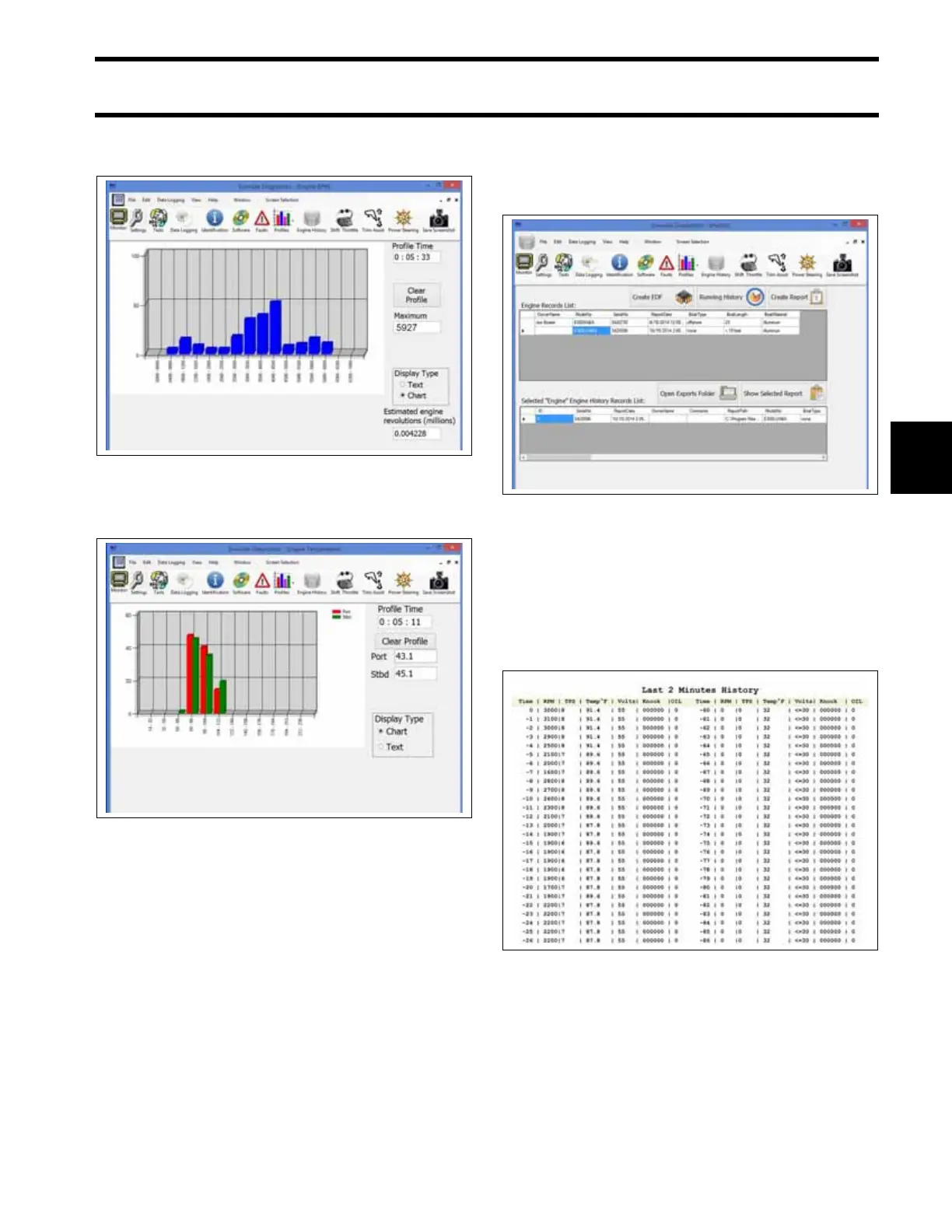
• Check the RPM Profile for long periods of low
speed operation or periods of over-revving rpm.
• Check the Engine Temperature Profile for evi-
dence of cold running or overheating.
History and Reports
View engine history and save reports from the
History screen. Reports save a snap-shot of cur-
rent engine and sensor conditions.
From the History screen:
• Press the Create EDF button to create an
engine data file. Engine data files are required
when replacing an EMM.
• Press the Running History button to view the
Last Two Minutes of engine run history.
• Press the Create Report button to create a new
report (must be connected to/communicating
with the engine EMM).
• Press Open Exports Folder to view saved
reports.
• Press Show Selected Report to view a report
selected from the Engine History Records List.
• The Last Two Minutes report is generated and
saved as part of the Engine Report. Engine run-
time values during the last two minutes of oper-
ation above 1500 rpm is collected once per sec-
ond. The newest record is first on the list. As
each new record is added, the oldest record is
removed.
Operational Inspections
Run the outboard to confirm actual symptoms
before performing any unnecessary procedures.
Inspection should include the following:
• Make sure the outboard can be cranked easily,
with no mechanical binding.
RPM Profile
009290
Engine Temperature Profile
009291
History Screen
009292
Last Two Minutes
009295







 To Next Page