44
Routine Service
Adjustments
To change or clear this setting, tilt the engine to
the full down position.
Then, simultaneously press and hold for at least
three seconds, both the up and down trim buttons.
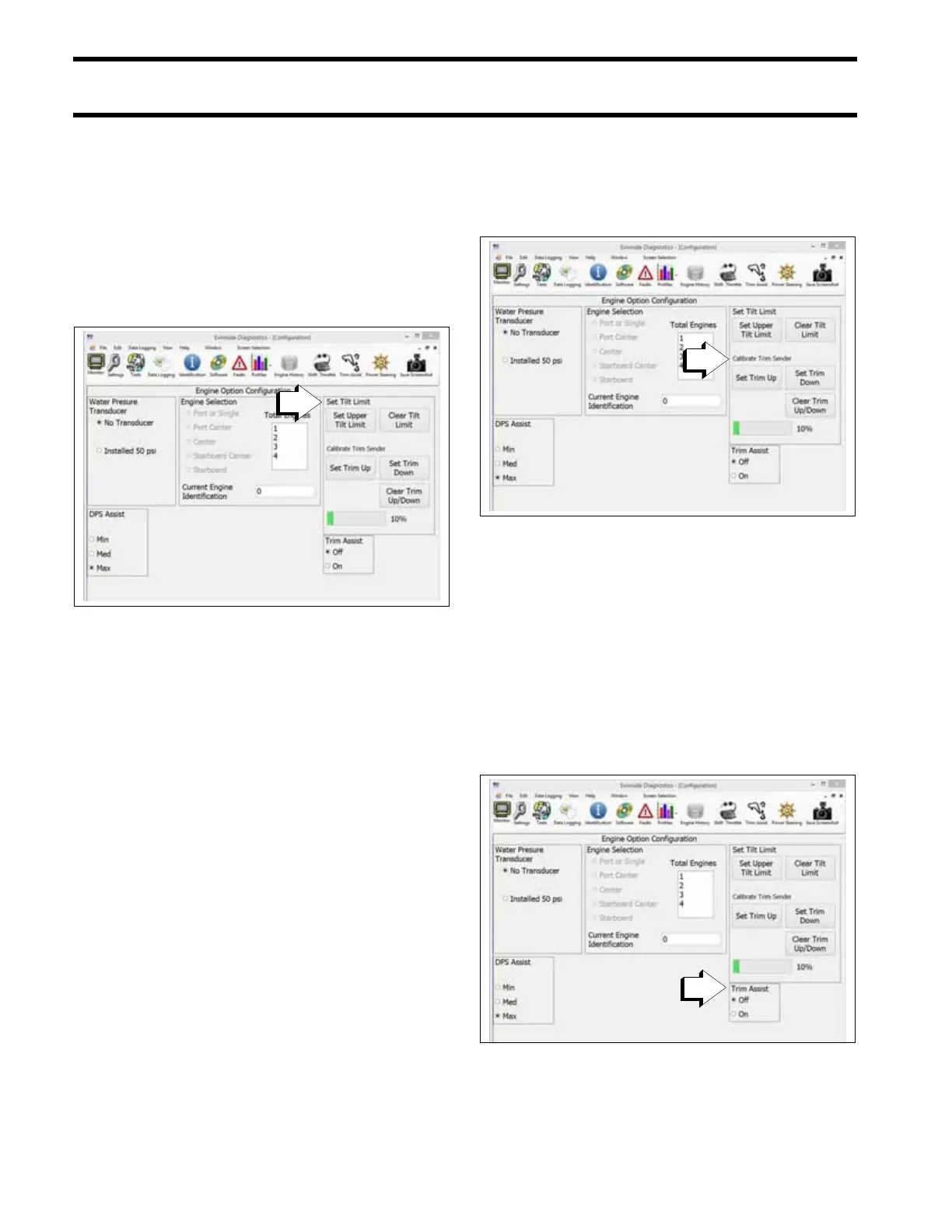
Diagnostic Software Method
Your Dealer must use Evinrude Diagnostic soft-
ware v 6.1 or higher to limit maximum tilt-up.
Check your adjustment — tilt the outboard fully
and adjust further, if necessary. Check after each
adjustment.
Repeat this procedure until the tilt limit stops the
outboard's upward travel before it contacts the
motor well.
Trim Gauge Calibration
Observe the trim gauge. If needed, use Evinrude
Diagnostics software v 6.1 or higher to calibrate
the upper and lower trim range of the gauge.
i-Trim
Evinrude E-TEC G2 outboards are equipped with
i-Trim, an automatic trim-assist feature. By default,
this feature is disabled from the factory.
Use the Evinrude ICON-Touch or ICON CS digital
display to enable i-Trim. If the boat is not equipped
with an ICON digital display, use the Configuration
screen of Evinrude Diagnostics software v 6.1 or
higher to enable trim assist.
To activate the i-Trim:
• the key switch must be in the ON position
1. Set Tilt Limit
009143
1. Calibrate Trim Sender
009237
1. Trim Assist
009237







 To Next Page