229
Evinrude ICON II Remote Control System
System Settings and Diagnostics
10
Remote Control Configuration
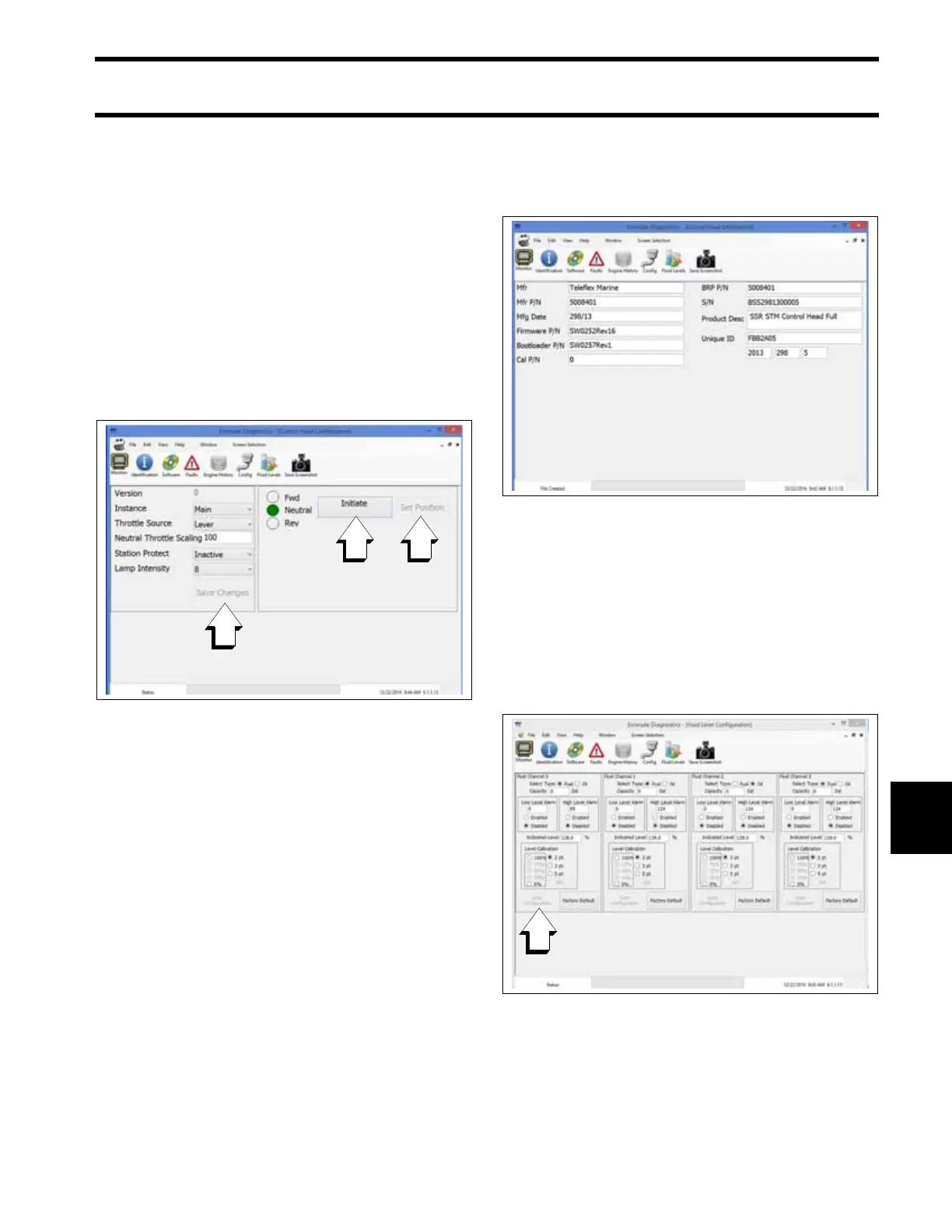
Select the Config button to make remote control
configurations changes or calibrate the remote
control lever(s).
After making setting selections, be sure to press
the Save Changes button.
To calibrate the remote control lever(s), press the
Initiate button to start the procedure.
Following the on-screen prompts, move the con-
trol lever to the directed position, then press the
Set Position button.
Remote Control Identity
Select the Identification button to view identifica-
tion information.
Fluid Level Configuration
Select the Fluid Levels button to configure fuel or
oil level sensors connected to the remote control
network.
After making selections, be sure to press the Save
Configuration button for the selected fluid chan-
nel.
If equipped, fluid levels can also be configured
using an Evinrude ICON Touch digital display. See
the User’s Guide for the digital display.
Remote Control Configuration Screen
009385
1. Save Changes button
2. Initiate calibration button
3. Set Position button
Remote Control Identity Screen
009389
Remote Control Fluid Levels Configuration Screen
009386
1. Save Configuration button







 To Next Page