376
Gearcase
Gearcase Disassembly (Standard Rotation)
Pinion Gear and Lower Driveshaft
Removal
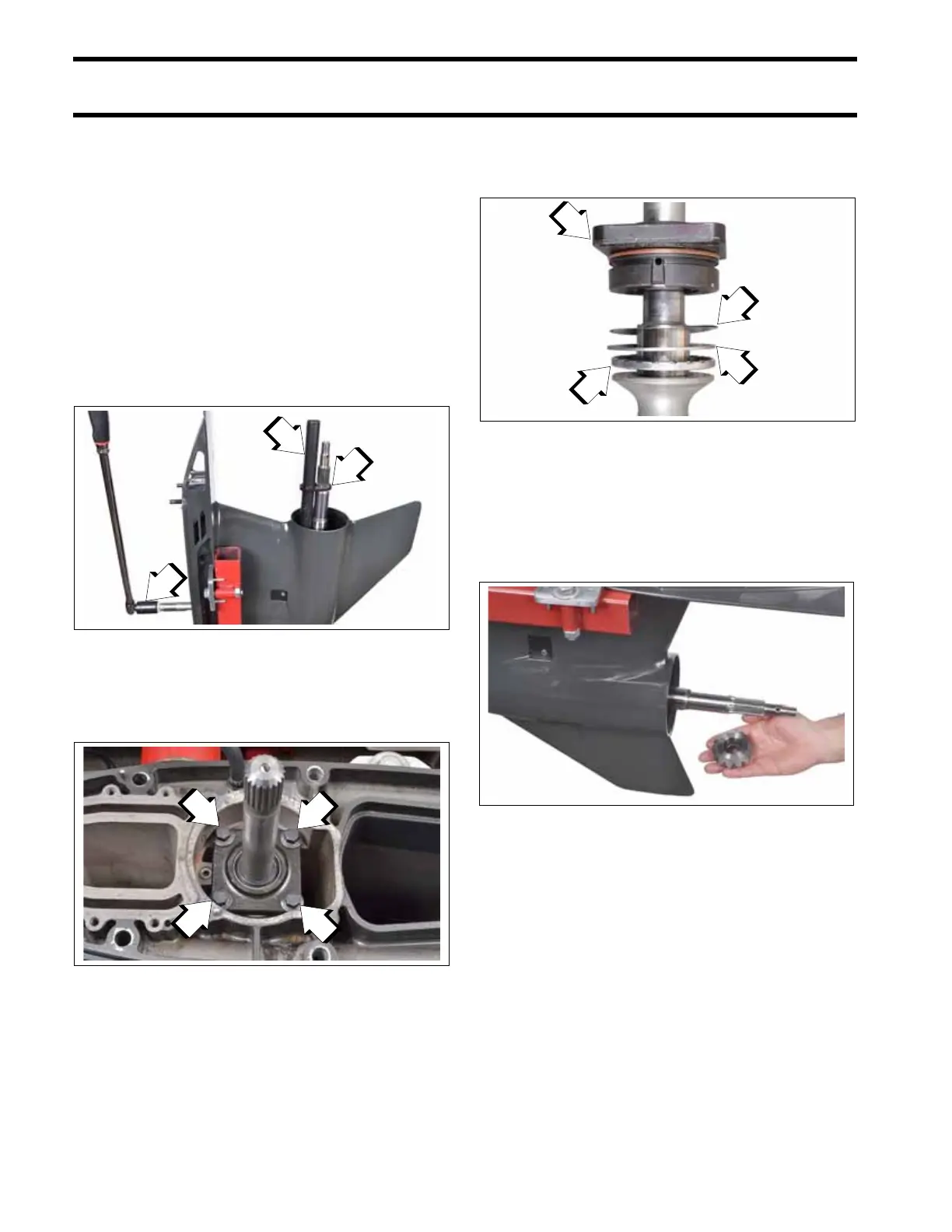
Use the Shift Rod Installer Tool, P/N 358162, to lift
the shift rod and move the clutch dog as far for-
ward as possible. This will help ease removal of
the pinion nut.
Use Driveshaft Holding Socket, P/N 311875, Pin-
ion Nut Wrench, P/N 334455, and Wrench
Retainer, P/N 341438, to loosen and remove the
pinion nut from the bottom of the driveshaft. Pad
handle of holder to prevent damage to gearcase.
Remove the four driveshaft bearing housing
screws.
Remove the driveshaft from the gearcase. The
bearing housing, shims, thrust bearing, and thrust
washer will come out with the driveshaft.
If driveshaft cannot be removed, refer to Locked
Driveshaft Removal.
Remove the pinion gear from the gearcase.
Locked Driveshaft Removal
The driveshaft to pinion taper is a locking taper. If
necessary, use Driveshaft Puller, P/N 390706, and
Backing Plate, P/N 325867, to break the lock.
Install the tools as shown by clamping them
around the lower driveshaft. Alternately tighten the
two vertical screws against the backing plate
1. Driveshaft Holding Socket, P/N 311875
2. Pinion Nut Wrench, P/N 334455
3. Wrench Retainer, P/N 341438
009536
1. Driveshaft bearing housing screws
009494
1. Bearing housing
2. Shims
3. Thrust washer
4. Thrust bearing
009514
009538







 To Next Page