Engine and Control Systems
Diagnostic Software Functions
94
Fuel Injector Servicing
All E-TEC fuel injectors use software program-
ming to compensate for variations in fuel flow.
Each injector and its location on the outboard is
identified by the EMM. DO NOT install an injector
without updating the compensation software.
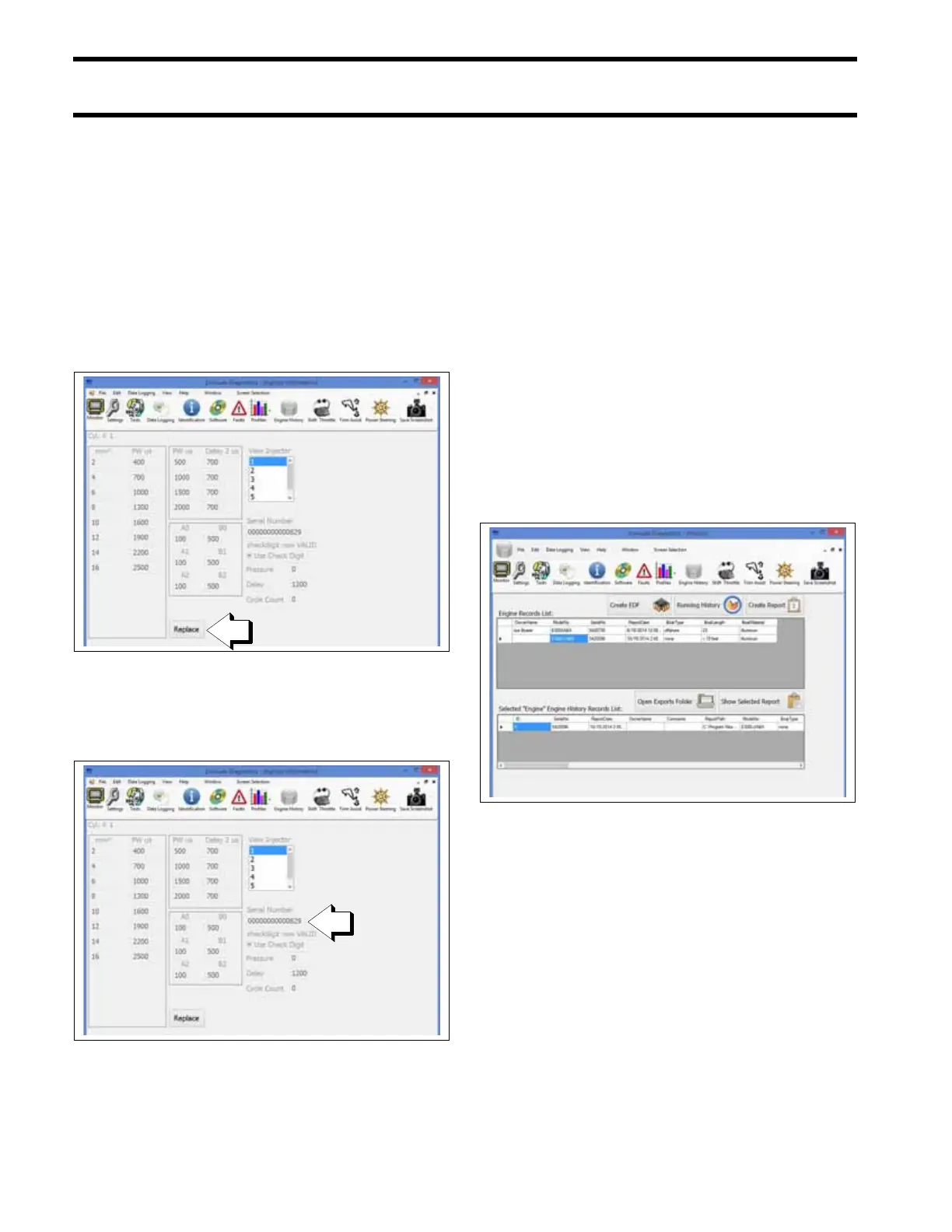
To install a service injector, click the “Replace”
button on the Injector Information screen and
select the file for the replacement injector. Refer to
Fuel Injector Service on p. 174.
The serial number and cylinder location displayed
on the Injector Coefficients screen must match the
actual cylinder placement for each injector.
History and Reports
Engine history and reports provide service records
and can be used to document the running history
of an outboard. Reviewing this information can
help identify or resolve some service issues.
From the History screen:
• Press the Create EDF button to create an
engine data file. Engine data files are required
when replacing an EMM.
• Press the Running History button to view the
Last Two Minutes data.
• Press the Create Report button to create a new
report (must be connected to/communicating
with the engine EMM).
• Press Open Exports Folder to view saved
reports.
• Press Show Selected Report to view a report
selected from the Engine History Records List.
Injector Information Screen
009285
1. Replace button
Injector Information Screen
009285
1. Injector serial number
History Screen
009292







 To Next Page