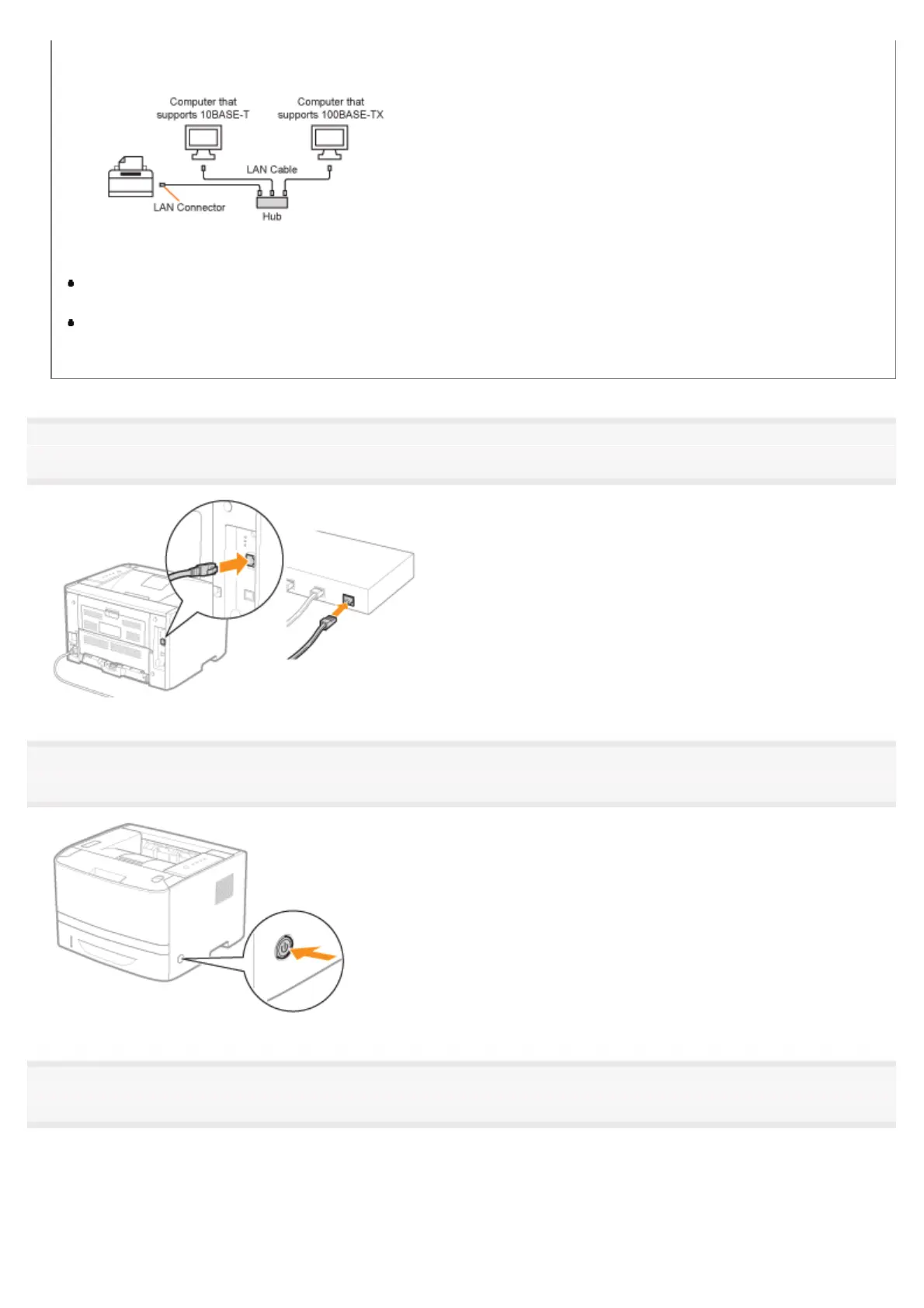
About the network environment
This printer supports 10BASE-T and 100BASE-TX connections.
About the LAN cable
This printer does not come with a LAN cable or a hub. Have cables or a hub ready as needed.
Use a Category 5 or higher twisted pair cable for the LAN.
If you want to connect the printer to a 100BASE-TX Ethernet network, all the devices to be connected to the LAN
(hub, LAN cable, and network board for computer) must support 100BASE-TX.
For more details, contact your local authorized Canon dealer.
1
Connect the LAN cable.
2
Turn the printer ON.
3
Make sure that the LNK indicator (A) on the network interface is on.
If you are using 100BASE-TX, the 100 indicator (B) also turns on.
㻝㻜㻢㻌㻛㻌㻠㻡㻞














 To Next Page