2. Proceed to Step 3.
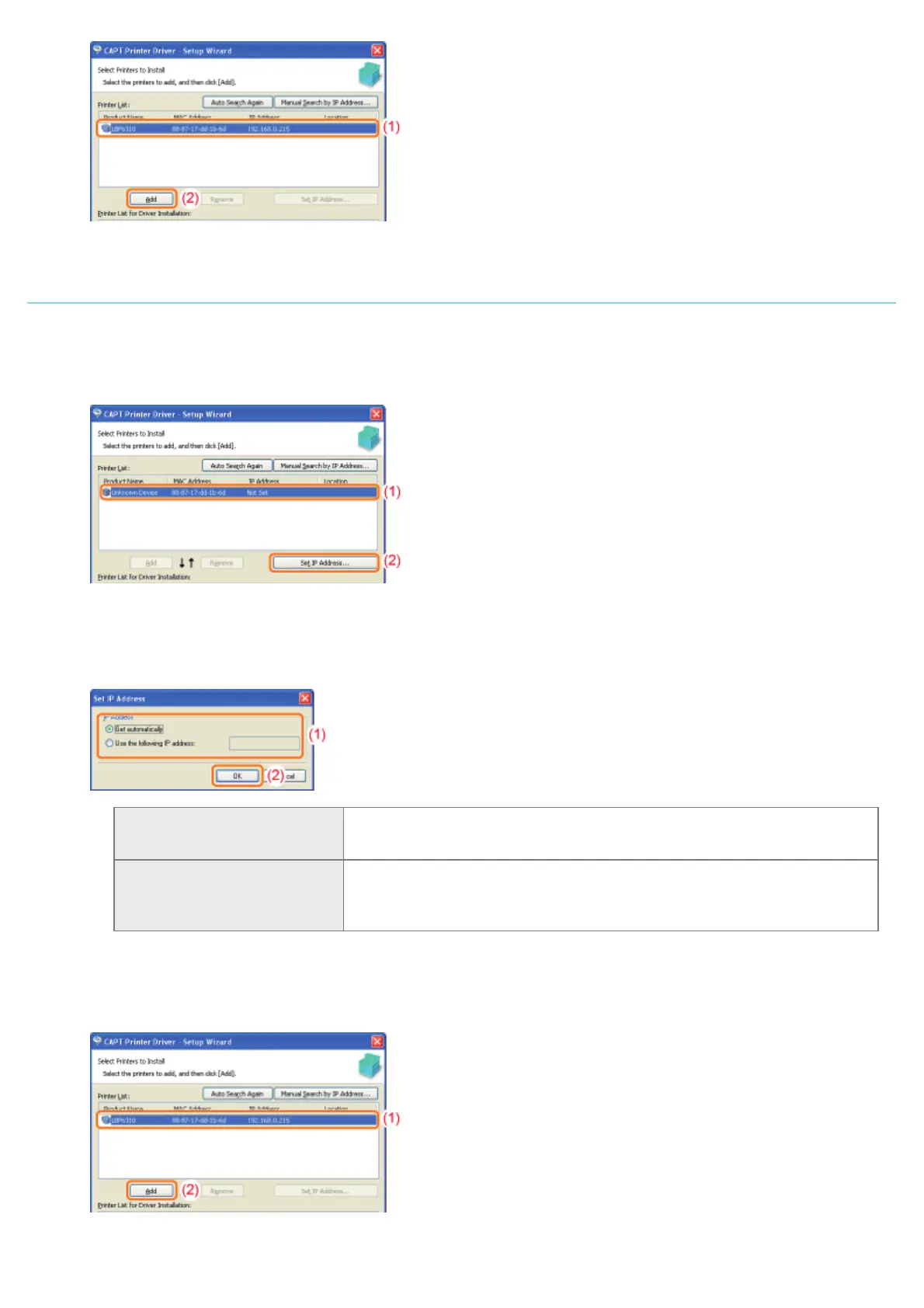
If [Unknown Device] is displayed in [Product Name]
1. Display the [Set IP Address] dialog box.
(1) Select [Unknown Device].
(2) Click [Set IP Address].
2. Set the IP address.
(1) Enter the IP address of the printer.
(2) Click [OK].
[Get automatically]
Obtains an IP address using DHCP.
(The DHCP server needs to be running.)
[Use the following IP address]
Allows you to set the IP address directly.
(Enter the IP address by separating the numbers with a period (.), for
example, "AAA.BBB.CCC.DDD.")
3. Add [LBP6310] to [Printer List for Driver Installation].
(1) Select [LBP6310].
(2) Click [Add].
4. Proceed to Step 3.
㻝㻝㻞㻌㻛㻌㻠㻡㻞














 To Next Page