3
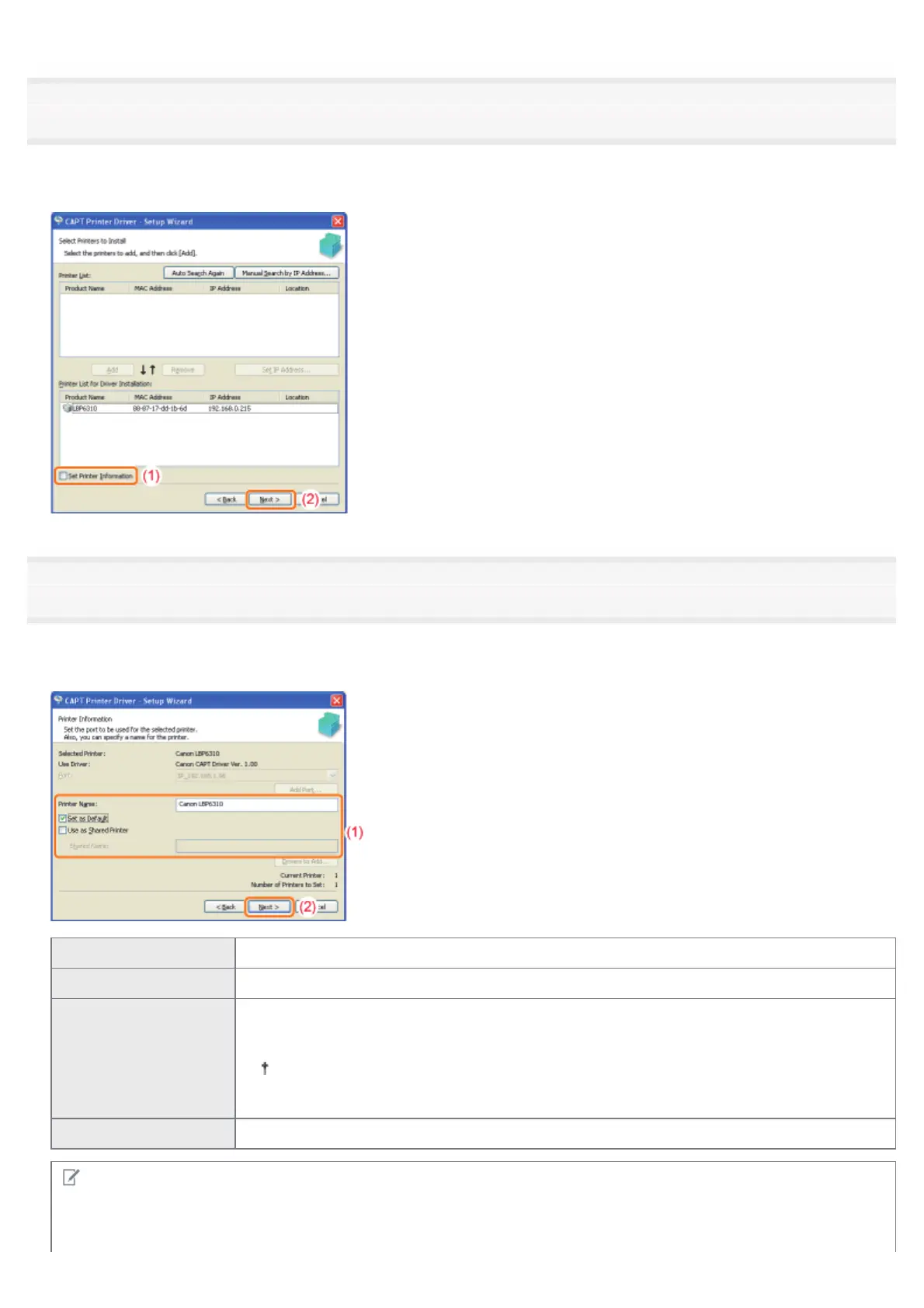
Perform the following procedure.
(1) Select the [Set Printer Information] check box.
(2) Click [Next].
4
Set the printer information.
(1) Specify the settings for each option as needed.
(2) Click [Next].
[Printer Name] Enter a new name if you want to change the printer name.
[Set as Default] Select the check box if you want to use this printer as the default printer.
[Use as Shared Printer]
Select the check box to use the computer on which the printer driver is being installed as the
print server.
For details on the printer sharing (print server environment), see "If You Use the
Printer in the Print Server Environment."
[Shared Name] Change the shared name as needed.
NOTE
If you selected the [Use as Shared Printer] check box
Install the additional driver using the following procedure.
㻝㻝㻟㻌㻛㻌㻠㻡㻞














 To Next Page