Envelope [Envelope]
**
If the printed paper curls (the printed side curls outward) when printed with [Plain Paper] selected, select
[Plain Paper L].
NOTE
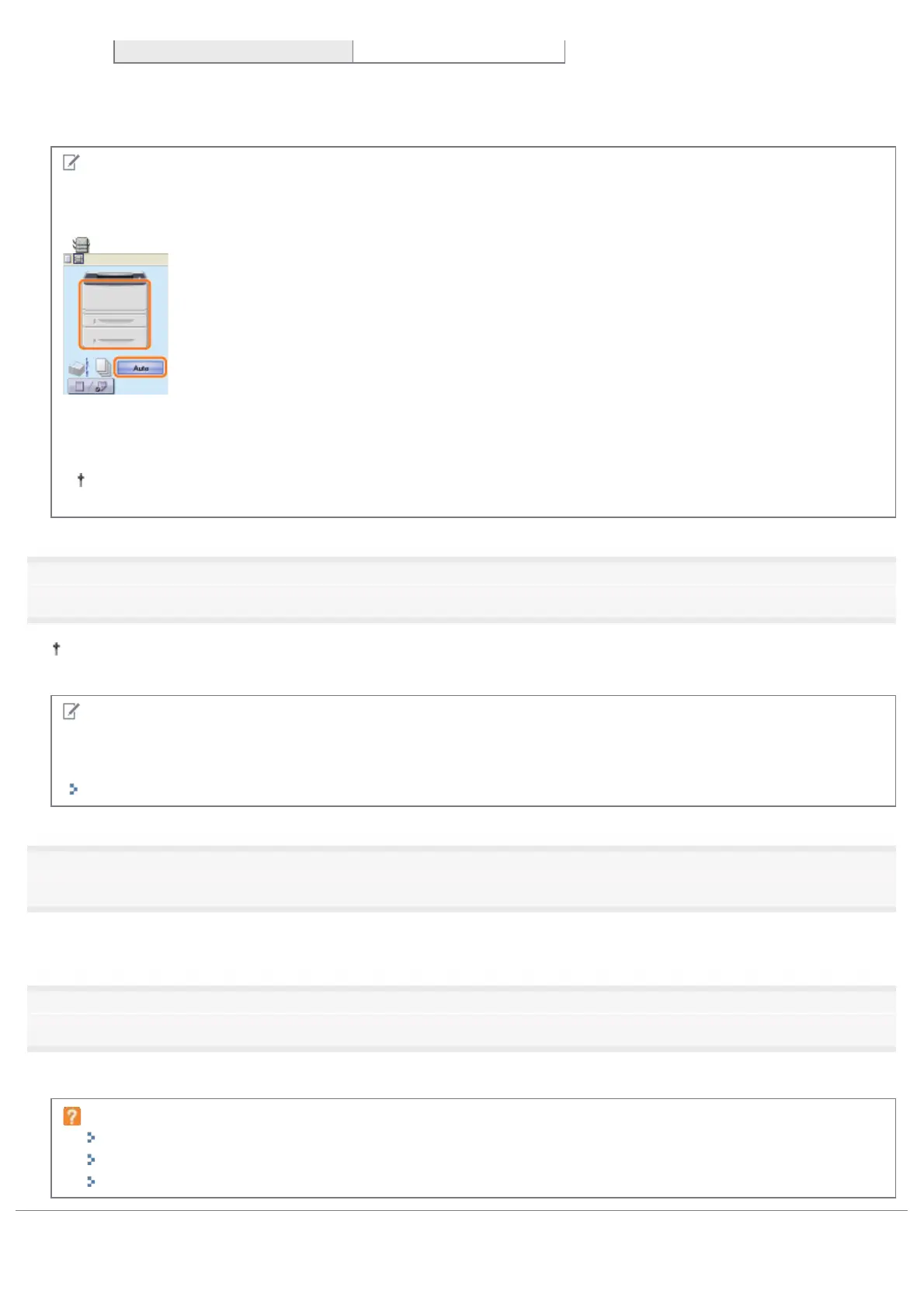
Using Preview to specify a paper source
You can also specify a paper source by clicking each paper source or [Auto] using Preview when
[
] is selected.
When printing heavy paper (91 to 120 g/m
2
) from the paper drawer
Select [Drawer 1] or [Drawer 2] (optional) in [Paper Source].
If you select [Auto], you cannot print from the paper drawer. (Paper is fed from the multi-purpose tray.)
9
Specify the other printing preferences as needed.
"Useful Printing Functions" describes the printing procedures that use the various printing functions. Make full use of
the functions of this printer.
NOTE
For details on the settings
See Help.
"How to Use Help"
10
Confirm the settings, then click [OK].
ĺ The [Print] dialog box reappears.
11
Click [OK].
ĺ The printer starts printing.
If the printer cannot print properly
"Printing Cannot Be Performed (USB Connection)"
"Printing Cannot Be Performed (LAN Connection)"
"Printing Cannot Be Performed (via the Print Server)"
㻝㻡㻠㻌㻛㻌㻠㻡㻞














 To Next Page