6
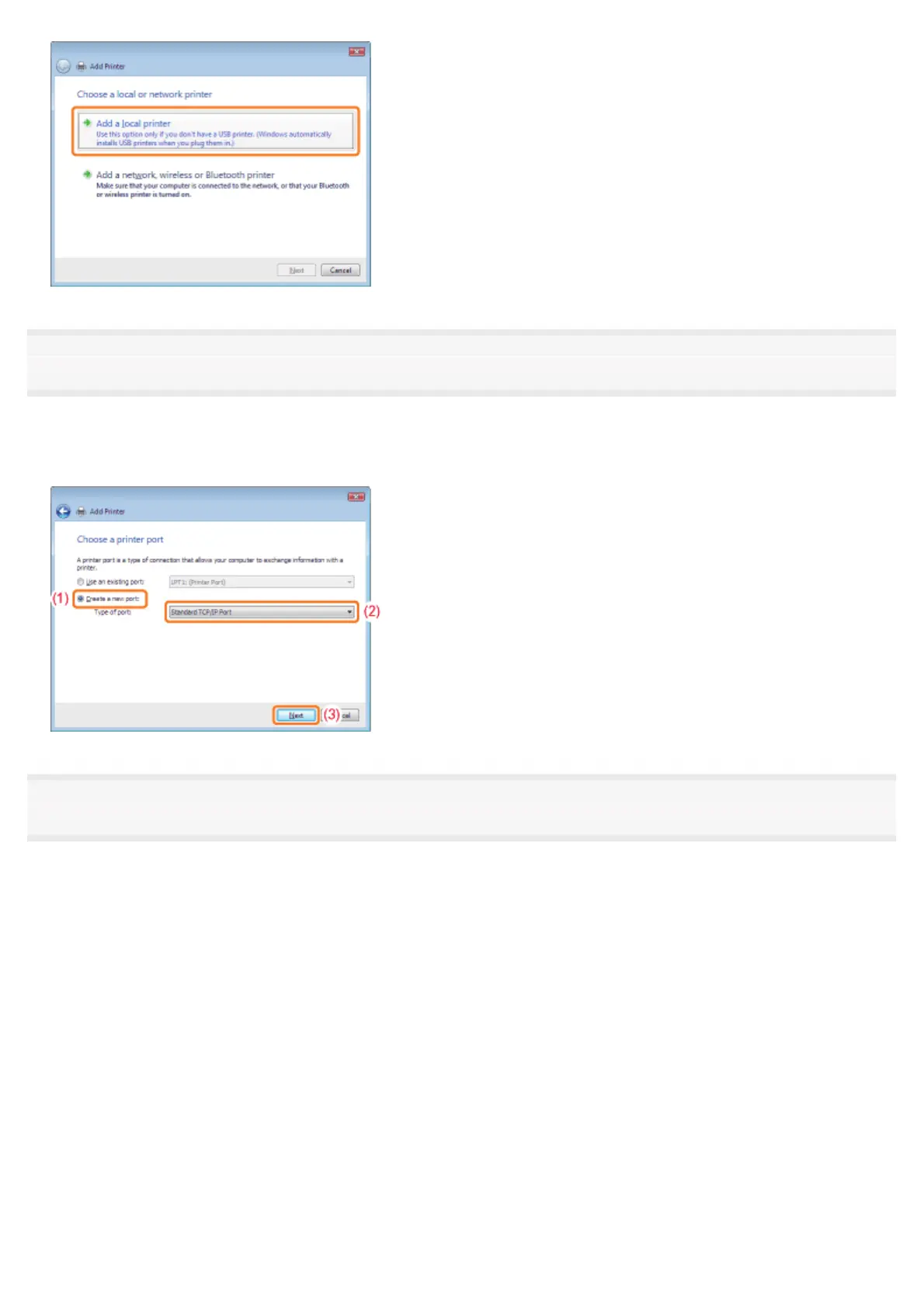
Create a port.
(1) Select [Create a new port].
(2) Select [Standard TCP/IP Port].
(3) Click [Next].
7
Enter the IP address or name of the printer.
(1) Select [Autodetect] or [TCP/IP Device].
(2)
Enter the IP address or name
*
of the printer in [Hostname or IP address].
*
The DNS name to be registered on the DNS server (up to 78 characters)
(3) Clear the [Query the printer and automatically select the driver to use] check box.
(4) Click [Next].
㻞㻠㻡㻌㻛㻌㻠㻡㻞














 To Next Page