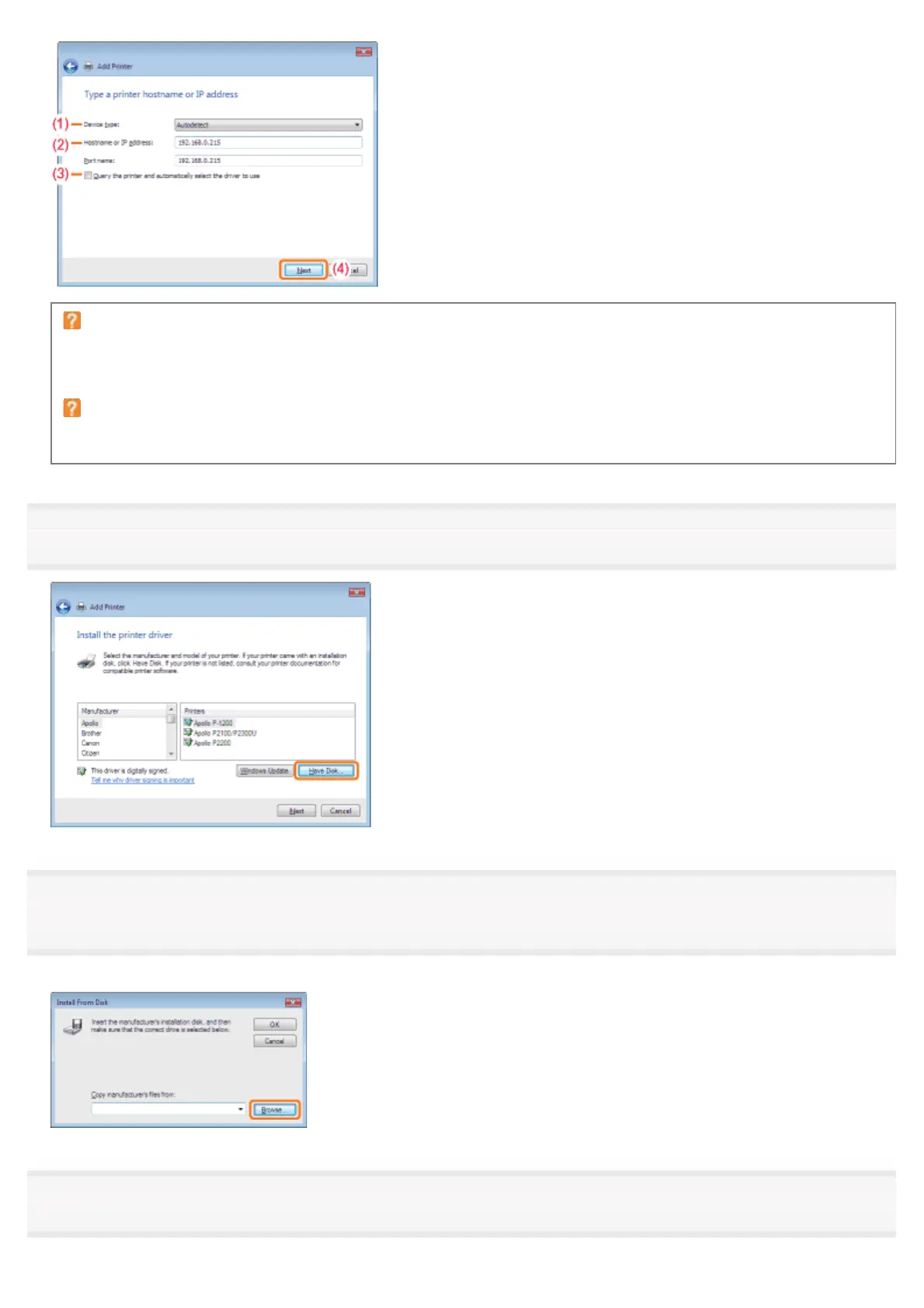
If you are not sure about the value to be entered in [Hostname or IP address]
The value to be entered varies depending on how the IP address of the printer was set.
For more details, see "Values for Setting a Port" or ask your network administrator.
If the printer is not detected
Follow the on-screen instructions and search again for the printer, or see "Basic Operations/Various Information for
Windows" and specify [Device Type].
8
Click [Have Disk].
9
Insert the supplied CD-ROM "User Software" into the CD-ROM drive of your computer, and then click
[Browse].
If CD-ROM Setup appears, click [Exit].
10
Open the folder in which the printer driver is included.
㻞㻠㻢㻌㻛㻌㻠㻡㻞














 To Next Page