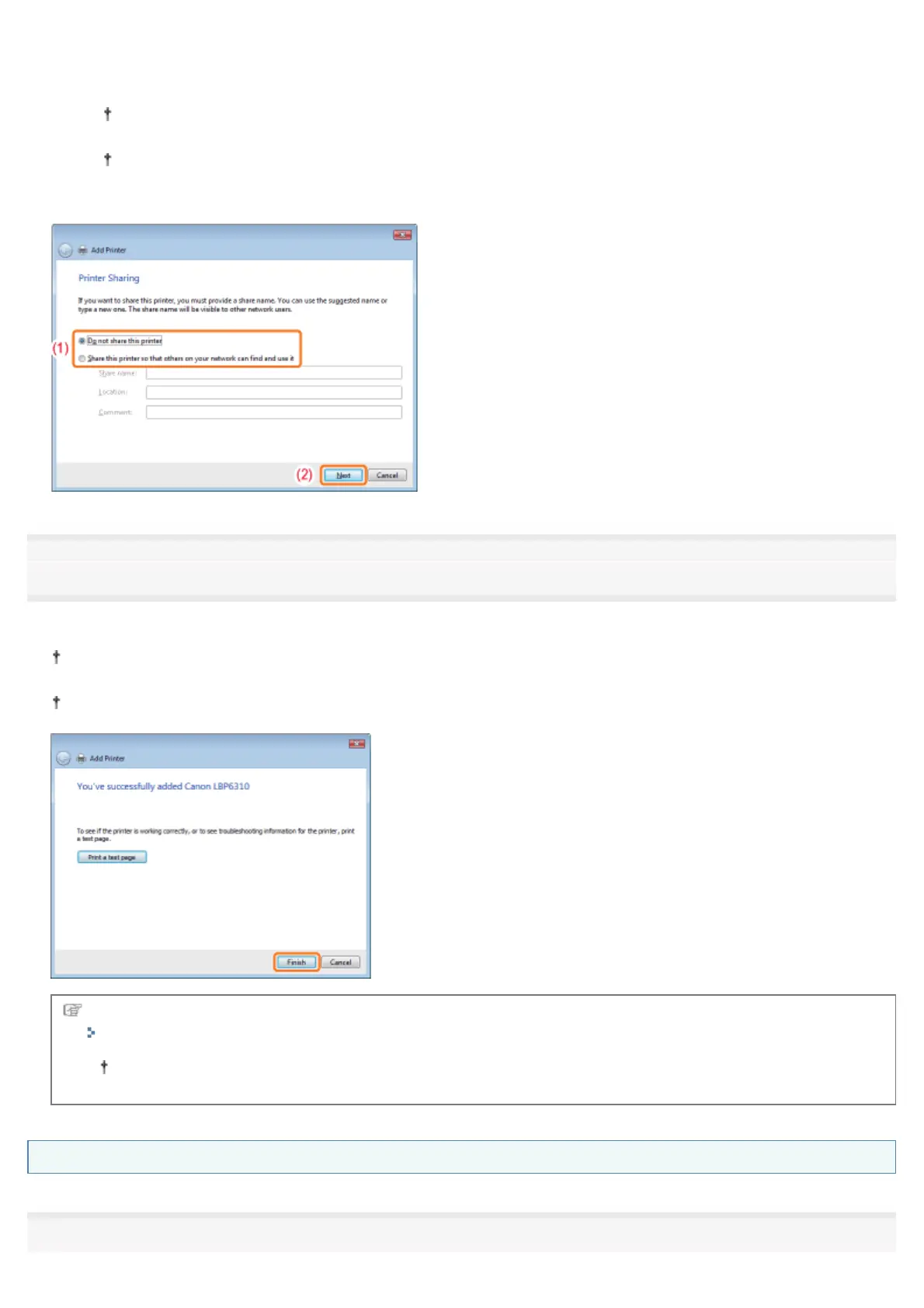
(1) Select whether or not to share the printer (whether or not to use the computer on which the printer driver is being
installed as the print server).
For details on the printer sharing (print server environment), see "If You Use the Printer in the Print Server
Environment."
When you share the printer, specify [Share Name], [Location], or [Comment] as needed.
(2) Click [Next].
16
Click [Finish].
If you want to print a test page, click [Print a test page].
When [Set as the default printer] is displayed, select whether or not to use the printer as the default printer. (Windows
7 and Server 2008 R2)
When the following screen appears, you can remove the CD-ROM.
When the installation is complete, an icon and folder for this printer will be created.
"After Installation"
If you want to change the network settings for the printer, see "Changing the Network Settings for the Printer."
Windows XP, and Server 2003
1
㻞㻠㻥㻌㻛㻌㻠㻡㻞














 To Next Page