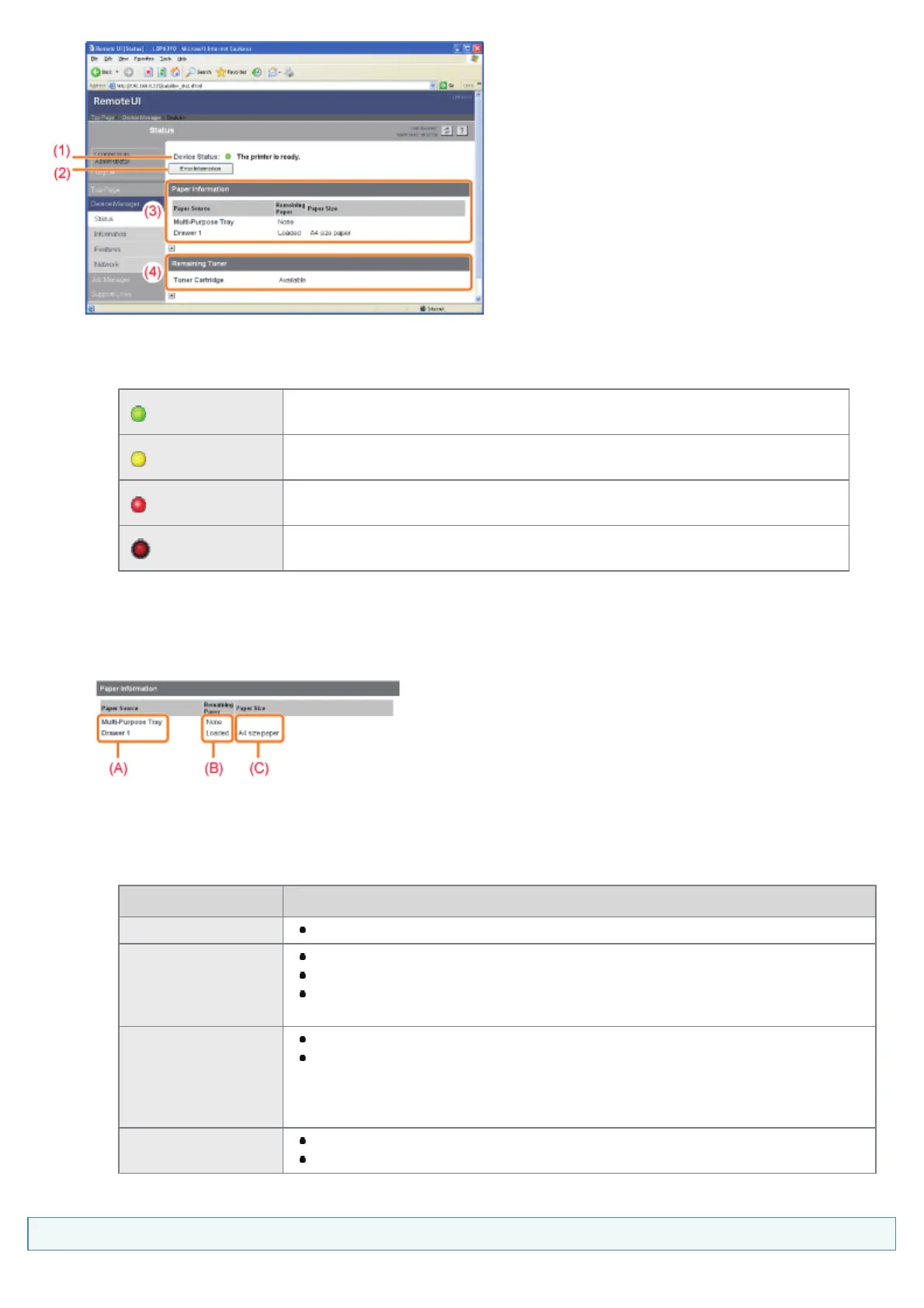
(1) [Device Status]
Displays messages about the printer status.
Also, according to the printer status, the indicator color changes as follows.
(green)
The printer is in the normal state.
(The printer is ready to print or in the sleep mode.)
(yellow)
Some attention is required although this state does not affect the job.
(A Warning message is being displayed.)
(red)
The printer cannot print for some reason.
(An Error message is being displayed.)
(blinking red)
A problem is occurring in the printer, and the printer does not operate properly.
(A service call is being displayed.)
(2) [Error Information]
When clicked, displays information (situation explanation, solutions, and so on) about the error occurring in the
printer.
(3) [Paper Information]
Displays information about the paper sources.
(A): The names of each paper source
(B): The amount of paper remaining in each paper source
(C): The sizes of paper in each paper source
(4) [Remaining Toner]
Displays the status of the toner cartridge. The contents and solutions of the messages are as follows.
Message Contents and Solutions
Available Continue using as normal.
Replacement
Needed Soon
You can continue to print.
Have ready a new toner cartridge.
We recommend that you replace the toner cartridge before printing a large
amount of data.
Check Cartridge
You can continue to print.
A toner cartridge with print quality that cannot be guaranteed or a used toner
cartridge that reached their lifetime may be inserted.
Continuing to use the cartridge may cause a malfunction, so replacing the
cartridge with a new cartridge is recommended.
Insert Cartridge
The printer stops printing.
Install the toner cartridge.
[Information] Page
㻟㻝㻞㻌㻛㻌㻠㻡㻞














 To Next Page