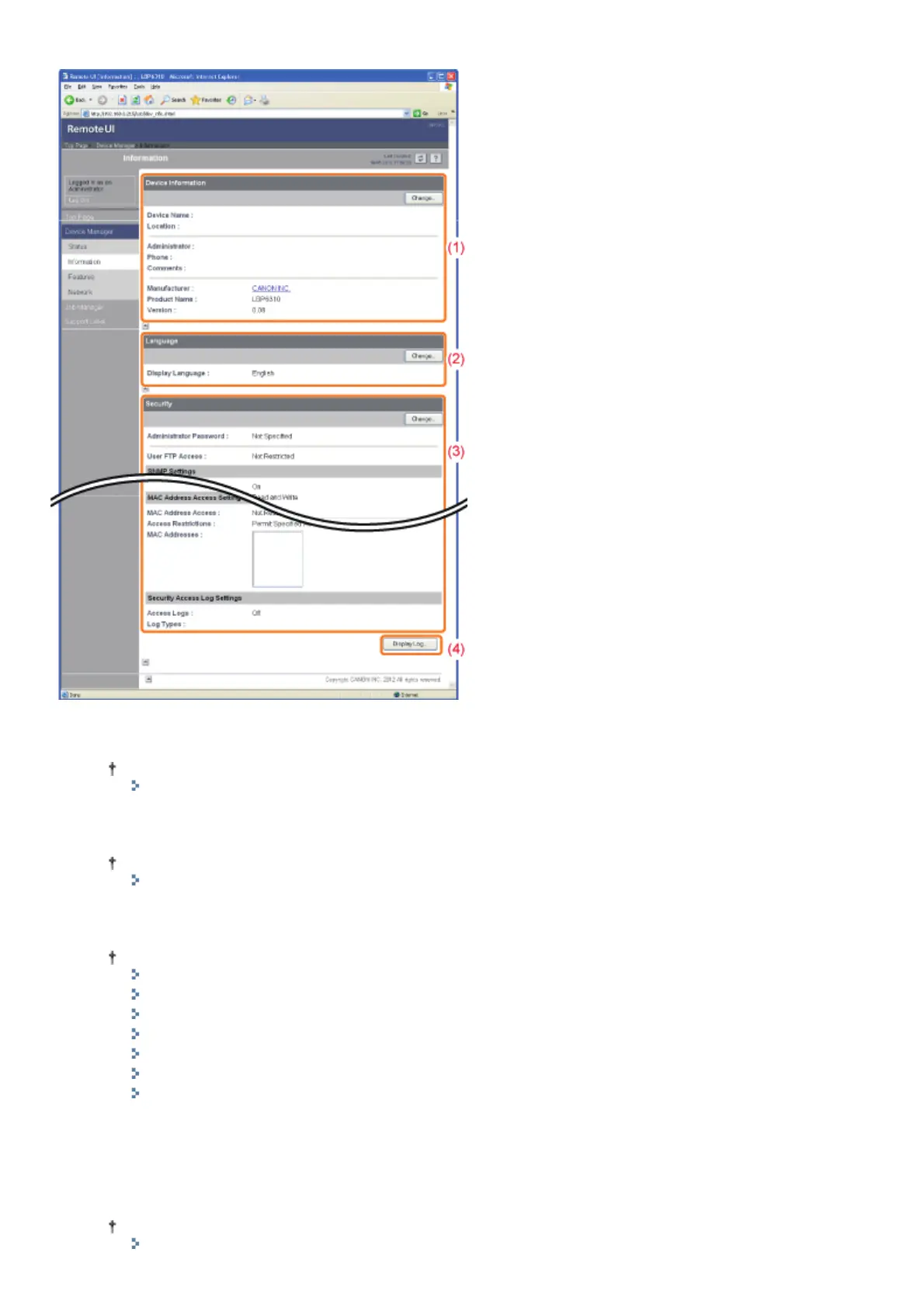
Displays the printer information, security settings, and so on.
(1) [Device Information]
Displays the general information about the printer.
How to change the settings
"Specifying the Device Name or Administrator Information"
(2) [Language]
Displays the display language currently being used in the Remote UI.
How to change the settings
"Changing the Display Language of the Remote UI"
(3) [Security]
Displays information about the security settings, such as the administrator password and the access restrictions.
How to change the settings
"Setting the Administrator Password"
"Restricting the Users Who Can Print"
"Restricting the Users Who Can Access"
"Restricting the Users Who Can Monitor/Change the Settings Using the SNMP Protocol"
"Restricting the Users Who Can Perform Multicast Discovery"
"Restricting the FTP Access from End-Users"
"Obtaining the Security Access Logs"
(4) [Display Log]
Clicking this button displays the [Security Access Log] page that allows you to display or save the obtained security
access logs.
You can also display the date and time that the print server obtained from the SNTP server, or update the date and
time by obtaining them from the SNTP server.
How to change the settings
㻟㻝㻟㻌㻛㻌㻠㻡㻞














 To Next Page