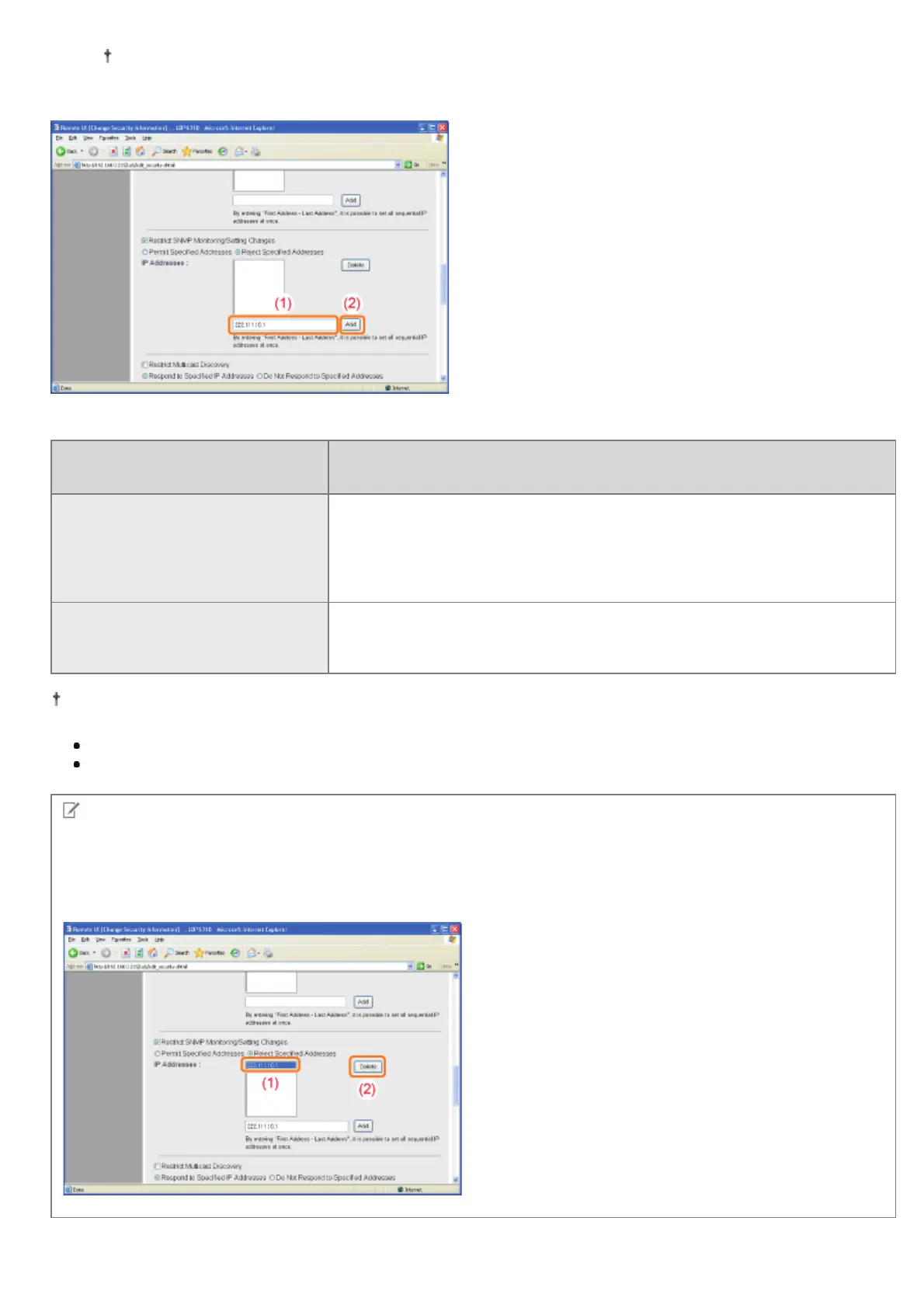
Enter the IP address by separating the numbers with "." (period), for example, AAA.BBB.CCC.DDD.
(2) Click [Add].
You can also enter IP addresses as follows.
Input Example of the IP
Addresses
Method for Entering IP Addresses
AAA.BBB.CCC.15-AAA.BBB.CCC.18
If you want to enter the IP addresses of consecutive numbers, place "-"
(hyphen) between the address of the smallest number and that of the largest
number.
The example on the left is equivalent to entering addresses from
AAA.BBB.CCC.15 to AAA.BBB.CCC.18.
AAA.BBB.CCC.*
Entering "*" (asterisk) is equivalent to entering the numbers from 0 to 255.
The example on the left is equivalent to entering addresses from
AAA.BBB.CCC.0 to AAA.BBB.CCC.255.
You can set IP addresses of up to 255 characters.
<Counting example of the number of characters>
"192.168.0.215" = 13 characters
"192.168.0.215-192.168.0.218" = 27 characters
NOTE
When deleting a set IP address
(1) Select an IP address you want to delete.
(2) Click [Delete].
㻟㻠㻥㻌㻛㻌㻠㻡㻞














 To Next Page