CDM-625A Advanced Satellite Modem MN-CDM625A
Updating Firmware Revision 4
4–4
D. Identify the firmware information and Ethernet Traffic/Management IP Address using
one of the following methods:
Using the modem front panel menus:
• Firmware Info – Use the SELECT: UTILITIES Firmware Base-modem
Image#1 or Image#2 menu branches, as shown in this example:
Image #X Bulk: DD/MM/YY
FW-0020731X #.#.# ()
• Ethernet IP Address – Use the CONFIG: IP Addresses menu branch, as shown
in this example:
Ethernet IP Address/Range:
192.168.001.002/24 ()
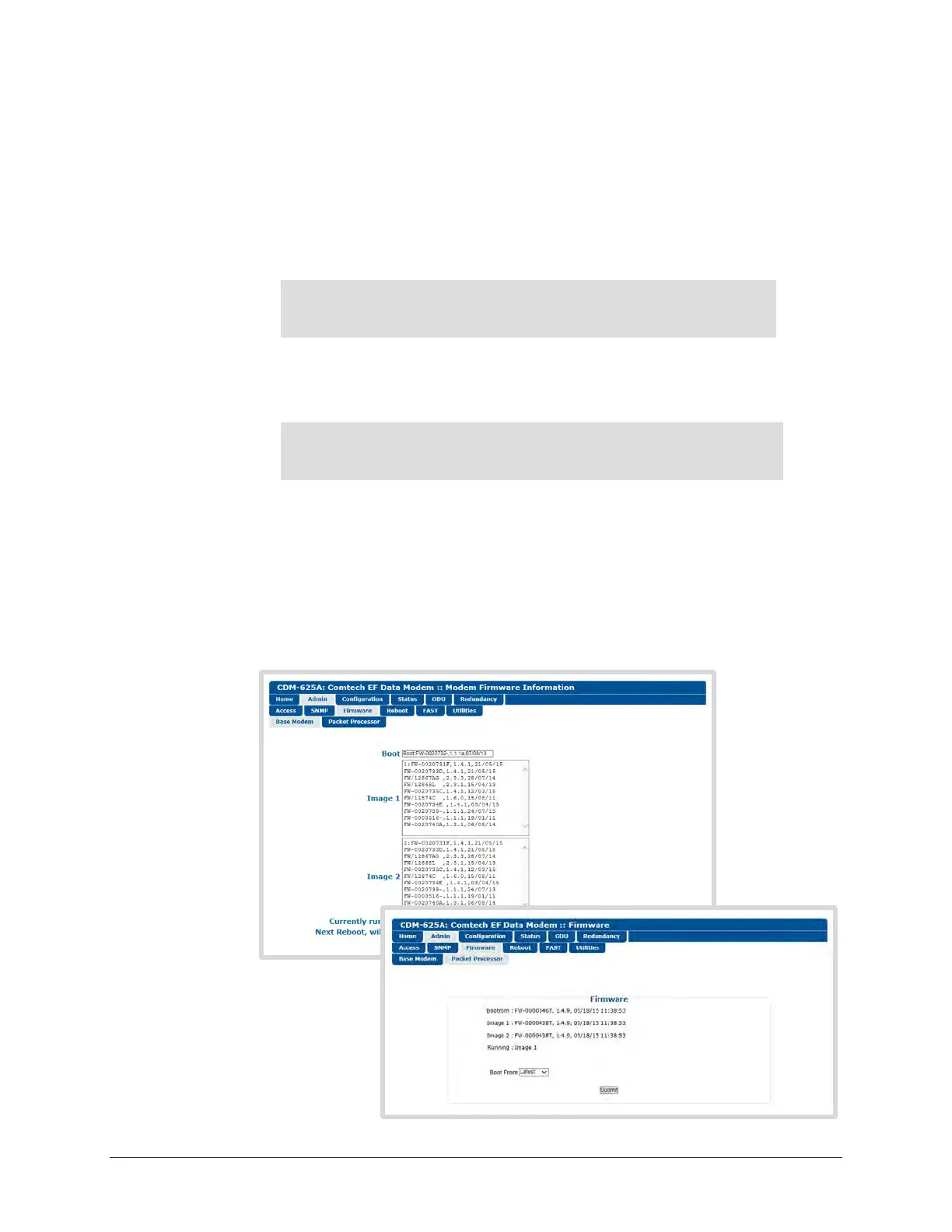
Using the CDM-625A HTTP Interface (via the User PC Web Browser) – this assumes
that you have already noted the Traffic/Management IP Address, which was
previously required to open the CDM-625A HTTP Interface:
• Firmware Info – Use the ‘Admin | Firmware | Base Modem’ and, if needed, the
‘Admin | Firmware | Packet Processor’ pages, as shown here:



 To Next Page