CDM-625A Advanced Satellite Modem MN-CDM625A
Telnet Command Line Interface (CLI) Operation Revision 4
9–2
9.1.2 Terminal Emulator Considerations
1) For best results, Comtech EF Data recommends PuTTY or Tera Term as the
preferred terminal emulators.
2) Use of the HyperTerminal terminal emulator is not supported or recommended.
3)
The numeric keypad’s ENTER key may not work on some terminal emulators.
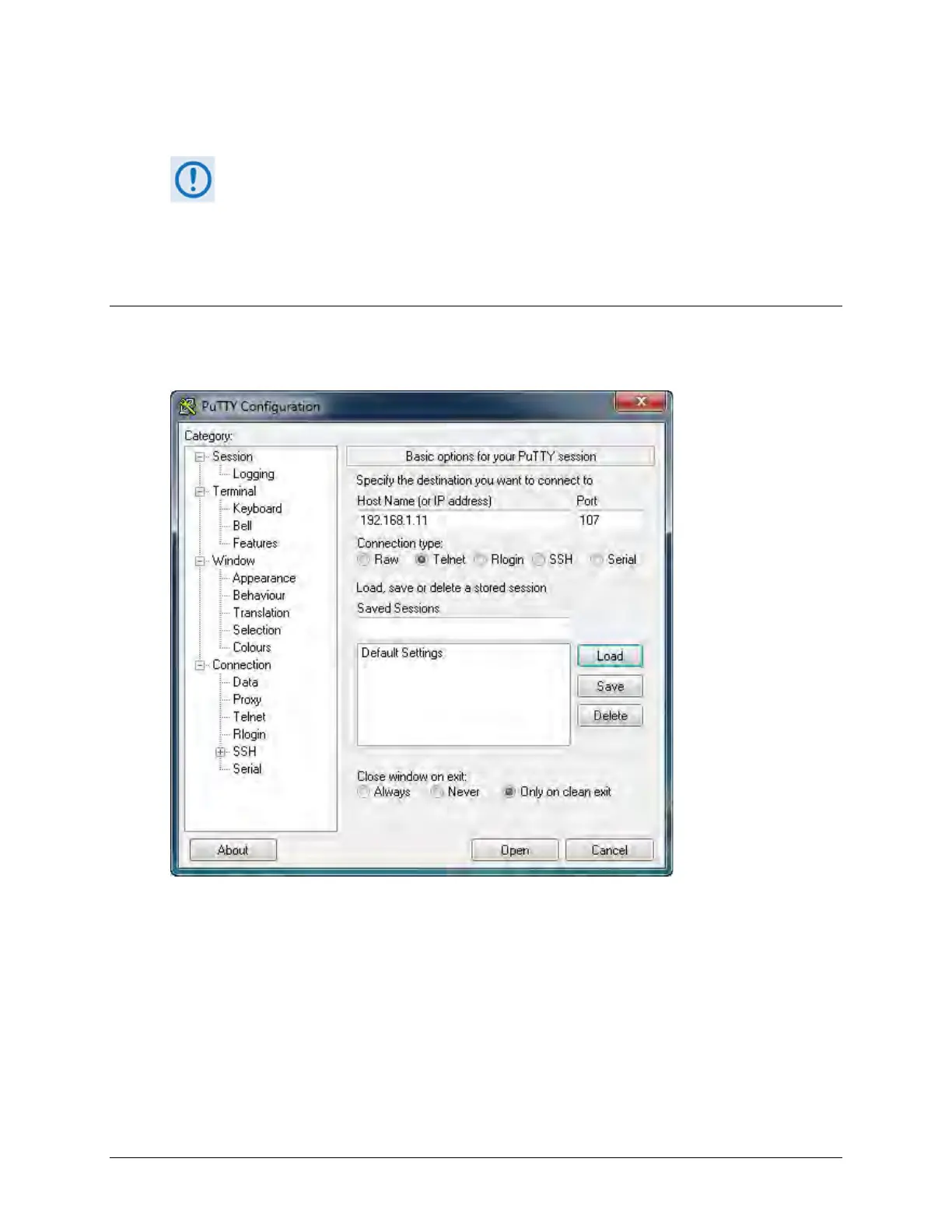
9.1.2.1 Using the PuTTY Terminal Emulator
First, you must define your Telnet session connection:
• For Connection type, select Telnet;
• For Host Name (or IP Address), enter the interface IP Address (e.g., 192.168.1.11);
• For Port, enter 107;
• Click [Open] to proceed.



 To Next Page