CDM-625A Advanced Satellite Modem MN-CDM625A
CDM-625A ODU (Transceiver, BUC, LNB) Operation Revision 4
10–53
10.5.1 ODU Operations using the Telnet CLI
1) ODU Comms must be Enabled, and the CDM-625A must be configured for
70/140 MHz operation in order to fully use the Telnet CLI ODU menus.
2) The Comtech EF Data KST-2000A/B Transceiver and LPOD Amplifier / Block Up
Converter are not supported by the Telnet CLI at this time.
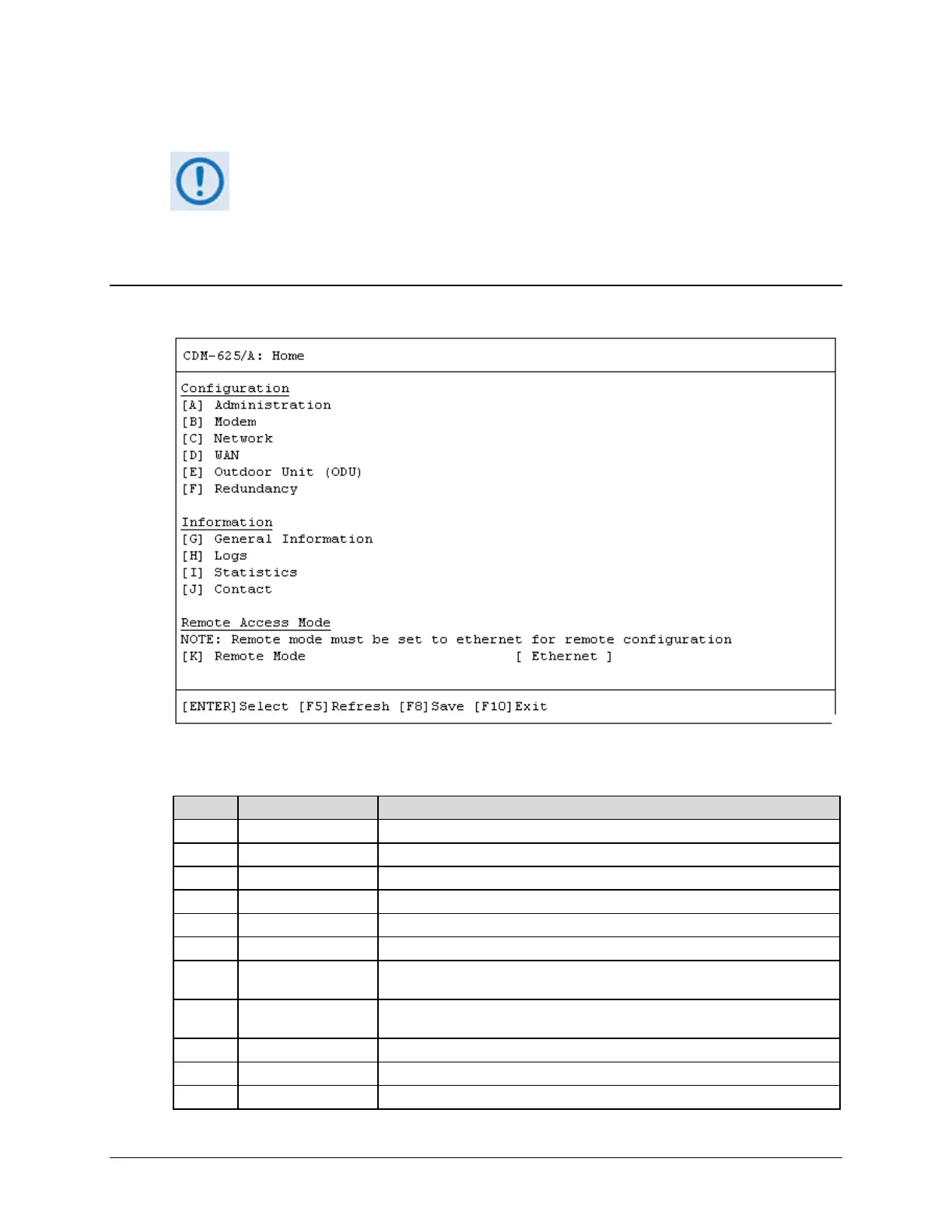
10.5.1.1 Home (Main) Menu
The Home Menu serves as the CLI’s primary navigation page. Press the ‘E’ hot key to access the
ODU submenus.
Access administrative configuration submenu
Modem Access modem configuration submenu
Access network configuration submenu
Access WAN configuration submenu
Access ODU comms, CSAT-5060 configuration submenus
Access 1:1 or 1:N redundancy configuration submenu
G General Information
Enter alphanumeric Circuit ID; view read-only CDM-625A operations
information screens
H Logs
Access Base Modem and Packet Processor stored events and statistics logs,
alarms control submenus
Access CDM-625A operational statistics submenus
View read-only Customer Support contact information screen
Open the Remote Access Mode setting



 To Next Page