CDM-625A Advanced Satellite Modem MN-CDM625A
Telnet Command Line Interface (CLI) Operation Revision 4
9–22
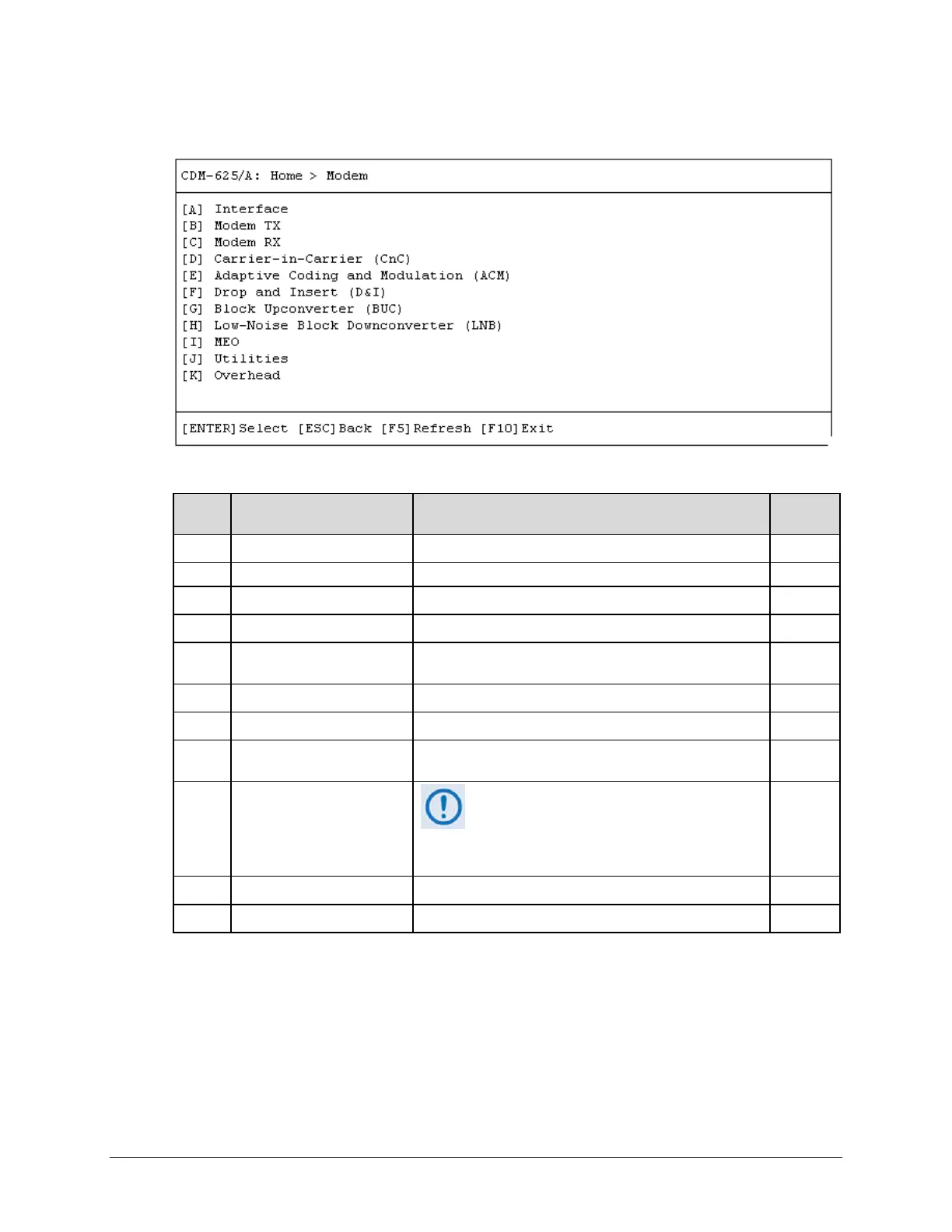
9.3.3 Home > Modem Submenu
Open the Modem submenu from the Home menu. This submenu contains the following options:
Configuration Page Function Sect.
A Interface Configure the Tx and Rx Framing Modes 9.3.3.1
Configure the unit’s Tx parameters
C Modem RX Configure the unit’s Rx parameters 9.3.3.3
D Carrier-in-Carrier (CnC) Configure CnC FAST Option 9.3.3.4
E
Adaptive Coding and
Modulation (ACM)
Configure ACM FAST Option 9.3.3.5
F Drop and Insert (D&I) Configure D&I parameters 9.3.3.6
G Block Upconverter (BUC) Configure BUC parameters and view operating statistics 9.3.3.7
H
Low-Noise Block
Downconverter (LNB)
Configure LNB parameters and view operating statistics 9.3.3.8
I MEO (Medium Earth Orbit)
MEO (Medium Earth Orbit) and its associated
functions are not supported in FW Ver. 1.2.4. Its
hot key and nested screen, while selectable
and viewable, are NON-FUNCTIONAL at this
9.3.3.9
Utilities Configure and monitor a variety of unit operational settings
Overhead Configure ESC, IDR Backward Alarms, AUPC, and EDMAC
Press a hot key to access a configuration page. See the specified chapter section for further
configuration options. Otherwise, press [ESC] to return to the Home menu.



 To Next Page